57
Searching for Titled
Discs
You can search for CDs with their titles if
they are titled. (To title CDs, refer to
"Titling Discs" on pages 52 and 53.)
Recherche d'un disque
titré
Vous pouvez rechercher un disque
d'après son titre, s'il a été titré
auparavant. (Pour titrer des CD, voir
"Titrage d'un disque" aux pages 52 et 53.)
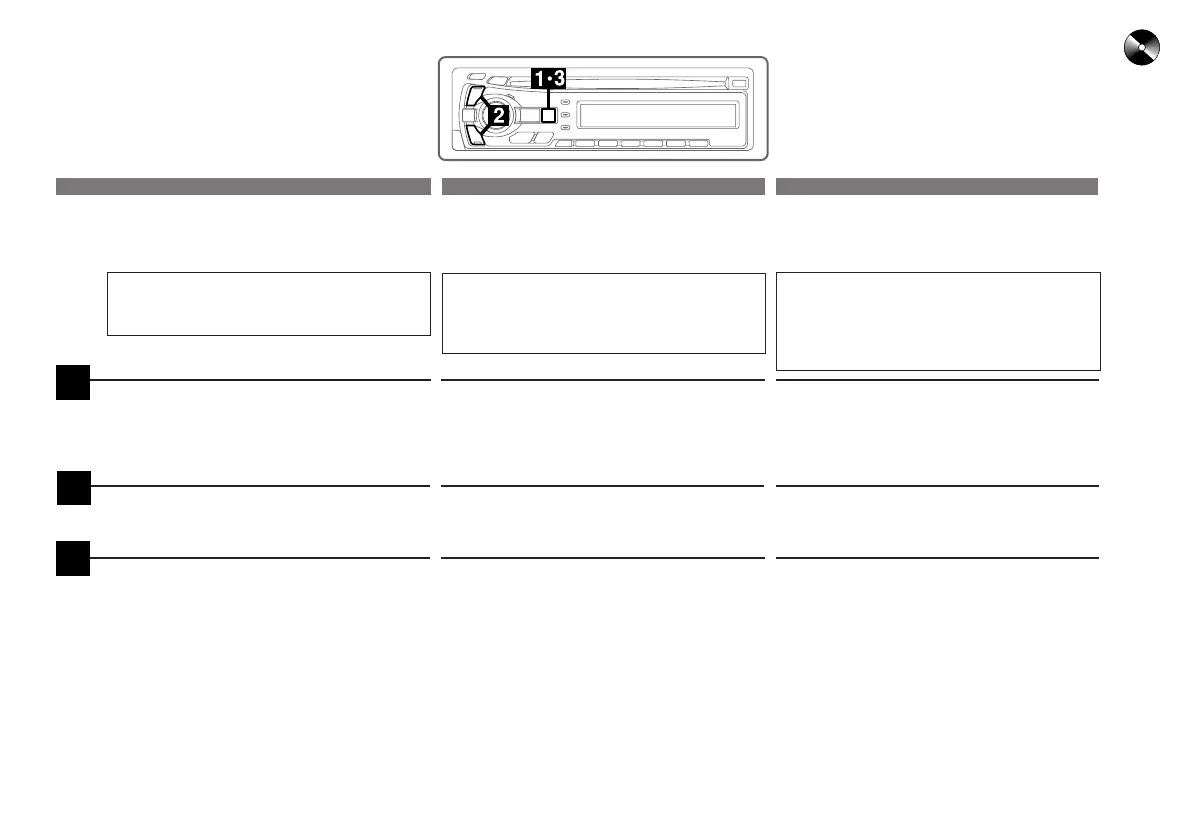
Appuyez pendant au moins 2 secondes
sur la touche T.S.M. pour activer le mode
T.S.M. quand le titre est affiché. Les titres
de CD défilent automatiquement.
Mantenga presionado el botón T.S.M.
durante al menos 2 segundos para activar
el modo T.S.M. La unidad desplazará
automáticamente los títulos de discos
compactos en el visualizador.
Press the DN (g) or UP (f) button to
select the desired disc title.
Appuyez sur la touche DN (g) ou UP
(f) pour sélectionner le titre du disque
souhaité.
Presione el botón DN (g) o UP (f)
para seleccionar el título de disco
deseado.
Press the T.S.M. button to play the
selected disc.
The unit will search for the disc, then
automatically load and play the disc.
Appuyez sur la touche T.S.M. quand le
titre du disque souhaité est indiqué.
L'appareil recherchera le disque, puis
chargera le disque automatiquement et le
reproduira.
Presione el botón T.S.M. cuando aparezca
el título del disco deseado.
La unidad buscará el disco, luego cargará el
disco automáticamente y lo reproducirá.
Press and hold the T.S.M. button for at
least 2 seconds while a CD title is dis-
played. The title blinks in the display.
3
2
1
Búsqueda de discos
titulados
Si los discos compactos están titulados,
podrá buscarlos por sus títulos. (Para
titular discos compactos, consulte
"Titulación de discos" en las páginas 52 a
53.)
English Français
Español



 To Next Page