25
English
Français Español
Changement de la
couleur de l'éclairage
Cambio del color de
iluminación
Changing Lighting
Color
Appuyez pendant au moins 3 secondes
sur la touche SETUP.
Mantenga presionado el botón SETUP
durante 3 segundos por lo menos.
1
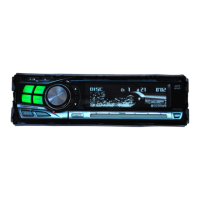
Press the SETUP button for at least 3
seconds.
2
Press the Preset 4 button to change the
lighting color between AMBER OFF
(green) and AMBER ON (amber).
Note: The initial setting at the factory is
"AMBER OFF".
Appuyez sur la touche de préréglage 4
pour changer la couleur de l'affichage el
choisir AMBER OFF (vert) ou AMBER ON
(orange).
Remarque: Le réglage initial est "AMBER
OFF".
Presione el botón de memorización 4 para
cambiar el color de iluminación entre
AMBER OFF (verde) y AMBER ON
(ámbar).
Nota: El ajuste inicial de fábrica es "AMBER
OFF".
3
Appuyez sur la touche SETUP pour
valider la couleur de l'affichage.
Presione el botón SETUP para establecer
el color de iluminación.
Press the SETUP button to set the lighting
color.



 To Next Page