29-EN
volume as low as acceptable, will reduce it. Positioning the microphone
in a direction away from the main car speakers (e.g. clipped on sun
visor) may also reduce feedback at high volume.
While calling, activating the Voice Mute function will instantly mute the
microphone input. Your voice will not be heard by the caller.
While calling, press to mute the microphone input.
Press again will bring the microphone input back to its
previous volume level.
While making a call, this function allows you to initiate the transfer of
the audio between the mobile phone and the speakers in the car.
While calling, press and hold ENTER or for at
least 2 seconds to switch the call sound between the unit
and mobile phone.
Note
• Depending on the mobile phone, this operation may not be performed.
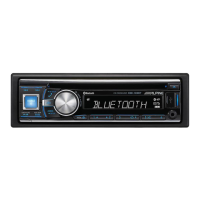
BLUETOOTH Audio Operation
Audio information of a BLUETOOTH compatible mobile phone, a
portable player, etc., is controllable/playable wirelessly
*
from this unit.
* To play back audio, a mobile phone or a portable player conforming to
A2DP (Advanced Audio Distribution Profile) and AVRCP (Audio/
Video Remote Control Profile) is required.
Not all functions work with all devices.
Notes
• Set “AUDIO” to ON when you want to use BLUETOOTH Audio
function. Refer to “Setting the BLUETOOTH Connection (BT IN)” on
page 24.
• During a call, sound on the BLUETOOTH audio source is muted.
• If you operate the Hands-free phone (e.g. searching in the phonebook)
while using the BLUETOOTH Audio function, BLUETOOTH Audio
playback may be affected.
Press SOURCE/ to select the BT AUDIO mode.
Press .
Returns the beginning of the song being played back.
Press .
Forwards the next song.
Pressing and holding or will fast backward/fast
forward track continuously.
Press .
A playback stops. Pressing again will resume a playback.
Connecting USB Memory (optional)
If a USB Memory device is connected to the unit, MP3/WMA/AAC files
can be played back.
Note
• When TAG is set in “Setting the USB Search Mode” (refer to “Setting the
USB Search Mode” on page 22), BANKING is displayed for several
seconds each time a Flash Memory device is connected or Ignition is
cycled.
1
Open the cover of the USB Connection Terminal.
2
Connect the USB Memory directly to the USB Connection
Terminal, or via the USB cable.
1
Carefully, pull out the USB Memory from the USB cable or
the USB Connection Terminal.
2
Close the cover of the USB Connection Terminal.
Notes
• Change to a source other than the USB Memory mode, then remove the
USB Memory. If the USB Memory is removed in the USB Memory
mode, data may be damaged.
• When removing USB Memory, pull it out straight.
Muting the microphone input quickly
(Voice Mute)
Call Switching Operation
Recalling the BLUETOOTH Audio Mode
Selecting the desired Song
Pausing
USB Memory (optional)
How to connect USB Memory to Front USB
Connection Terminal
Remove USB Memory from Front USB
Connection Terminal
SOURCE/
VIEW
Preset buttons
(1 through 6)
4 5
USB Connection Terminal
This unit
USB Memory
(sold separately)
or
USB Memory
(sold separately)
Cable (sold
separately)



 To Next Page