Your Smartphone
• Make sure your smartphone’s Wi-Fi is turned ON.
• Make sure your smartphone has internet access.
Your Wi-Fi Router
• Make sure you have a working internet connection on your Wi-Fi router.
• Make sure there is no proxy server or authentication server configured on your
internet connection.
• Make sure there is no captive portal on your Wi-Fi router.
Important
• Make sure IP isolation or client isolation is turned OFF on your Wi-Fi router.
3
1D. PRIOR TO APP INSTALLATION
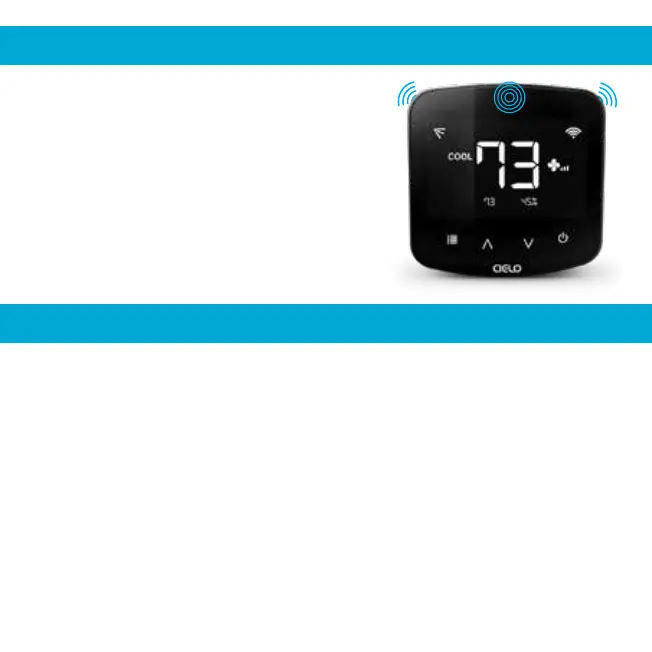
Breez Plus has three transmitters to send IR
signals to the air conditioner. One towards the
front, and one each on the top corners at 45
degrees.
Important
Please ensure that the IR signal reaches your air
conditioner from either of these transmitters.
1C. IR SIGNALS - CIELO BREEZ PLUS


 To Next Page