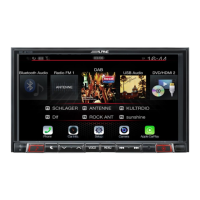
Jeep Wrangler
WRANGLER 10/22
Installation Instructions
2 Put monitor face down on a soft, scratch free
surface and attach Display Monitor Brackets using
(4) 8mm screws (provided). Plug in the Display
Cable and Display Power Harness.
4 Attach the display and source unit with the 8mm
screws (supplied) as shown below.
Route the display cable and power harness
from the display to the source unit and
plug into the W. Remote and Display Out.
6 Route the key harness through the top-left side of
the i209 source unit. Mount the i209 source unit
using (4) 7mm factory screws.
DISCONNECT THE BATTERY BEFORE
CONTINUING. FAILURE TO DO SO WILL
DISABLE MANY FEATURES.
1 Attach the modified panel using the factory screws.
3 Apply Insulating pad by removing the paper
backing. See diagram below.
5 Route the USB extension cable to the glove box,
connect the main harness and other adapters to the
factory harness and secure them.
To retain the factory USB port in uConnect systems,
See page 11 for installation instructions.


 To Next Page