23-EN
Adjusting the Volume
Adjust the volume by pressing or .
Volume decreases/increases continuously by pressing and
holding or .
Volume: 0 - 35
Lowering Volume Quickly
Activating the Audio Mute function will instantly lower the volume
level by 20 dB.
1
Press MUTE to activate the MUTE mode.
The audio level will decrease by about 20 dB.
2
Pressing MUTE again will bring the audio back to its
previous level.
Using My Favorites
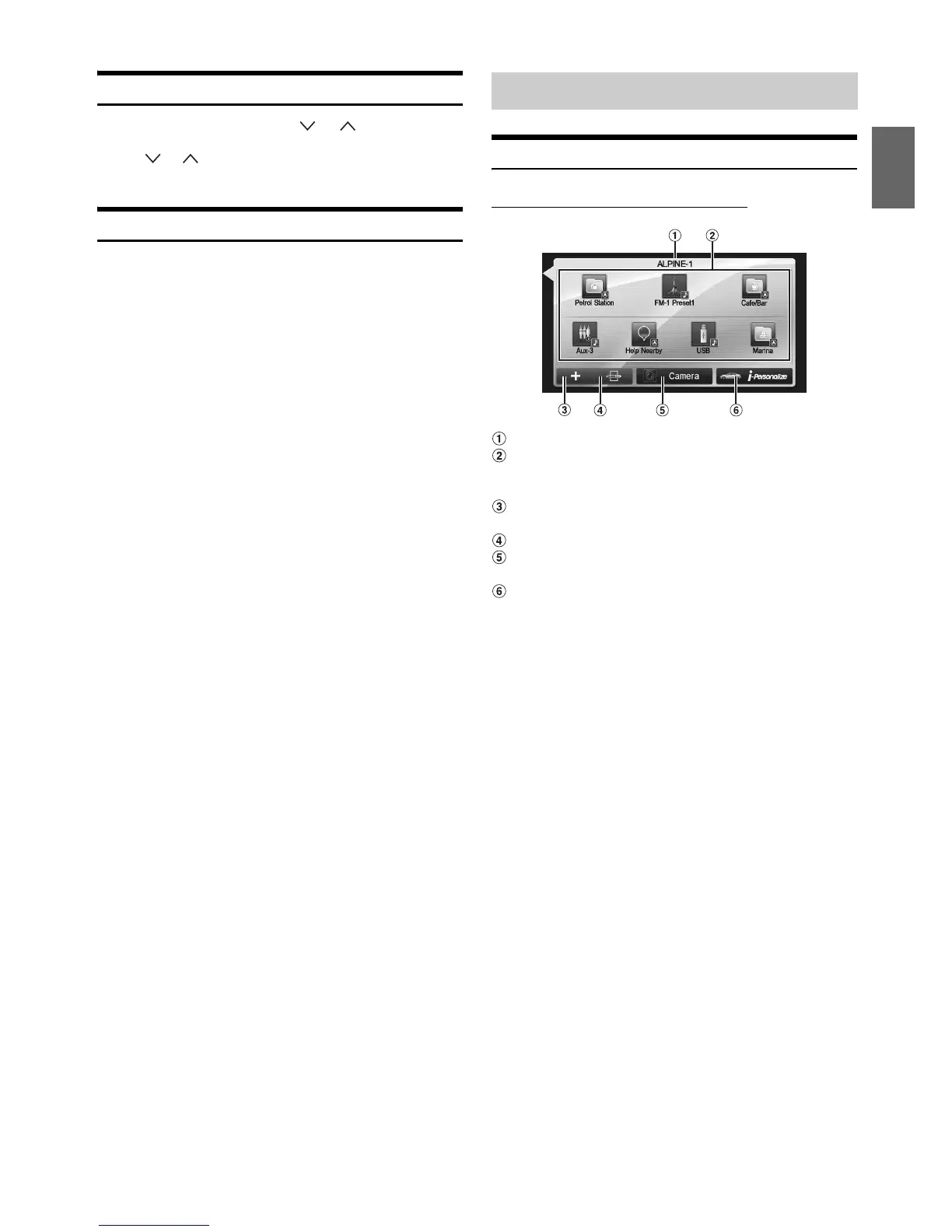
Display example of My Favorites screen
User name: Displays the name of the user
My Favorites icon: Touching an icon on My Favorites
screen will switch to the screen for the selected
application.
Add button: Use to add (register) My Favorites icons
(page 25)
Edit button: Use to edit My Favorites (page 25)
Camera button: Use to display the camera image
(page 26)
i-Personalize button: Use to configure the i-Personalize
Setup (page 26)
Common Operations











 To Next Page