
 Need help?
Do you have a question about the Alpine INE-Z928E and is the answer not in the manual?
Crucial guidance to ensure correct and safe usage of the navigation system.
Essential safety measures and points to observe before operating the unit.
Important notices regarding product cleaning, temperature, and disc handling.
Allows registration of up to two users with personalized settings.
Register up to eight favorite functions as shortcut keys for each user.
Configure audio settings based on car type for optimal sound environment.
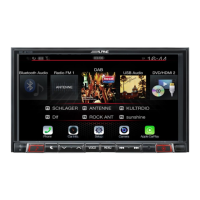
Display navigation and audio/visual screens simultaneously.
Lists all accessories included with the INE-S920E/INE-Z928E unit.
Installation and initial setup procedures specific to the INE-S920E model.
Installation and initial setup procedures specific to the INE-Z928E model.
How to register, add, edit, and use My Favorites functions.
Register up to two users, enabling automatic user identification.
Modify favorite icons, user names, and the layout of the favorites screen.
Guidelines for interacting with the touch-sensitive screen interface.
Instructions on how to scroll and select items from lists.
Steps to select radio bands, tuning modes, and frequencies.
How to tune and store radio stations into preset memory.
Automatically seek and store up to six strong stations in the selected band.
Instructions for playing audio files from discs or USB devices.
Play tracks or files on the disc in a random sequence.
How to select folders for playback of MP3/WMA/AAC files.
Guidelines for playing DVD-Video and DivX discs.
How to stop playback and store the current position.
Navigate and select folders for playback on DVD-Video and DivX discs.
Common operations for general setup items like language and display.
Procedures for adjusting sound settings like balance, EQ, and time correction.
Configure source switching by tracing the screen.
Set audio, subtitle, and menu languages for DVD playback.
Configure AUX input modes, names, and visual signal system.
Operations for setting up and managing Bluetooth connections.
Basic operations for camera setup when a camera is connected.
Select camera type and adjust guide settings for direct camera input.
Adjust the position and display of camera guide lines.
Connecting, operating, and managing hands-free phone functions.
Synchronize, add, delete, and assign phone book entries.
Instructions for playing audio files via Bluetooth.
Search for tracks or other content from the connected Bluetooth device.
General procedures for operating connected auxiliary devices.
How to operate an external DVD player connected to the unit.
Displaying rear view video and adjusting camera guide settings.
Displaying front view video and switching image patterns.
Instructions for playing music and video files from USB devices.
Search for songs by file/folder name, tag, artist, album, or genre.
Playing audio and video files from iPod/iPhone devices.
Search for music files by category, artist, album, or song.
Select video files, music videos, or playlists from the device.
Information on updating the system software via USB.
Explanation of DVD disc structure and features.
Reference list of language codes for menu and audio settings.
Technical specifications for the display unit.
Technical specifications for the GPS receiver.
Technical specifications for Bluetooth connectivity.
Terms and conditions for using the Microsoft software on the device.
Disclaimer regarding software quality, performance, and warranties.
Restrictions on database usage, reproduction, and modification.
Information about potential inaccuracies or incompleteness in the database.
Procedures for installing the unit, including location and angle considerations.
Wiring diagrams and connection details for the INE-S920E unit.
Diagram illustrating connections for USB memory or Nokia phone.
Diagram illustrating connections for iPod/iPhone devices.
Wiring for connecting TV receivers, USB players, and DVD changers.
Wiring diagrams for connecting specific camera models.
Introduction to the Alpine Navigation user manual.
Overview of the Alpine Navigation software.
Details about the navigation software for specific Alpine models.
Explanation of touch screen controls and their usage.
Detailed overview of the map screen interface and its functions.
Accessing various software functions through the navigation menu.
Methods for choosing a destination for navigation.
Reviewing route details and performing related actions.
Options for changing an active route, including adding waypoints.
Selecting start points and destinations for off-road routes.
Understanding navigation differences in off-road mode.
Explanation of navigation concepts like Smart Zoom and route calculation.
Accessing various options and additional applications.
Configuring program settings and software behavior.
Explanation of GPS signal reception and accuracy.
Description of digital maps, including 2D and 3D views.
Definition of a route, including start points, destinations, and colour coding.
 General
| Resolution | 800 x 480 |
|---|---|
| GPS Navigation | Yes |
| Bluetooth | Yes |
| Audio Output | 4 x 50W |
| USB Ports | 1 |
| HDMI Input | No |
| Android Auto | No |
| Apple CarPlay | No |
| Touchscreen | Yes |
| DVD Player | Yes |
| CD Playback | Yes |
| AM/FM Tuner | Yes |
| Satellite Radio Ready | Yes |
| Steering Wheel Control Compatible | Yes |
| Rear View Camera Input | Yes |









 To Next Page
