8-EN
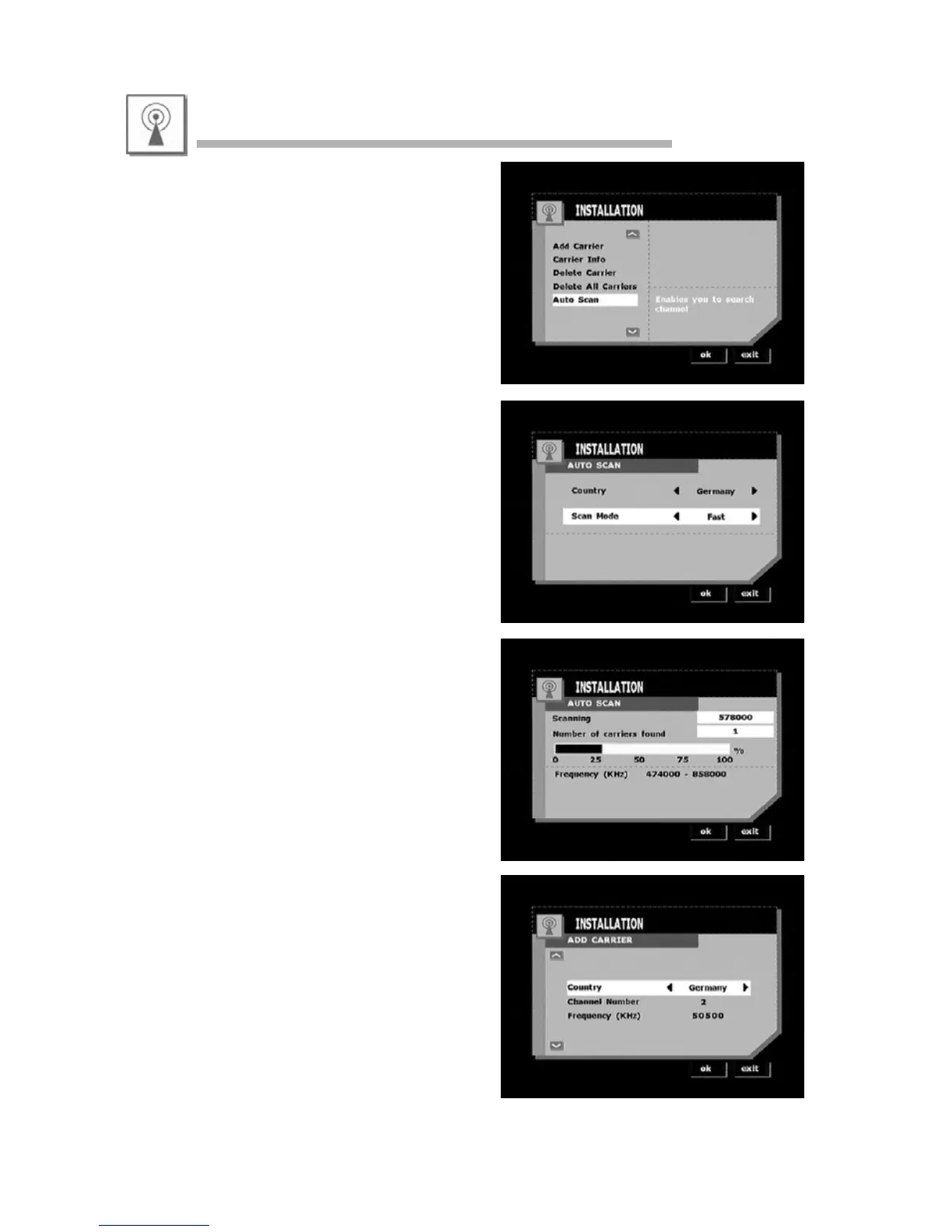
• The installation menu lets you add, delete and
auto scan terrestrial carriers.
• Auto Scan
In this menu you can select your country and
scan mode to do a fast or slow scan.
• Fast scan scans a list of carriers.
• Slow scan scans the full range of frequencies.
Press OK to start auto scan after having selected
the scanning mode.
• Add Carrier manually
- Select your country.
- Select the channel number.
Press OK to confirm your input.
Installation



 To Next Page