10-EN
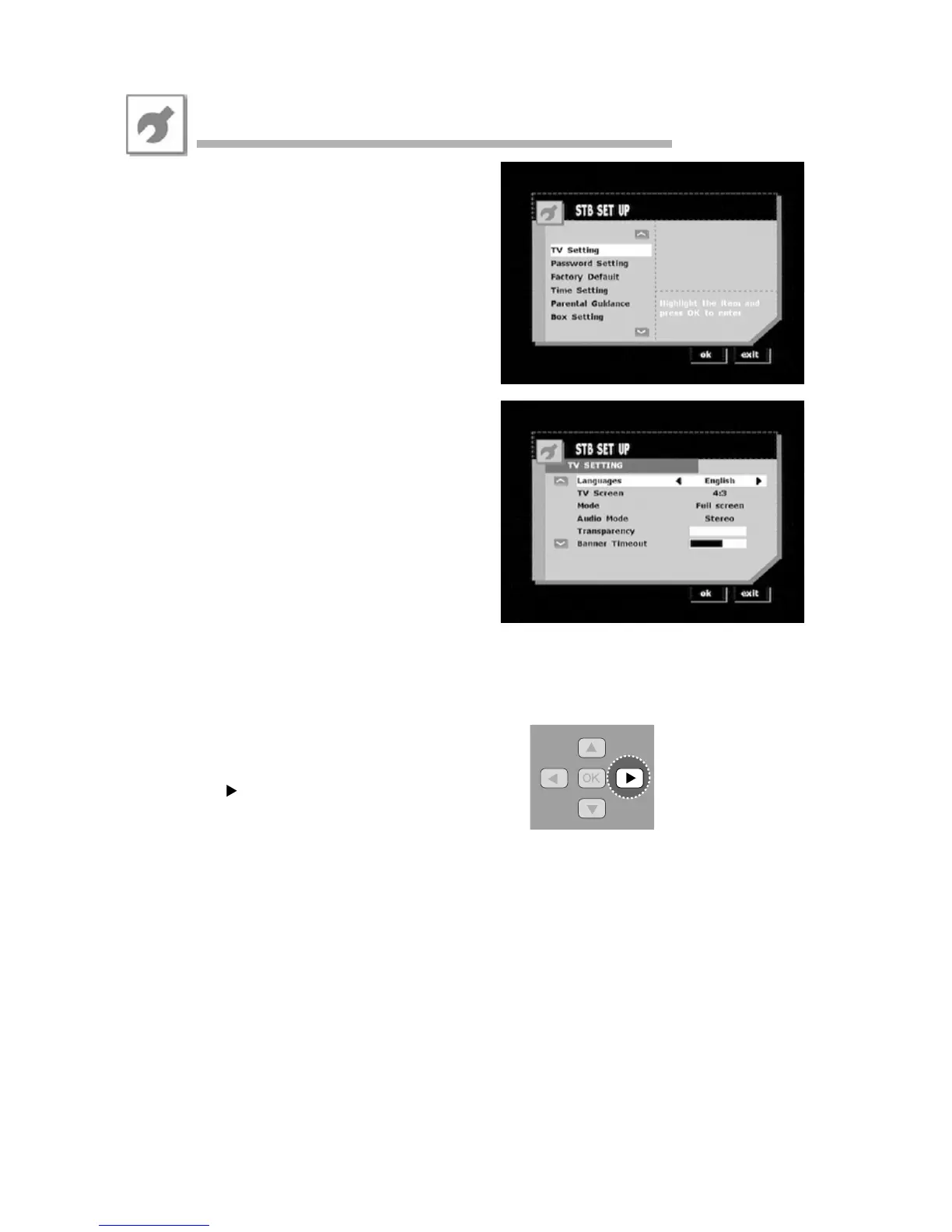
• From the STB Setup menu you can reach the
following sub-menus:
- TV Setting
- Password Setting
- Factory Default
- Time Setting
- Parental Guidance
- Box Setting
• TV Setting
- Language:
Select your preferred OSD language.
-TV Screen options:
a. 4:3
b. Auto
c. 16:9
- Mode options if TV screen is set to 4:3 or Auto:
a. Full Screen
b. Letter Box
- Mode options if TV screen is set to 16:9:
a. Standard
b. Full Zoom
c. Half Zoom
d. Centred
- Audio Mode lets you switch the audio output
between stereo, left channel only and right channel only.
- The transparency of the OSD window can be adjusted
by moving the slide bar.
- The banner timeout of the OSD window can be adjusted
by moving the slide bar.
While TV is being viewed, the right arrow button on
the RC ( )can be used to toggle between the above
described display modes.
STB Setup



 To Next Page