6
The camera enters into Video/photo mode automatically after switching on, press recording to
start video, press Recording again to stop video. Press PHOTO key to take photos. Press
Mode key to switch modes, Press T or W key to have digital zoom.
Self-timer : Press Photo key for time delay, photo shooting starts after 2s, 5s or 10s.
IR light: Press OK key to switch on or off the IR light. (IR light can't be used under Playback
mode)
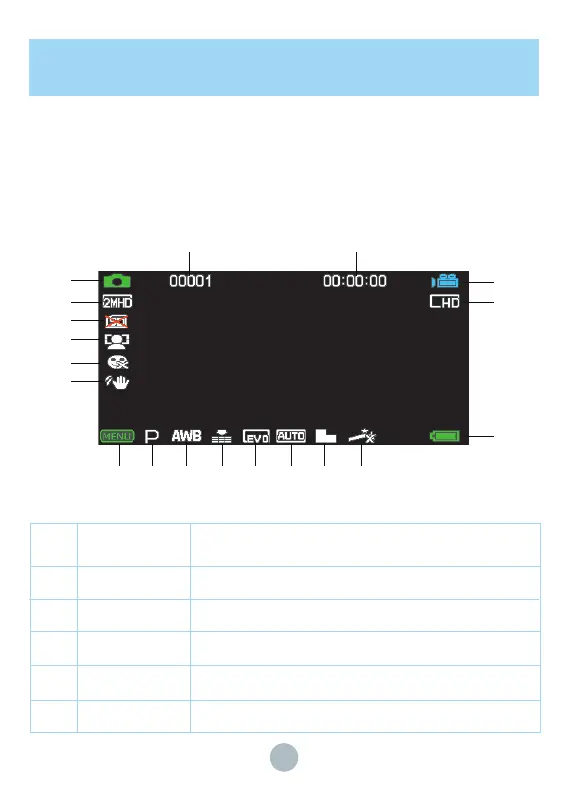
Display information under Video/Photo mode:
Advanced Operation
Video/Photo Mode
No. Icon name
1 Photo mode
Resolution
SD card
Face Detect
Smile Capture
Description
Press shutter to make photo shooting under Photo mode
Photo resolution
Indicate that the current storage is the SD card
Automatically detect and track faces in images
Smile capture function is on/off
2
3
4
5
1
2
3
4
5
6
7 8
9
10
11
12 13 14 15 16 17 18 19


 To Next Page