10
Altai Technologies Ltd. All rights reserved
Quick Setup Guide
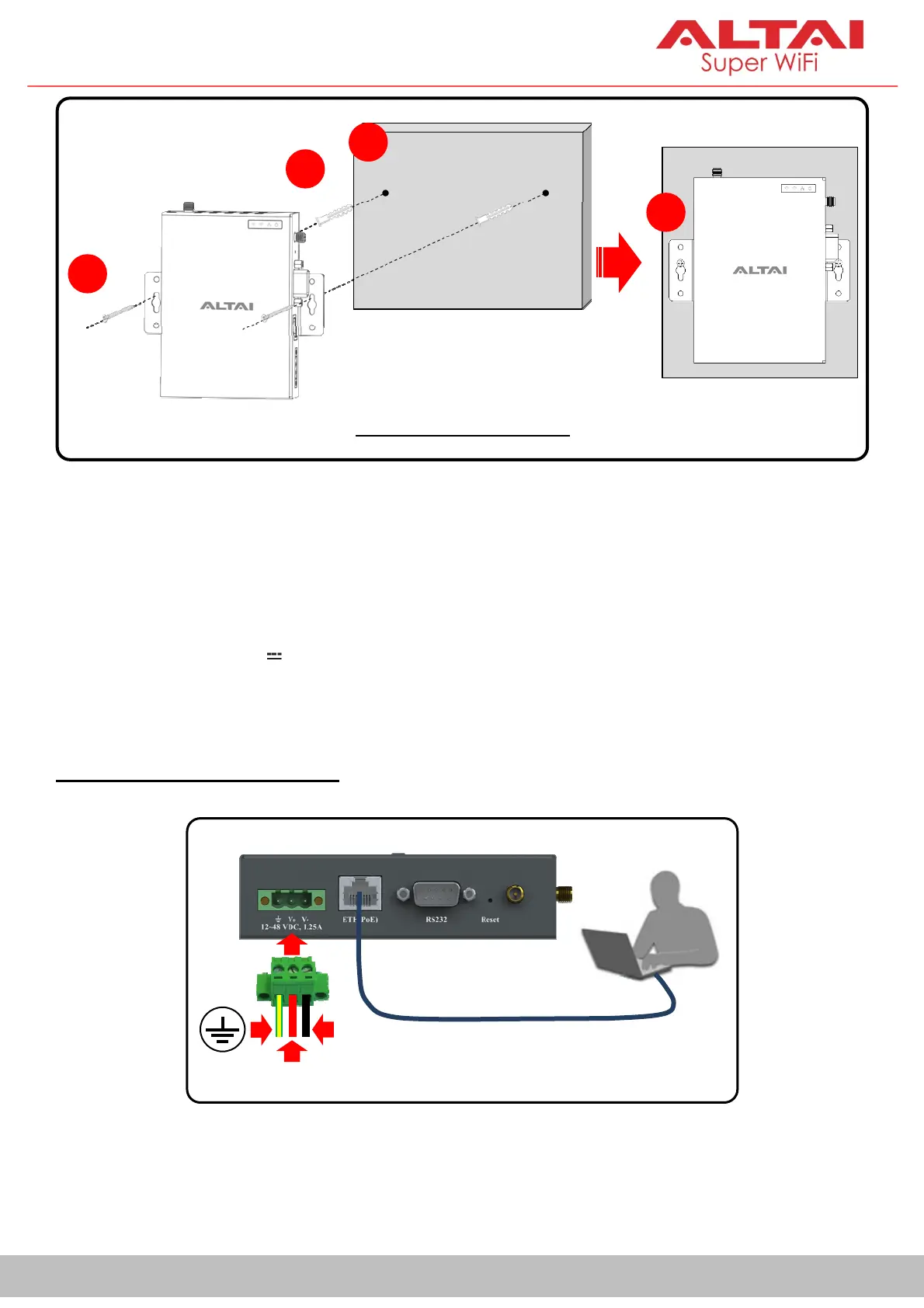
Power Options and Cable Connection Instructions
Follow one of the options below to power upVX200 for configuration.
-DC input:12~48VDC 1.25A
- PoE input:54VDC, 0.6A
Option 1: 12-48 VDC Power
1. Insert Ground/DC positive/DC negative wires (recommended AWG range: 12 -
24) into the terminal block. Use a small flat-blade screwdriver to tighten the wire-
clamp screws so as to prevent the wires from loosening.
VX200
V
-
V
+
Ethernet Cable
Two-Hole Installation
2
3
4
Wall
5
Wall


 To Next Page