6
Altai Technologies Ltd. All rights reserved
Quick Setup Guide
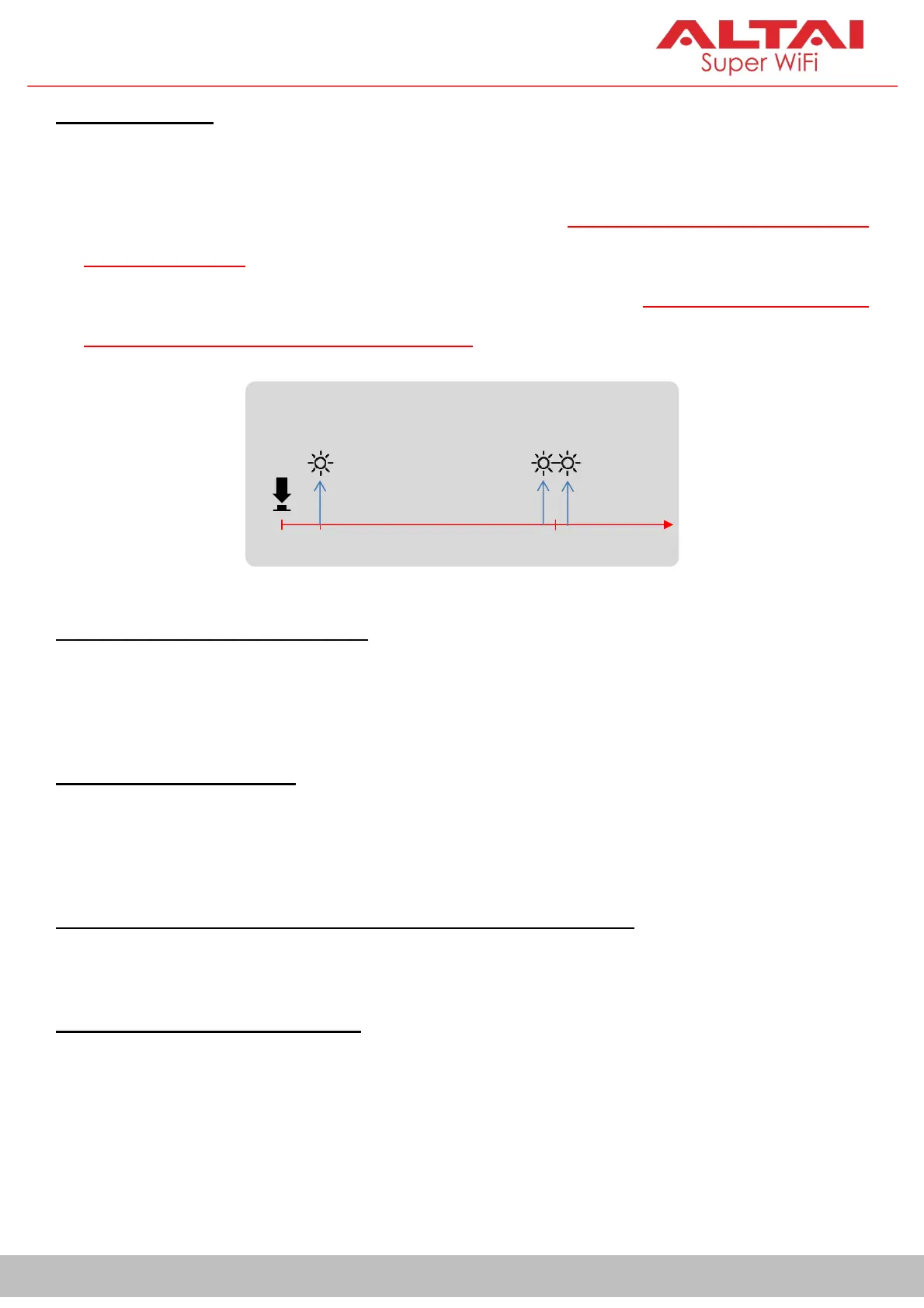
C: Reset Button
Serves two functions below.
Reboot: Press and hold the Reset Button for 1-2 seconds until the power
LED blinks once
.
Factory Reset: Press and hold the Reset Button for 5-8 seconds until the
power LED blinks twice consecutively.
D: RS232 DB9 SerialPort (Male)
Used to connect with a peripheral RS-232 serial device so that you can
access the serial device, via the VX200, from anywhere over TCP/IP network.
E: Ethernet Port (PoE In)
Used to connect to power source (seelater section forPower Options) and
provides 10/100/1000 Mbps network interface for LAN connection.
F: DC Terminal Block Receptor (3-Contact: Ground/+/-)
Used to connect to DC power source (seelater section forPower Options).
G: RP-SMA RF Port 2 (Female)
Used with Port 1 together to attach 2 x 2.4G/5G antennae (purchased
separately) for 2x2 MIMO WiFi connection.
Power LED Indicator
0s
Factory Reset
Reboot
1-2s 5-8s


 To Next Page
 Loading...