EasyManua.ls Logo

Altec Lansing M402 - User Manual

Altec Lansing M402
14 pages
Print Icon
To Next Page IconTo Next Page
Loading...
Altec Lansing FPO NAME M402/M402SR
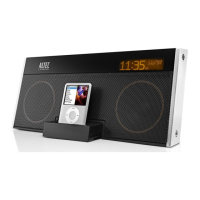
Digital Speaker System and Alarm Clock for iPod
User Guide
Question and Answer IconNeed help?

Do you have a question about the Altec Lansing M402 and is the answer not in the manual?

Summary

Welcome

FCC Compliance

Safety Information

Package Contents

Getting Started

How to Install the Backup Battery

Details on installing a 9-volt battery for continuous clock settings during power failures.

How to Install the AC Adapter

Instructions for connecting the AC adapter to the speaker system and wall outlet.

How to Install the Enhanced Remote Battery

Steps to install the battery in the enhanced remote control unit.

Placing and Removing iPod Inserts

How to Place an Insert

Guidance on selecting and inserting the correct iPod insert for a proper dock fit.

How to Remove an Insert

Instructions on how to safely remove an iPod insert from the speaker system dock.

Speaker Features and Indicators

Speaker Controls

IR Enhanced Remote Features

Wireless Snooze Remote Features

How to Install the Wireless Snooze Remote Battery

Steps for installing the battery in the wireless snooze remote control.

How to Connect and Pair the Wireless Snooze Remote

Instructions for connecting the receiver and pairing it with the wireless remote.

Listening to Your iPod

Charging your iPod

Information on how the iPod charges when docked and the system is AC powered.

How to Access Additional Features on Your iPod Using the Enhanced Remote

Guidance on using the enhanced remote to control iPod functions like shuffling albums.

Summary

Welcome

FCC Compliance

Safety Information

Package Contents

Getting Started

How to Install the Backup Battery

Details on installing a 9-volt battery for continuous clock settings during power failures.

How to Install the AC Adapter

Instructions for connecting the AC adapter to the speaker system and wall outlet.

How to Install the Enhanced Remote Battery

Steps to install the battery in the enhanced remote control unit.

Placing and Removing iPod Inserts

How to Place an Insert

Guidance on selecting and inserting the correct iPod insert for a proper dock fit.

How to Remove an Insert

Instructions on how to safely remove an iPod insert from the speaker system dock.

Speaker Features and Indicators

Speaker Controls

IR Enhanced Remote Features

Wireless Snooze Remote Features

How to Install the Wireless Snooze Remote Battery

Steps for installing the battery in the wireless snooze remote control.

How to Connect and Pair the Wireless Snooze Remote

Instructions for connecting the receiver and pairing it with the wireless remote.

Listening to Your iPod

Charging your iPod

Information on how the iPod charges when docked and the system is AC powered.

How to Access Additional Features on Your iPod Using the Enhanced Remote

Guidance on using the enhanced remote to control iPod functions like shuffling albums.

Altec Lansing M402 Specifications

General IconGeneral
BrandAltec Lansing
ModelM402
DisplayLED
Snooze FunctionYes
Radio BandsAM/FM
Power SourceAC Adapter
TypeAlarm Clock
Backup BatteryYes