EasyManua.ls Logo

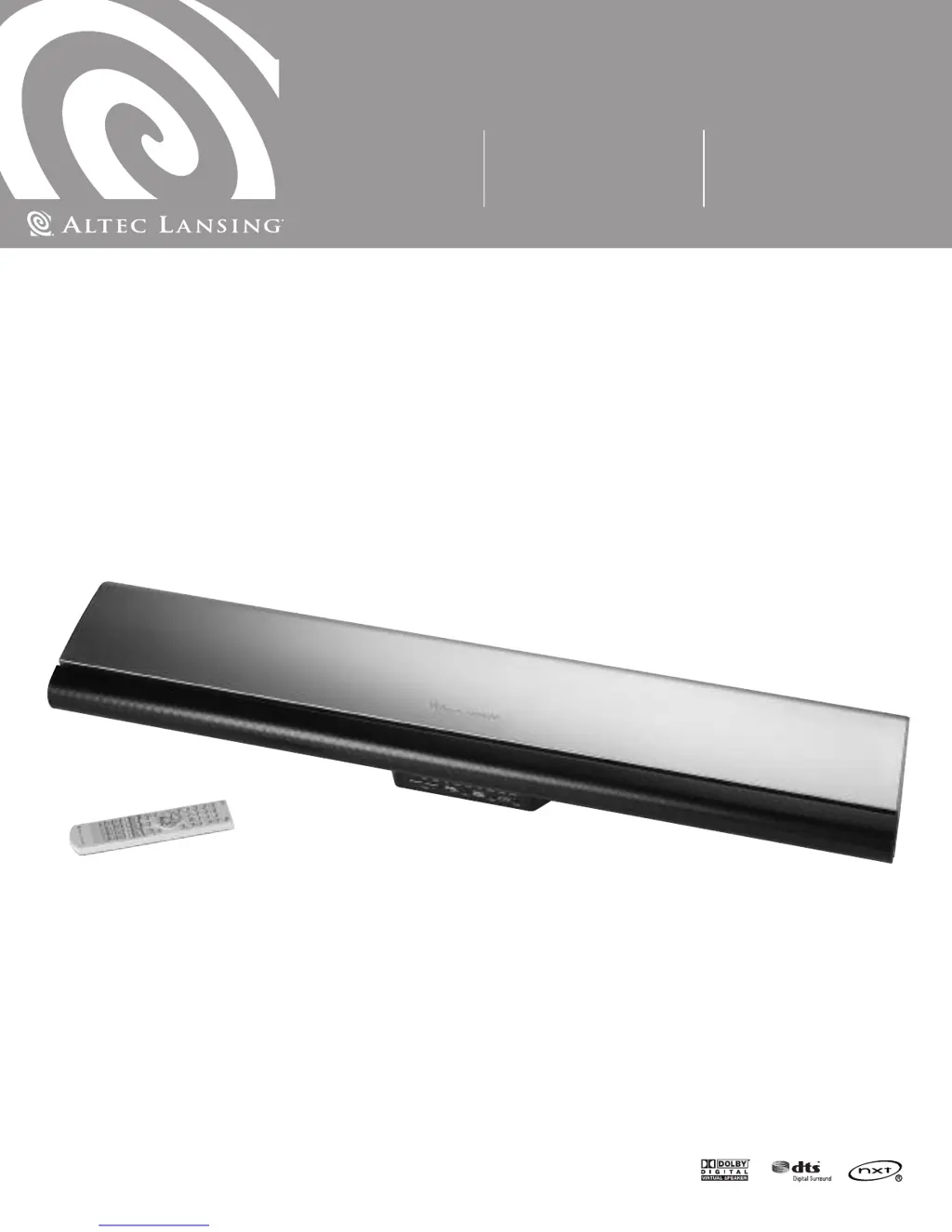
Altec Lansing PT7031 - User Manual

Altec Lansing PT7031
44 pages
Print Icon
To Next Page IconTo Next Page
Loading...
Mode d’emploi Guía del usuarioUser’s guide
PT7031

Other manuals for Altec Lansing PT7031

Questions and Answers

  • K
    Kenneth SchneiderJul 26, 2025
    What to do if there is no sound from Altec Lansing Speakers?
    • S
      Scott SmithJul 26, 2025
      If no sound is coming from your Altec Lansing Speakers, there might be a few reasons. First, check that the volume isn't set too low by using the “+/–” buttons on the remote to increase it. Also, ensure that all cables are correctly and firmly connected to both the speakers and the source equipment. Finally, verify that the mute function is not activated.
  • S
    Sean RogersAug 2, 2025
    Why won't my Altec Lansing Speakers turn on?
    • S
      Sara MartinAug 2, 2025
      If your Altec Lansing Speakers aren't turning on, first ensure the AC cord is properly plugged into a suitable outlet and that the power switch on the back panel is turned on. If it still doesn't power on, unplug the unit briefly from the AC outlet and then plug it back in to reset it.
  • E
    Eric SandovalAug 10, 2025
    How to fix no on-screen display on Altec Lansing Speakers?
    • M
      Melissa NewmanAug 11, 2025
      If there is no on-screen display for your Altec Lansing Speakers, check that the video cable is securely connected at both the speaker's VIDEO OUTPUT and the TV input. Also, make sure the correct input is selected on your TV, corresponding to where the VIDEO OUT cable from the speaker is connected.
  • C
    Calvin HamptonAug 18, 2025
    What to do if Altec Lansing Speakers have no sound for specific DVDs?
    • P
      Pamela LaneAug 18, 2025
      If you experience no sound when playing specific DVDs on your Altec Lansing Speakers, it might be because the DVD audio track is recorded at 96kHz. To resolve this, select 48kHz in the DVD menu or connect and use the analog output from the DVD player.

Summary

Safety and Compliance

Important Safety Instructions

Covers warnings about electric shock, fire, moisture, and ventilation.

PT7031 Installation

Installation Guidelines and Safety

Provides advice on placement, ventilation, and safety during installation.

Wall Mounting Procedure

Step-by-step instructions for mounting the unit on a wall.

Setting Up the PT7031 System

Connecting Digital Audio Sources

How to connect devices using optical or coaxial digital audio cables.

Connecting Analog Audio Sources

How to connect devices using stereo analog audio cables.

Remote Control Setup and Basic Operation

Performing Basic Operations

Steps for powering on, selecting inputs, and adjusting volume.

Advanced System Settings

Setting Speaker Levels and Test Tone

Adjusts channel levels and uses test tones for calibration.

Remote Control Programming

Troubleshooting and Specifications

Common Problems and Solutions

Addresses issues like no power, no sound, no display, and DVD audio problems.

Altec Lansing PT7031 Specifications

General IconGeneral
TypeHome theatre speakers
MaterialAluminum
I/O ports1xTV 1xDVD 1xVCR
Audio output channels5.1 channels
Product colorSilver
Remotely operatedYes

Related product manuals