Checklist and connections
1. Checklist
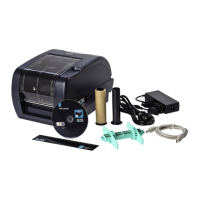
Unpack the printer and check if the following materials are present:
• TTP-printer
• Cardboard roll (waste roll)
• Black plastic ink ribbon spindle (2X)
• Green plastic label spindle (1X)
• Green center wings (2X)
• USB-cable
• Power cable
• 24V AC power supply
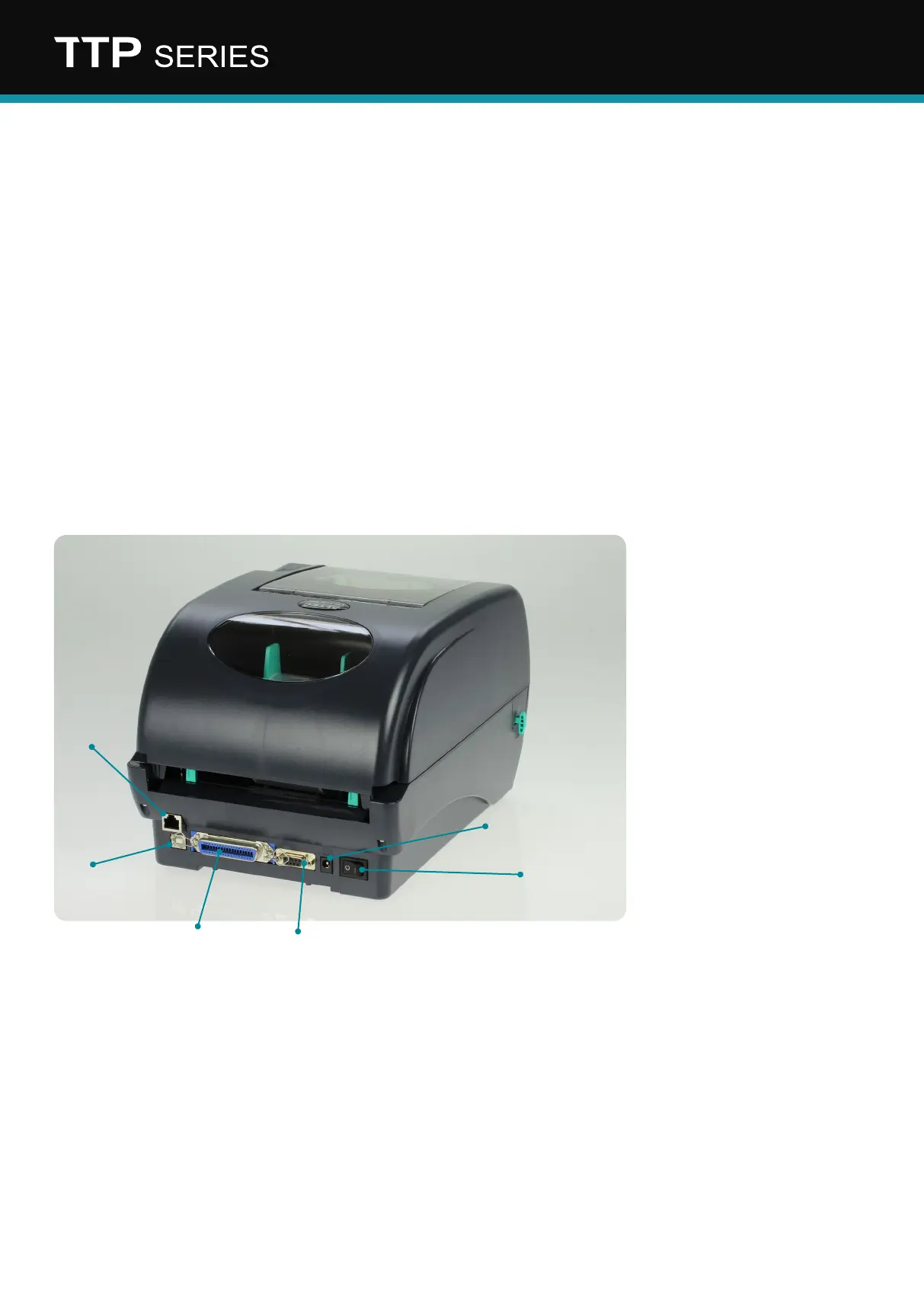
1. Ethernet (optional)
2. USB
3. Parallel
4. Serial
5. Power supply
6. On/O switch
2. Connections
Remove all packaging and connect the adapter to the printer.
Connect the power cable and now connect the printer to the computer or network.
Note: Install the printer driver before switching on the printer.
1
2
3
4
6
5


 To Next Page