Phone Functions
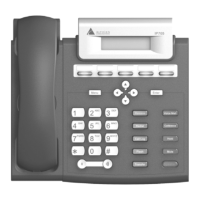
IP 705 Manual 39
Transfer
button
Transfers an active call to
another number.
• Feature does not require special
configuration to work.
• This button cannot be used to
“flash” after being used to transfer
a call. To reconnect to a call after
using the Transfer button, use
thebutton or the Flash button.
Voice Mail
button
Enables access to voice
messages.
• The VM count that appears in the
LCD reflects new messages
(previously heard messages are not
included).


 To Next Page