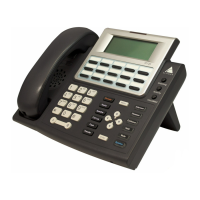
Configuring the IP 705 Phone
IP 705 Manual 21
Network Settings
Emergency
Number
System >
Emergency Num
Sets the IP phone’s emergency
number. For the U.S., the emergency
number is 911.
Emergency
Gateway
System >
Emergency GW
Sets the IP phone’s emergency
gateway IP address
Version
Information
System >
Version Info
[Read only]
Displays the version number of the
IP phone.
Setting Menu Path Description
Enable DHCP Network >
Enable DHCP
Sets whether Dynamic Host
Configuration Protocol (DHCP) is
being used by the IP phone to retrieve
a new IP address upon boot up.
Local
Address
Network >
Local Address
Sets the IP phone’s local address;
shows only if DHCP is disabled.
Network
Mask
Network >
Network Mask
Sets the IP phone’s network mask;
shows only if DHCP is disabled.
Gateway Network >
Gateway
Sets the default Gateway IP address.
For H.323 version of phone firmware only:
Enable
GateKeeper
Network >
Enable GK
Sets whether GateKeeper is enabled
or disabled.
GateKeeper
Discovery
Network >
GK Discovery
Sets whether GateKeeper discovery is
enabled. IP phone will automatically
find GateKeeper. Shows only if
GateKeeper is enabled.
Enable NAT Network >
Enable NAT
Sets whether NAT is enabled or
disabled.
NAT Address Network >
NAT Address
Sets the NAT server’s public IP
address.


 To Next Page