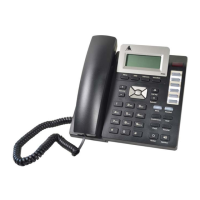
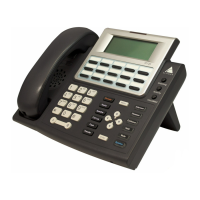
User Guide
IP 705 Manual 33
#27. . . . . . . . . . . . . . . . . . . . . . . . . . . . Station Log In (Phone must be onhook)
#32 <acct code> . . . . . . . . . . . . . . . . . Enter Account Code (before dialing)
Flash button #32 <acct code>. . . . . . . Enter Account Code (mid-call)
#33. . . . . . . . . . . . . . . . . . . . . . . . . . . . Do Not Disturb
#36. . . . . . . . . . . . . . . . . . . . . . . . . . . . Call Forwarding
#37. . . . . . . . . . . . . . . . . . . . . . . . . . . . Remote Call Forwarding
Other Features
#22. . . . . . . . . . . . . . . . . . . . . . . . . . . . Feature Status Check
#25. . . . . . . . . . . . . . . . . . . . . . . . . . . . Station Speed Dial Setup
#38. . . . . . . . . . . . . . . . . . . . . . . . . . . . Outside Call Blocking (operator only)
#39. . . . . . . . . . . . . . . . . . . . . . . . . . . . Operator Off-Line (operator only)
#44. . . . . . . . . . . . . . . . . . . . . . . . . . . . Overhead Paging
#45. . . . . . . . . . . . . . . . . . . . . . . . . . . . Overhead Paging by Trunk
#46. . . . . . . . . . . . . . . . . . . . . . . . . . . . Group Paging (for IP 705 phone users)
#55. . . . . . . . . . . . . . . . . . . . . . . . . . . . List Feature Tips
#73. . . . . . . . . . . . . . . . . . . . . . . . . . . . Silent System Call Park
#90. . . . . . . . . . . . . . . . . . . . . . . . . . . . Ready to receive workgroup calls
#91. . . . . . . . . . . . . . . . . . . . . . . . . . . . Not ready to receive workgroup calls
Flash button #40 . . . . . . . . . . . . . . . . . Transfer to AltiGen Voice Mail System
Flash button # 15 <AA#> . . . . . . . . . . . Transfer to Auto Attendant
Flash button # # <ext> . . . . . . . . . . . . Transfer to a User’s Voice Mail
Flash button <ext> Flash button. . . . . Consultation
Dialing an IP Number Directly from the IP 705
To dial an IP number directly from the IP 705 phone set, enter the IP
address, using the * key to enter periods and followed by the # key.
Note: This works only when the IP 705 is operating in Basic mode.
If the IP 705 is configured for a public IP address, you can call other public
IP address devices. If the IP 705 is configured for a private IP address, you
can call other private IP address devices that you can “see” or that are on
your subnet.


 To Next Page