EasyManua.ls Logo

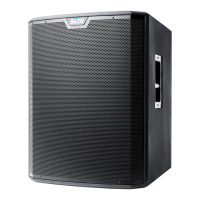
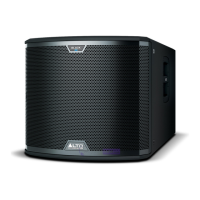
Alto BLACK 15 SUB - User Manual

Alto BLACK 15 SUB
34 pages
Print Icon
To Next Page IconTo Next Page
Loading...
Service Manual
BLACK 15 SUB
Version: A7
Date: 2013/12/19
Specifications
Amplifier: Woofer:
Power Source .................... AC 90V-240V/50Hz-60Hz Impedance .............................................................
Power Handling ........................................... 750 Watt
Power Consumption .................................. 1500 Watt
Sensitivity ......................................................... 94 dB
Output Power ................................... 1200 W(Woofer)
Frequency ........................................................ 100Hz
(THD 1%, Without Limiter)
Dimensions ................ 513(W)x637.5(D)x455(H) m/m
Frequency Response ............................ 20Hz~200Hz
Specifications subject to change in order to accommodate improvement in design.

Questions and Answers

  • J
    Joan RiosAug 2, 2025
    What to do if my Alto BLACK 15 SUB has no sound?
    • L
      Lauren PhillipsAug 2, 2025
      If your Alto Subwoofer isn't producing any sound, begin by verifying that the power plug is correctly connected. Next, ensure the function switches are in the correct positions and that the volume knob is turned up. Also, check the mixer volume and confirm all signal lines are working correctly. If necessary, try using different signal lines to rule out a faulty cable.
  • J
    Jennifer LopezAug 6, 2025
    How to fix an Alto BLACK 15 SUB that won't turn on?
    • E
      eugene90Aug 7, 2025
      If your Alto Subwoofer isn't turning on, first ensure the power cable is securely connected to both the speaker and the power outlet. Then, verify that the power switch is set to the “ON” position. Also, check the wiring to confirm it is proper and complete and make sure that all function switches are in the correct positions.
  • L
    lgarciaAug 11, 2025
    Why is my Alto BLACK 15 SUB producing distorted audio?
    • A
      Alexander ReynoldsAug 11, 2025
      If you're experiencing audio distortion with your Alto Subwoofer, start by checking that the DSP Mode switch is in the correct position. Also, ensure that the connected sound sources are outputting sound properly; try testing with different sound sources. Finally, verify that the volume knob is adjusted to an appropriate level.
  • E
    Elijah SawyerAug 15, 2025
    What to do if my Alto Subwoofer Bluetooth keeps disconnecting?
    • D
      donald08Aug 15, 2025
      If your Alto Subwoofer's Bluetooth keeps disconnecting, first ensure that the Bluetooth switch is turned on and that the Bluetooth LED is in search mode. Then, check that the Bluetooth switch on your Apple device is also turned on and in search mode. If the subwoofer is found, verify that the device pairing is successful.
  • M
    mgutierrezAug 19, 2025
    How to increase the low sound on my Alto BLACK 15 SUB Subwoofer?
    • A
      Adam FloresSep 12, 2025
      If you're experiencing low sound on your Alto Subwoofer, start by checking if the connected signal lines are working correctly and try different signal lines if possible. Also, verify that the connected sound sources are working properly, and test with different sources. Ensure the volume knob is adjusted to the correct position and that the DSP mode is set appropriately.
  • J
    Jessica GutierrezAug 25, 2025
    What to do if the Alto Subwoofer app is not responding?
    • W
      William LoweAug 25, 2025
      If the Alto Subwoofer app is not responding, first verify that the Bluetooth software is successfully installed on your Apple device and that the Apple device is successfully paired with the machine. If pairing is successful, try turning off, restarting, and reconnecting the machine. If the issue persists, turn off, restart, and reconnect the software. As a last resort, power off and restart your Apple device, then reconnect and pair it again.
  • M
    Michael MooneyAug 28, 2025
    Why can't I update my Alto Subwoofer?
    • C
      Casey MillerAug 28, 2025
      If you're having trouble updating your Alto Subwoofer, check that the Bluetooth function is turned on and that Bluetooth pairing is successful. Also, verify that the update software is the correct version.

Summary

System Specifications

Amplifier Specifications

Details power source, consumption, output power, and frequency response.

Woofer Specifications

Outlines impedance, power handling, sensitivity, frequency, and dimensions.

Block Diagrams

Amplifier Block Diagram

Illustrates the functional blocks of the amplifier circuit.

DSP, MCU, and I;O Panel Block Diagrams

Shows signal processing, control unit, and interface circuitry.

Troubleshooting Common Issues

Power, Sound, and Bluetooth Problems

Guides on power, audio signal, and wireless connection faults.

APP Response and Update Issues

Covers application control and software update failures.

Wiring Diagram

Schematic Diagrams

Amplifier Schematic

Detailed circuit diagram for the power amplifier stage.

Mute Circuit Schematic

Shows the audio mute functionality circuit diagram.

DSP Schematic

Circuit details for the Digital Signal Processor unit.

MCU and Bluetooth Schematic

Circuitry for the Microcontroller and wireless module.

Filter Schematic

Circuit diagram for the input filtering stage.

MP Schematic

Circuit details for the general-purpose interface section.

AC Power Filter Schematic

Depicts the AC input EMI filtering and protection circuit.

5573 A Power Stage Schematic

Detailed circuit for the main power output stage.

5573 A PFC Control Schematic

Circuit for the Power Factor Correction control.

5573 A Bias Supply Schematic

Circuit for generating bias voltages.

5573 A Microcontroller Schematic

Circuit diagram for the main control unit.

5573 A Secondary Power Supplies Schematic

Circuitry for auxiliary power rails.

5573 A Power Good Monitor Schematic

Circuit for monitoring power supply status.

5573 B Power Stage Schematic

Detailed circuit for the second power output stage.

Exploded Views

Overall Assembly Exploded View

Illustrates the physical breakdown of the entire unit.

Power Amplifier Exploded View

Shows the breakdown of the power amplifier section.

Woofer Exploded View

Details the components of the woofer unit.

Parts Lists

Mechanical Parts List

Lists all mechanical components, quantities, and remarks.

Power Amplifier Parts List

Lists components specific to the power amplifier section.

Woofer Parts List

Lists components for the woofer assembly.

P.C. Board Layouts

Preamp DSP P.C. Board Layout

Shows the physical layout of the Preamp DSP board.

I;O P.C. Board Layout

Physical layout of the input/output interface board.

Mute P.C. Board Layout

Physical layout of the mute control board.

Amplifier P.C. Board Layout

Physical layout of the amplifier circuit board.

Power Supply P.C. Board (5573 A) Layout

Physical layout of the 5573A power supply board.

Power Supply P.C. Board (5573 B) Layout

Physical layout of the 5573B power supply board.

EMI Filter P.C. Board Layout

Physical layout of the EMI filter board.

DC Filter P.C. Board Layout

Physical layout of the DC filter board.

Logo P.L. P.C. Board Layout

Physical layout of the logo indicator board.

Alto BLACK 15 SUB Specifications

General IconGeneral
BrandAlto
ModelBLACK 15 SUB
CategorySubwoofer
LanguageEnglish

Related product manuals