10
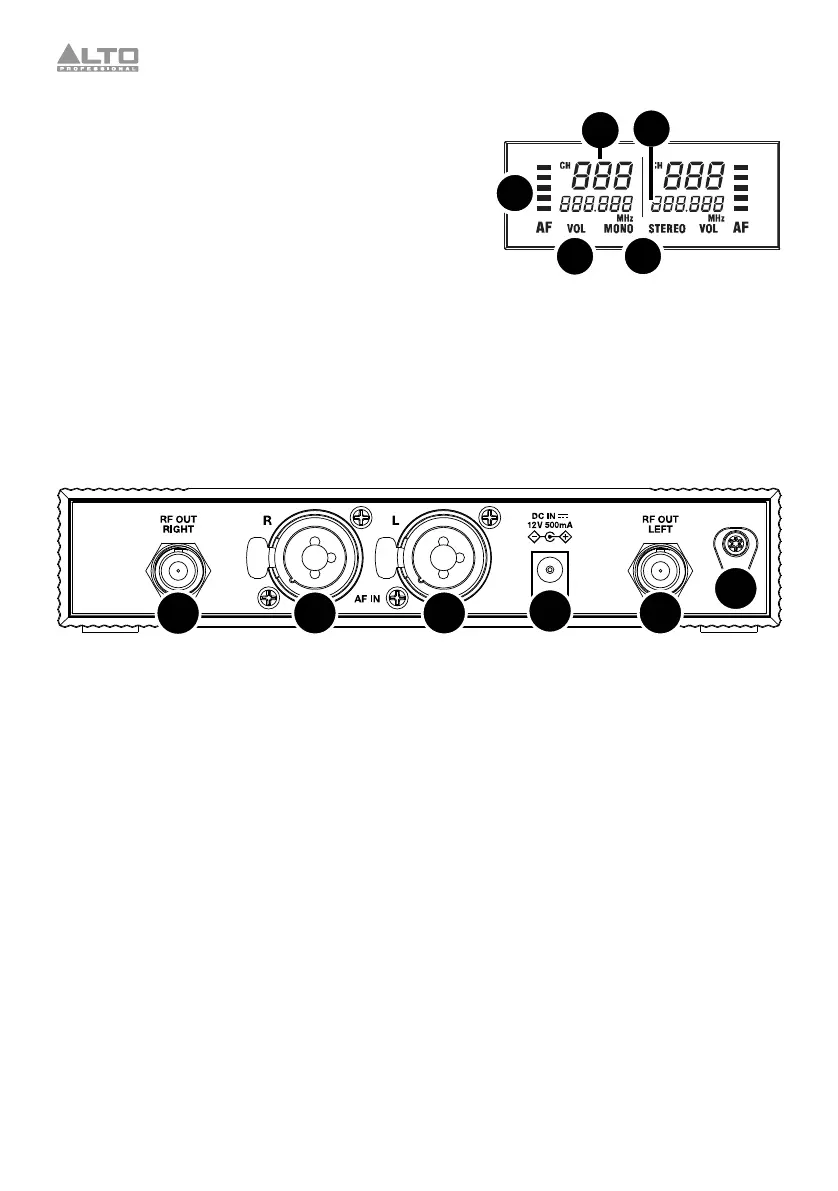
Display
1. AF: This meter shows the current audio signal level
received from the Combo Inputs.
2. Channel (region specific): This is the current RF
channel number. The number of available channels
depends on your region.
3. Frequency: This is the current RF frequency in MHz.
4. Vol: This indicates volume adjustment is currently
active.
5. Mono/Stereo: These icons indicate whether the
transmitter is sending mono or stereo signal to the
receiver.
Rear Panel
1
23
4
3
2
1. Power Connector: Connect the included 12 V, 500 mA power adapter here.
2. Combo Inputs: Connect balanced or unbalanced 1/4” (6.35 mm) or XLR line-level sources here.
3. Antenna Terminals: Attach the BNC antennas to these connectors. Place the antennas in a
vertical position for best results in transmitting the wireless signal. If the wireless signal quality is
poor, change the position of the antennas.
4. Power Adapter Restraint: Secure the power adapter cable to this restraint to prevent it from
accidentally unplugging.
1
23
4
5



 To Next Page