2
User Guide (English)
Introduction
Box Contents
Trouper
Power Cable
User Guide
Safety & Warranty Manual
Support
For the latest information about this product (system requirements, compatibility information,
etc.) and product registration, visit altoprofessional.com.
For additional product support, visit altoprofessional.com/support.
Setup
Connection Diagrams
Items not listed under the Box Contents are sold separately.
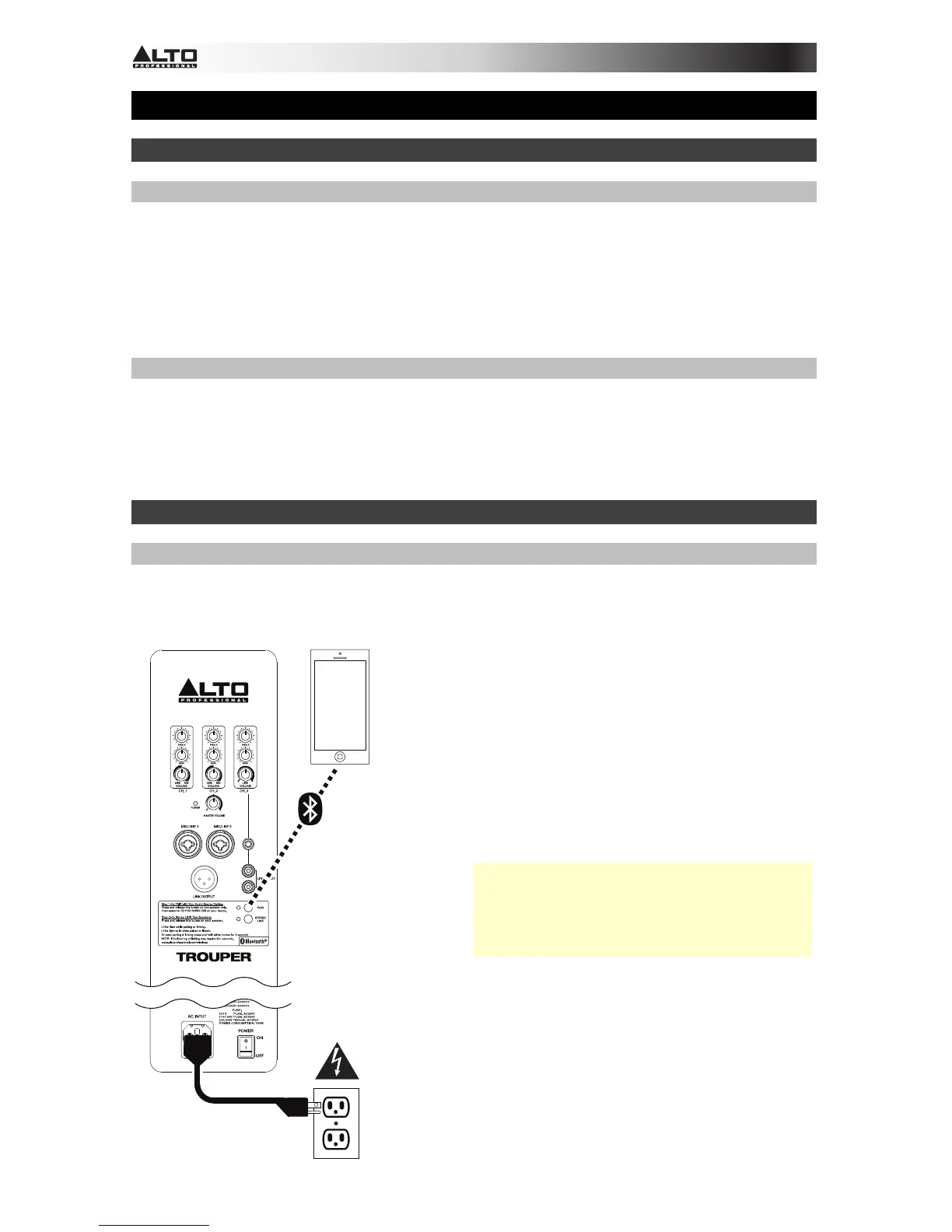
Example 1: One Trouper loudspeaker system with Bluetooth
®
audio device:
Smartphone,
tablet, etc.
Press and release the Trouper loudspeaker's
Pair button. Its LED will flash, and you will
hear a tone sequence from the loudspeaker.
From your Bluetooth device's settings page,
enable Bluetooth and select Alto Pro
Wireless as the device. When paired
successfully, you will hear a final
"confirmation tone" from the loudspeaker and
the Pair LED will light continuously. (The first
time you do this, the process may take up to
60 seconds.)
Note: When using two Trouper loudspeaker
systems, you will need to link them wirelessly.
The stereo signal will be split between them.
Please see Bluetooth > Linking to learn
more.
Power



 To Next Page