7
GETTING STARTED
Press “MENU” key to turn unit on. Unit will automatically turn off after
2 minutes if no keys have been pressed.
GREETING MESSAGE
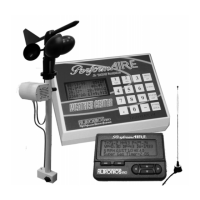
The PerformAIRE
By ALTRONICS
O2 EQUIPPED
VERSION 2.*
"O2 EQUIPPED" will only appear if the unit was purchased with an
oxygen sensor.
DATA BASE #1
ET MODE Selected
Multiple Run Prediction
Wind Prediction Enabled
Second greeting message above will show the following info about the
“Setup” of the unit: Data base, prediction mode, prediction type, and
wind effect.
KEYPAD FUNCTIONS
MENU/ON key - Turns unit ON and allows the unit to leave any current
menu and return to the MAIN menu.
SCROLL key - used to view runs that have been stored in the database.
CLEAR/OFF key – Turns unit OFF when pressed from MAIN menu and
allows runs to be deleted from the database and allows the user to reenter
a value if the wrong key was pressed.
ENTER/HOLD key - must be pressed after keying in a value to confirm
the value is correct. When pressed in SAMPLE AIR mode the air
sample is held in memory and can be used for data entry later on.


 To Next Page