1
3
4
5
10
2
11
12
13
8
7
9
6
2 2
2
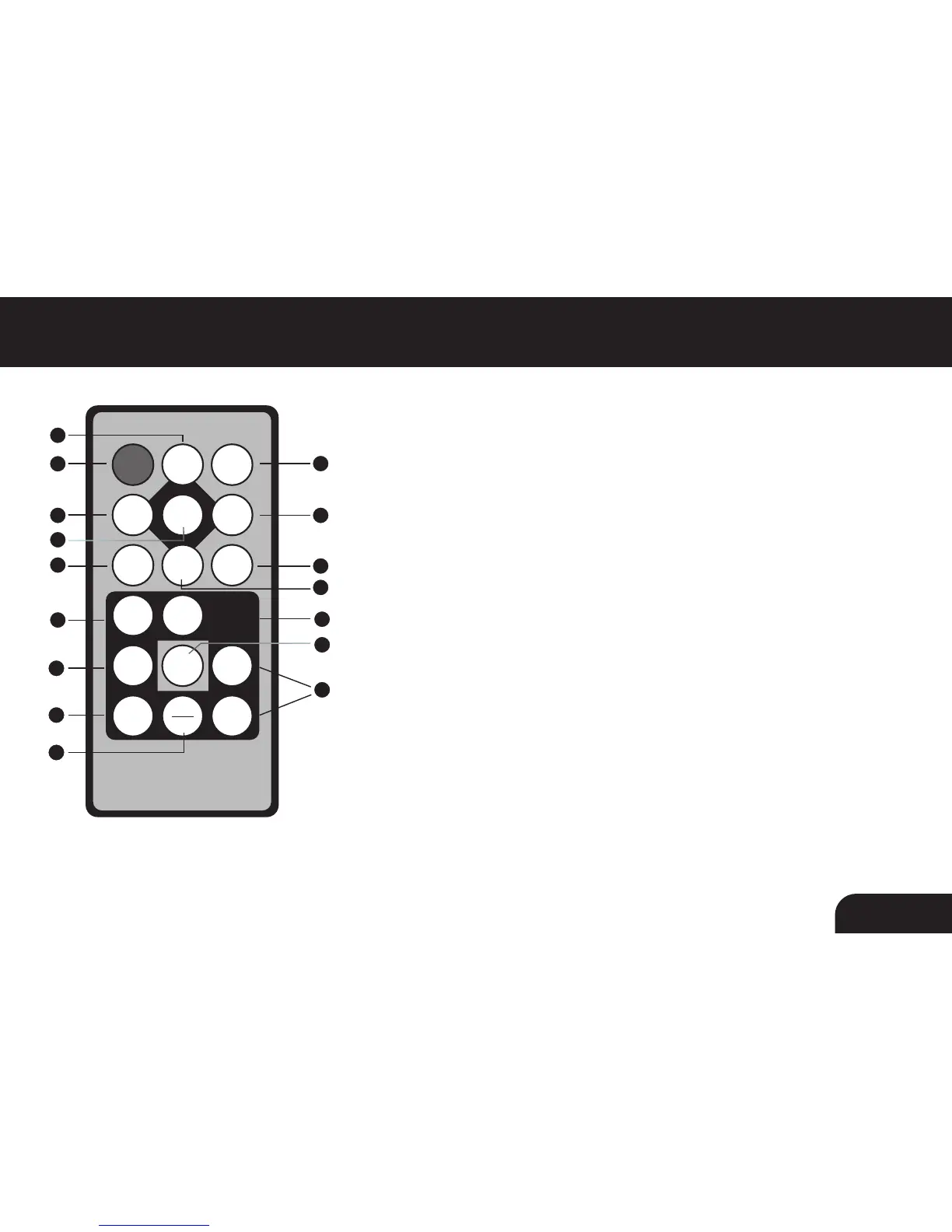
Remote Control Close-Up
1. Power On/Off
2. Up, Down, Left, Right Arrows - Use arrow keys to navigate your
way throught various menus
3. Setup - Access to the setup menu
4. Enter
5. Card Select - View different types of media you have inserted into
your picture frame or the included memory
6. Calendar
7. Photo Mode - Opens photo file thumbnails
8. Slideshow - Automatically places photos in slideshow format
9. Music Mode - Opens music file menu
10. Exit
11. Volume + / Volume -
12. Video Mode - Opens video file menu
13. Aspect Ratio - Change the picture ratio between 4:3 and 16:9
07



 To Next Page