15
Operating Instructions
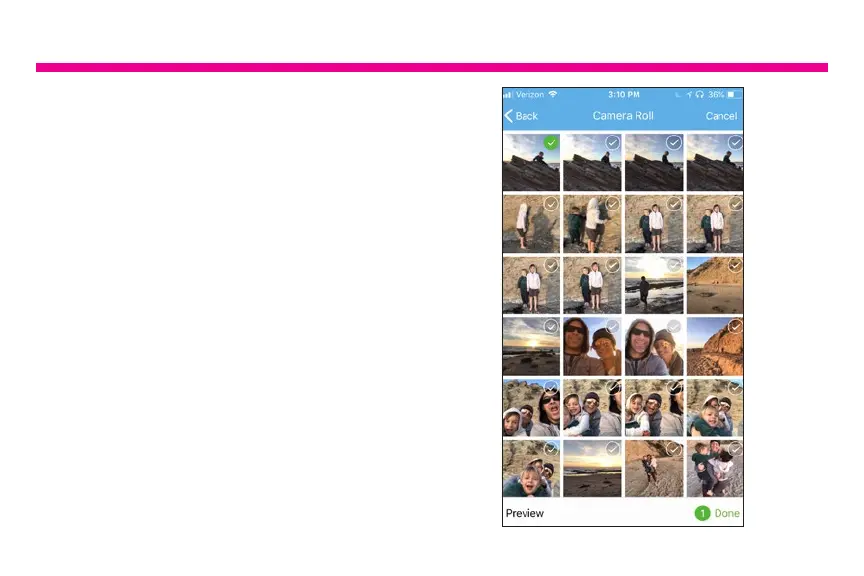
To post picture from the Aluratek Smart Frame
app to the frame, please follow below steps.
A. Tap on “Files” and choose either photo or
video.
B. Select the pictures or videos that you
want to send to the frame.
C. Tap on “Done” on the bottom of the screen
to conrm the selection.






 To Next Page