7
LISTENING SAFETY:
• To protect your hearing, set the volume to the lowest setting before you begin
listening, adjust the volume to a comfortable level.
• Do not listen at extremely high volume levels. Extended high volume listening can
lead to permanent hearing loss.
• Once you set the volume, do not increase it. Over time, your ears adapt to the
volume level, so a volume level that does not cause discomfort might still damage
your hearing.
• Do not wear headphones while operating your detector near high-traffic areas.
Pay attention to traffic safety.
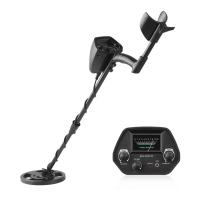
Functions and indicators
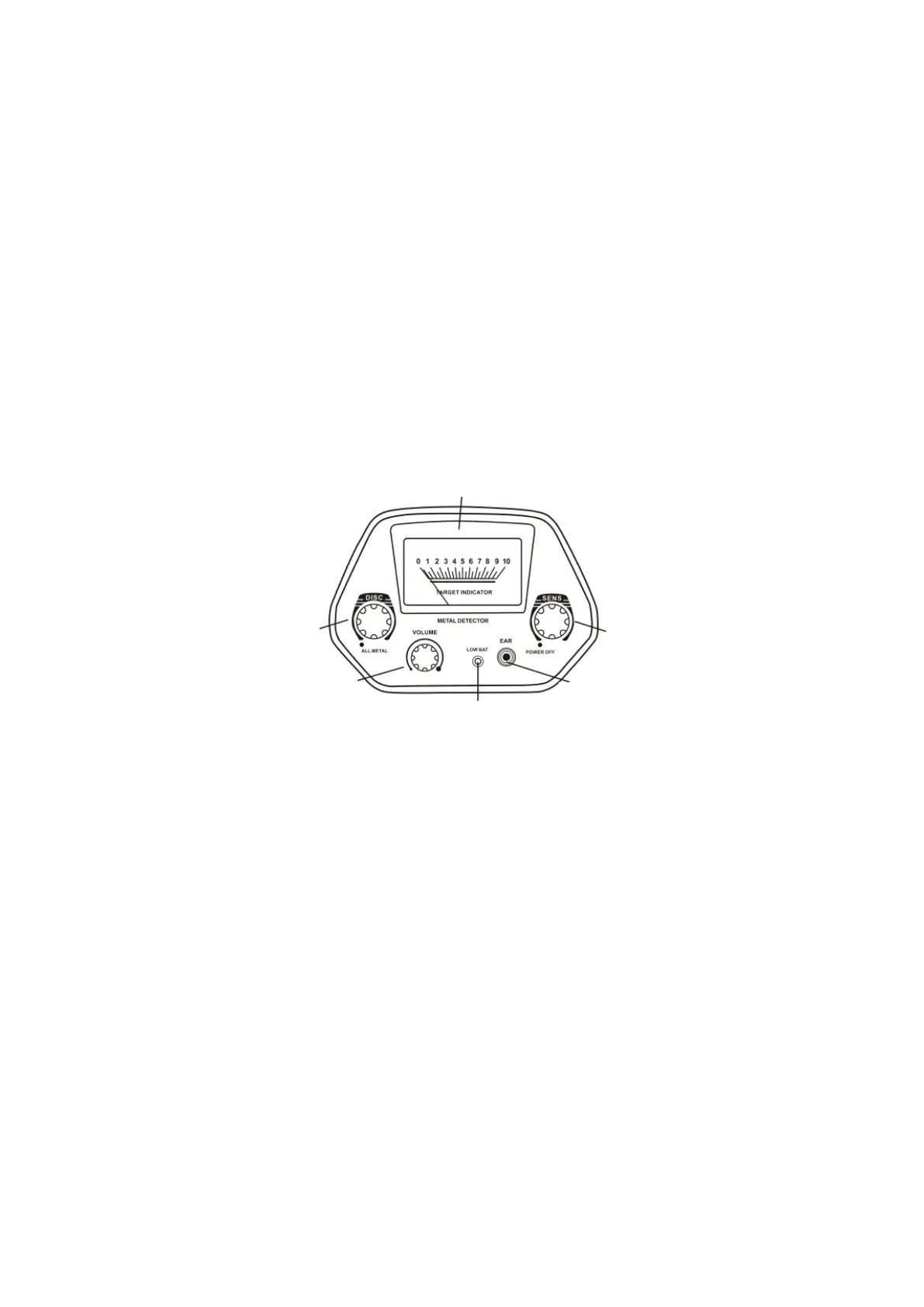
• DISC – Rotate the control clockwise away from ALL METAL to get DISC mode. The
DISC mode comes with auto ground balance. Rotate the control slowly and
clockwise t eliminate different trash objects. Rotate the control counter-clockwise
to the end to get ALL METAL mode. ALL METAL also comes with auto ground
balance. It is used to find only ferrous metal, but also non-ferrous one (see more
details below).
• SENS – Rotate the control counter-clockwise to the end to power off the unit.
Rotate the control clockwise to power on the unit. Continue rotating it clockwise
to get higher sensitivity.
• VOLUME – Rotate the control clockwise to get higher level or to get lower volume
level by rotating it counter-clockwise.
• LOW BATT – Low battery indicator. When LOW BATT indicator lights, user should
replace the batteries at once.
• EAR – 3.5mm headphone jack for connecting headphones.
• VIEW METER – When unit finds any metal target, the meter pointer swings to the
right.
Sens
Disc
Ear
View Meter


 To Next Page