APPENDIX E: EtherNet/IP
TM
COMMUNICATIONS
IS-300CR INVERTER POWER SUPPLY
E-4 990-418
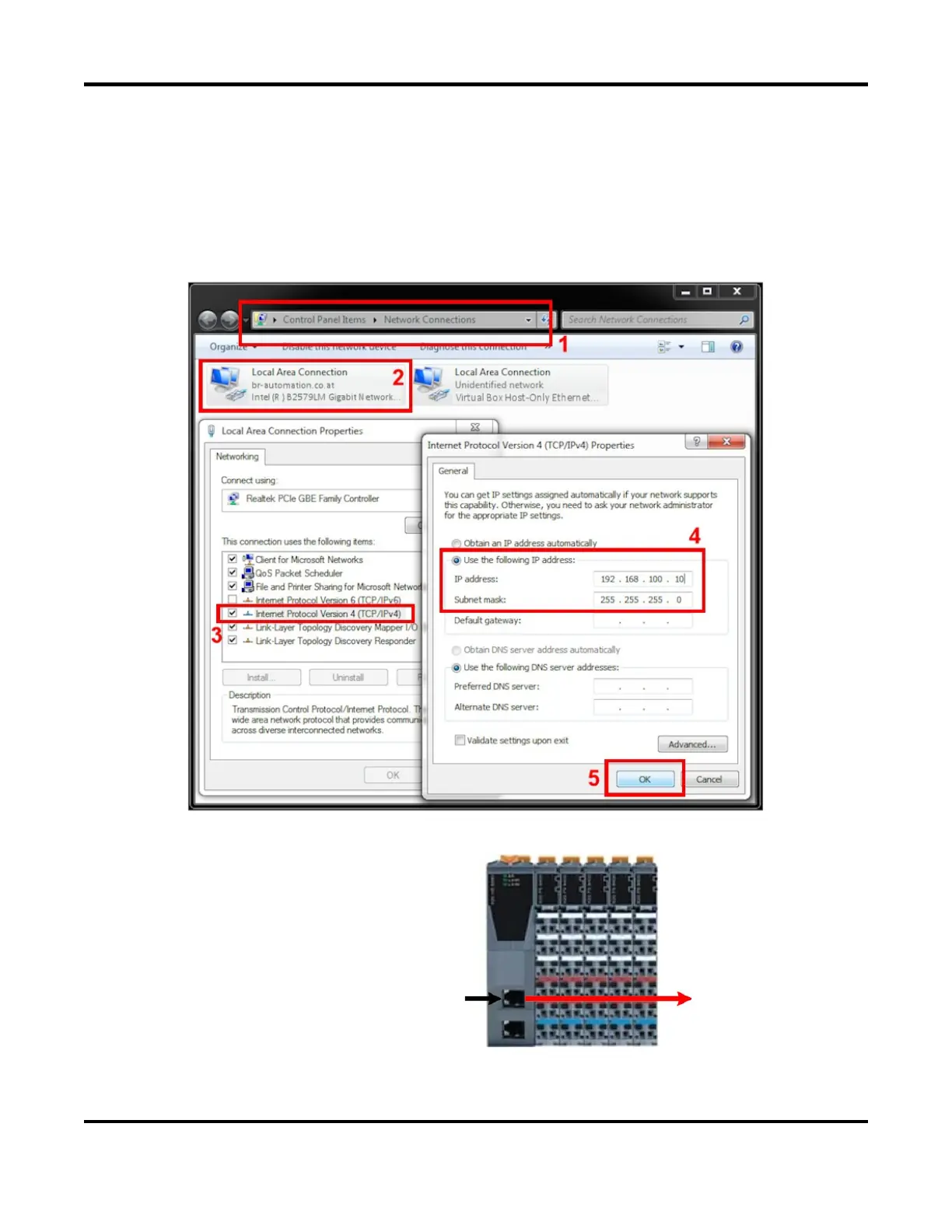
Setting up the Local Area Connection
Set the IP address on your PC:
192.168.100.x (example: 192.168.100.10)
Note: Do not set “x” to 1, this IP address is reserved for the Bus Controller
Connect the PC/Laptop directly to the first
network connection port on the B
us
ontroller with a CAT 5E cable as shown on
.
X2X
Communication



 To Next Page