APPENDIX E: EtherNet/IP
TM
COMMUNICATIONS
IS-300CR INVERTER POWER SUPPLY
990-418 E-5
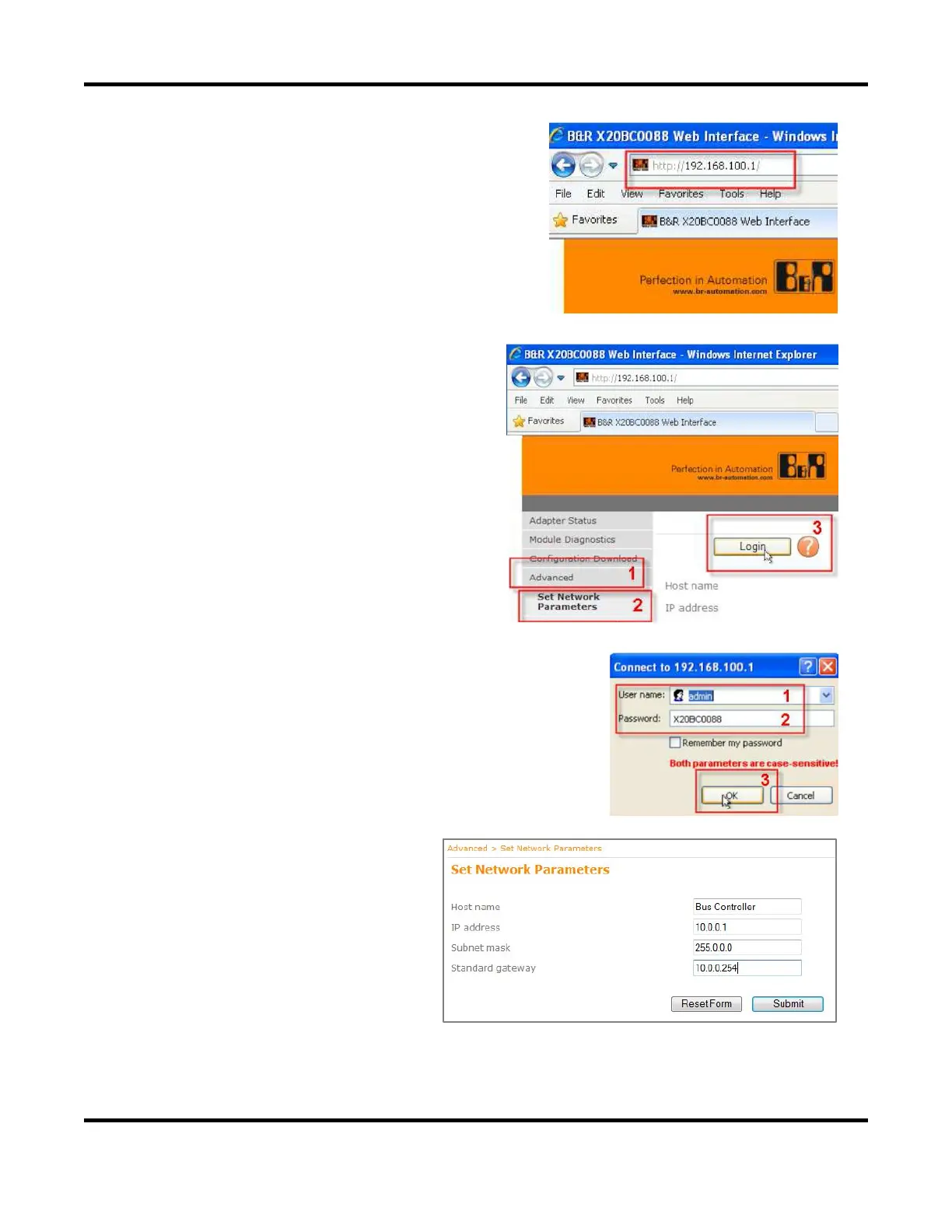
Now the web server can be started from
any browser by calling the IP address
192.168.100.1.
Go to Advanced > Set Network
Parameters
and Select on [Login].
Enter the User name and Password as
shown
, then select [OK].
User name: admin
Password: X20BC0088
Now the bus controller IP address can be
modified to a different IP (10.0.0.1) by
setting all the parameters as shown
on the
. Then select [Submit]
Bus Controller switch position back to
” and power cycle to
the bus
controller unit. The bus controller
should now boot with IP address of
10.0.0.1


 To Next Page
 Loading...