APPENDIX E: EtherNet/IP
TM
COMMUNICATIONS
IS-300CR INVERTER POWER SUPPLY
E-34 990-418
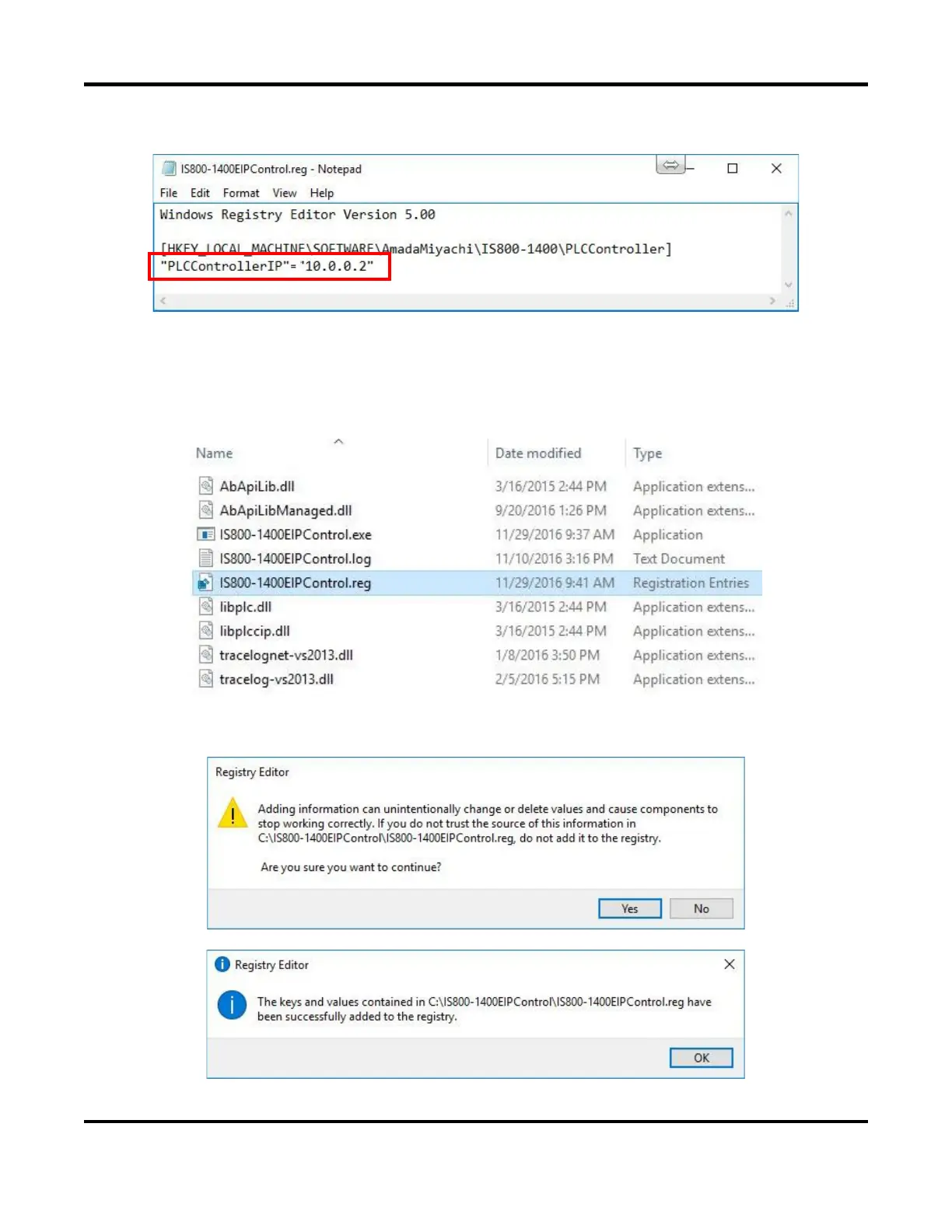
• Now change the IP Address as shown above to “10.0.0.2”.
• Save and close this notepad file when completed.
• From the \IS_Series_AB_EthernetIP\Windows_EthernetIP_WeldControl\ folder, select the file
“IS800-IS1400EIPControl.reg”
• Double-click on this file to open it.
• When the popup confirmation dialog window displays, select [YES] to continue and then select
[OK] to accept the change.



 To Next Page