CHAPTER 3: USING PROGRAMMING FUNCTIONS
IS-300CA INVERTER POWER SUPPLY
3-2 990-418
Section II. Programming Options For
Basic and Advanced Models
1. MENU Screen
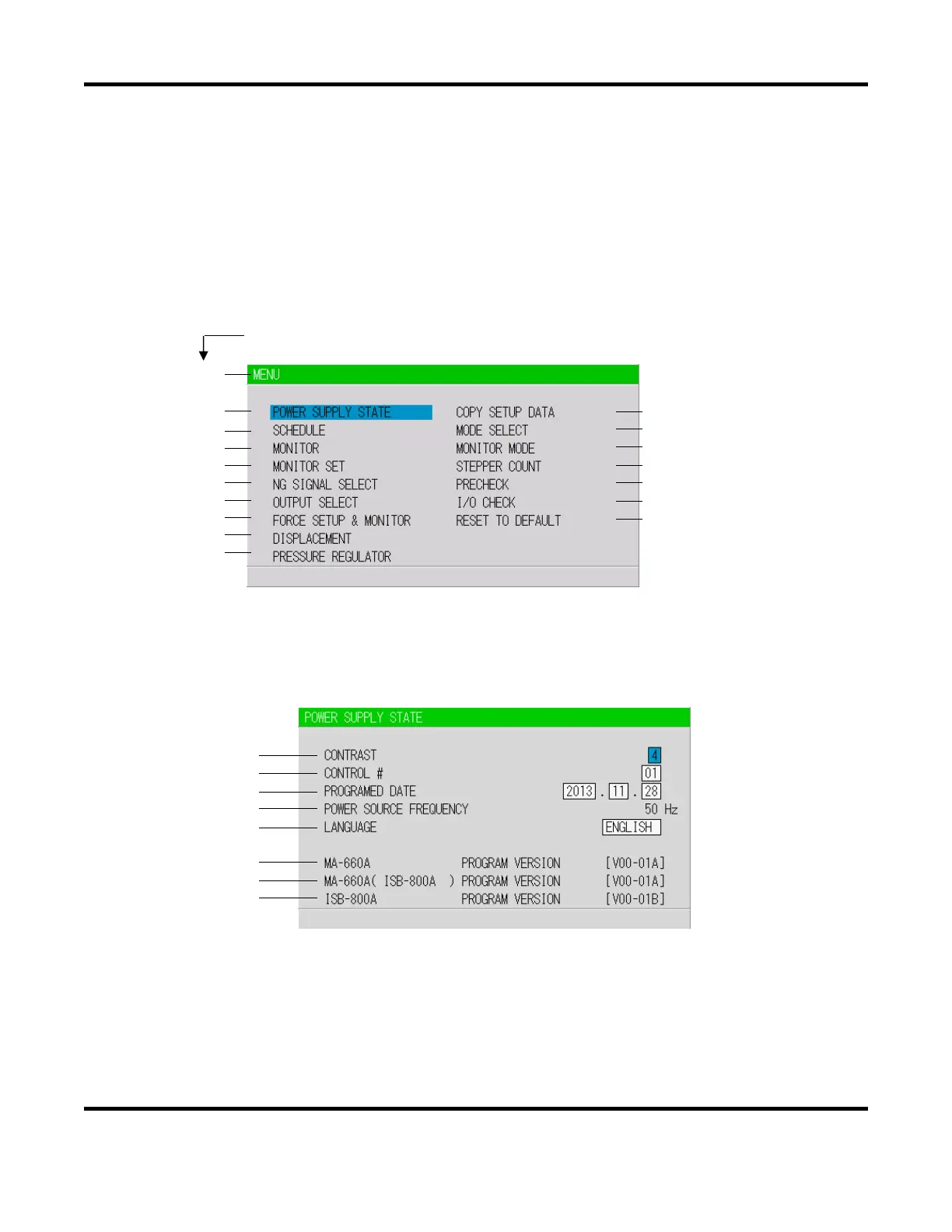
The Pendant has various functions that are set from the respective screens. The MENU screen
displays these functions in menu form. Move the cursor ( ) to the desired item; press the ENTER
key to move to the selected screen.
The numbers (1) to (18) indicate the section number within the chapter.
2. POWER SUPPLY STATE Screen
This screen is used to display and set data for the Power Supply. Move the cursor to change the
value.
a. CONTRAST
Sets the LCD screen contrast. The contrast can be set in a range from 0 to 9. The larger the
value, the darker the screen. Adjust the contrast if the screen is difficult to view.
(1)
(2)
(3)
(4)
(5)
(6)
(7)
(16)
(17)
(18)
(8)
(9)
(10)
(11)
(12)
(13)
(14)
(a)
(b)
(c)
(d)
(e)
(f)
(g)
(h)


 To Next Page
 Loading...