CHAPTER 3: USING PROGRAMMING FUNCTIONS
IS-300CA INVERTER POWER SUPPLY
990-418 3-43
b. STEP MODE
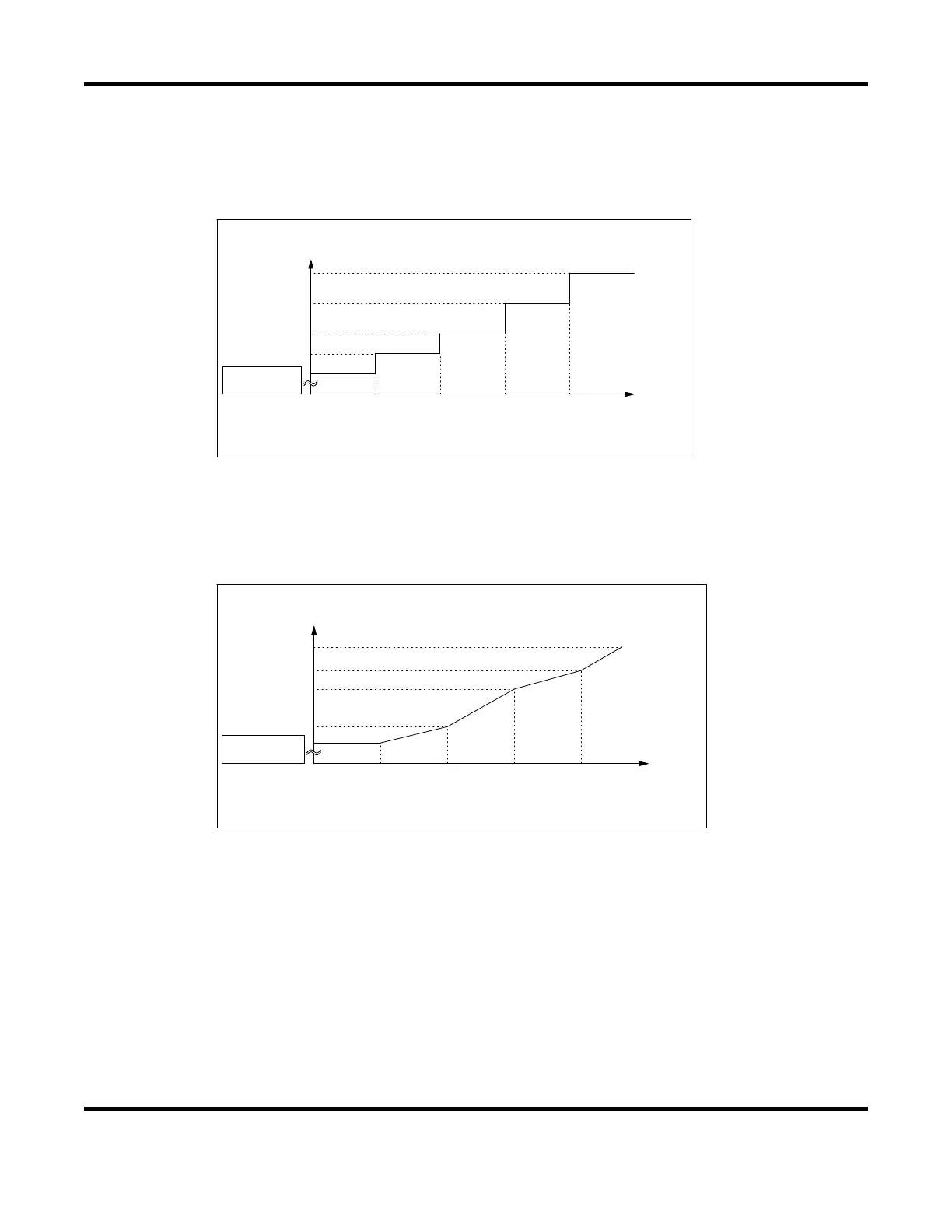
There are two types for step-up (step-down), stepwise (FIXED) and linear (LINER). When step-
up (step-down) is not used, OFF is displayed. The setting is made on the MODE SELECT screen.
FIXED
STEP2STEP1 STEP4STEP3 STEP5
(100%F IXED )
Cu r ren t
Numbe r o f
we lds
Se t va lue o f STEP4
Se t va lue o f STEP1
Se t va lue o f STEP5
Se t va lue o f STEP3
Se t va lue o f STEP2
As shown in the above figure, the current is stepped up or down to the value for STEP2 following
completion of the specified number of welds for STEP1. Similarly, the current is stepped up or
down to the value for STEP3 following completion of the specified number of welds for STEP2.
LINER
STEP2STEP1 STEP4STEP3 STEP5
(100%F IXED )
Cu r ren t
Numbe r o f
we lds
Se t va lue o f STEP5
Se t va lue o f STEP4
Se t va lue o f STEP3
Se t va lue o f STEP2
Se t va lue o f STEP1
As shown in the above figure, the current is stepped up or down to the value for STEP2 with the
specified number of welds for STEP2 following completion of the specified number of welds for
STEP1. Similarly, the current is stepped up or down to the value for STEP3 the specified number
of welds for
STEP3 following completion of the specified number of welds for STEP2.
For example, the settings are COUNT: 2 for STEP1, RATIO: 200% and COUNT: 4 for STEP2,
and 2kA for current, the current is stepped up in a stepwise manner from Weld 3 to Weld 6 as
shown below.
Weld 1:2kA Weld 2:2k
Weld 3:2.5kA Weld 4:3.0kA Weld 5:3.5kA Weld 6:4.0k
<--------- STEP1----------> <------------------------------ STEP2 ----------------------------->


 To Next Page
 Loading...