CHAPTER 3: USING PROGRAMMING FUNCTIONS
IS-300CA INVERTER POWER SUPPLY
3-46 990-418
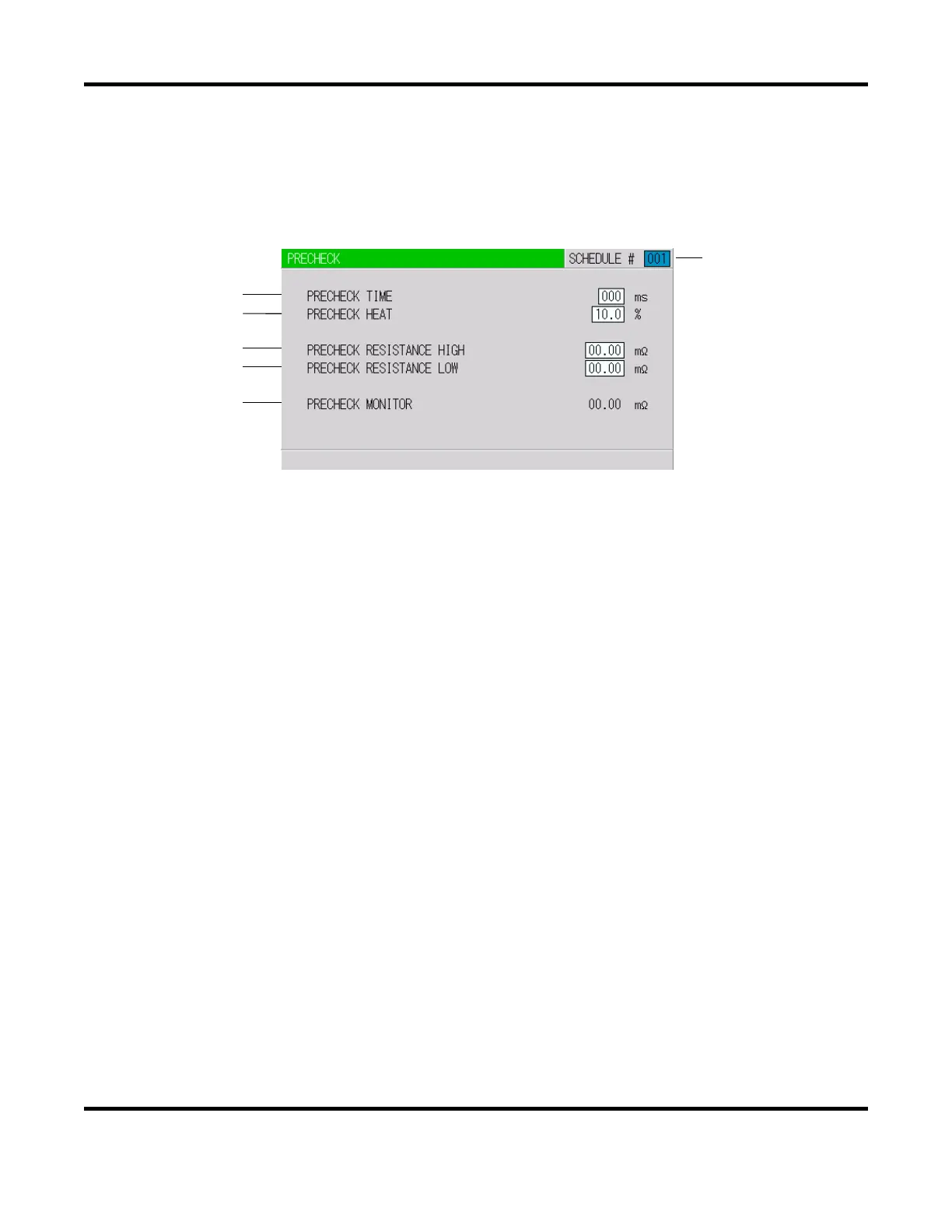
12. PRECHECK Screen
Screen for setting the weld time and pulse width for resistance pre-check welding. The resistance
pre-check welding is a function to apply a small current under constant voltage control before regular
welding to confirm that the part to weld is set correctly by means of the measured current value. To
use the pre-check function, the secondary current (voltage) needs to be monitored.
a. SCHEDULE #
Select from #1 to #255 to set the SCHEDULE. Normally select #1 first, then select additional
schedules in sequential order.
b. PRECHECK TIME
Set the weld time. Pre-check is not performed at 0ms.
c. PRECHECK HEAT
Set the welding pulse width.
d. PRECHECK RESISTANCE HIGH
Set the upper limit of resistance value for pre-check.
e. PRECHECK RESISTANCE LOW
Set the lower limit of resistance value for pre-check.
f. PRECHECK MONITOR
Displays the monitor resistance value at the pre-check welding.
(b)
(c)
(d)
(e)
(f)
(a)


 To Next Page
 Loading...