CHAPTER 3: USING PROGRAMMING FUNCTIONS
IS-300CA INVERTER POWER SUPPLY
990-418 3-47
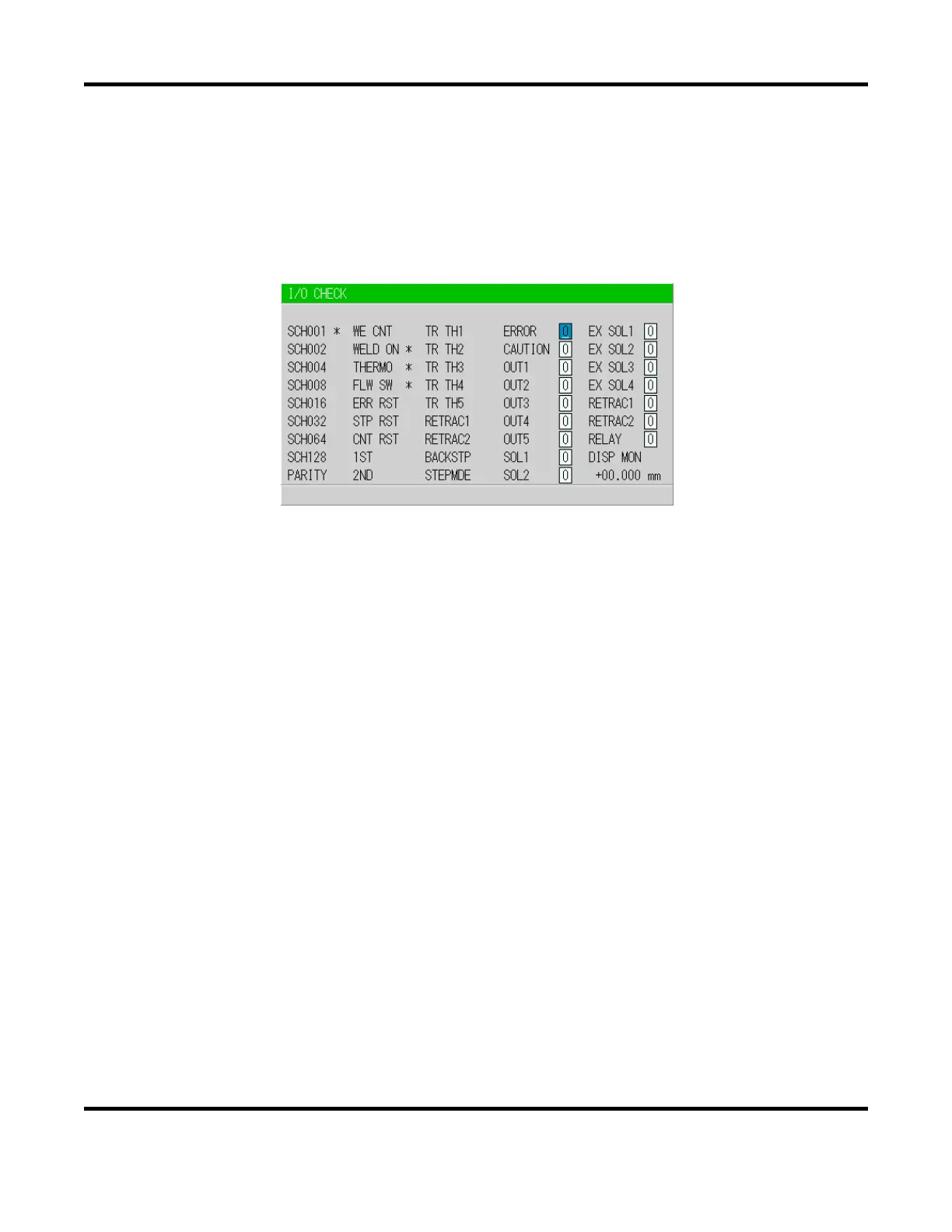
13. I/O CHECK Screen
This screen is used to check the status of the external I/O signals. The “*” symbol appears when the
corresponding input signal is ON. The asterisk disappears if the signal is OFF. Set the cursor reading
to “0” to turn OFF the output signal, and “1” to turn it ON. Reception of an input signal while this
screen is showing will not activate the corresponding function. You cannot move to another screen
while the 1ST or 2NDSTAGE signal is input.
NOTE: Not all fields are present on Basic Models.



 To Next Page