CHAPTER 3: USING PROGRAMMING FUNCTIONS
IS-300CA INVERTER POWER SUPPLY
990-418 3-49
2. When the ENTER key is pressed after the +ON key is pressed, ON is displayed. You cannot go
to other screens from this screen. Also, the external signals cannot be received.
3. Turn off the power supply and turn on it again, or disconnect the MA-660A with the power
supply turned on and connect to the circuit cable again. When PROGRAM PROTECT is ON,
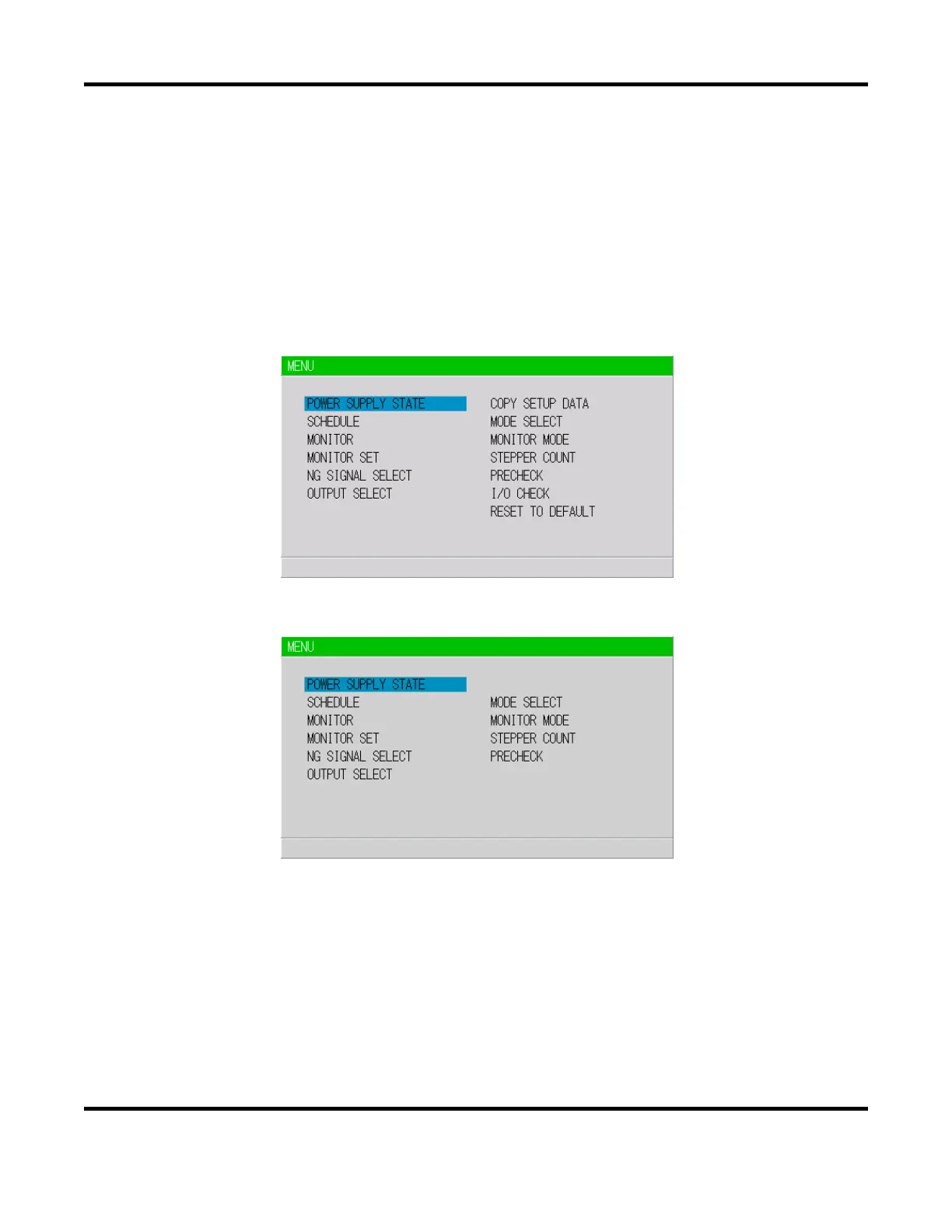
the display of the
MENU screen changes. COPY SETUP DATA, I/O CHECK and RESET TO
DEFAULT
are not displayed. On the other screens, the cursor can be moved and the settings can
be checked, but the settings cannot be changed.
<When the PROGRAM PROTECT is OFF>
When the PROGRAM PROTECT is ON>


 To Next Page
 Loading...