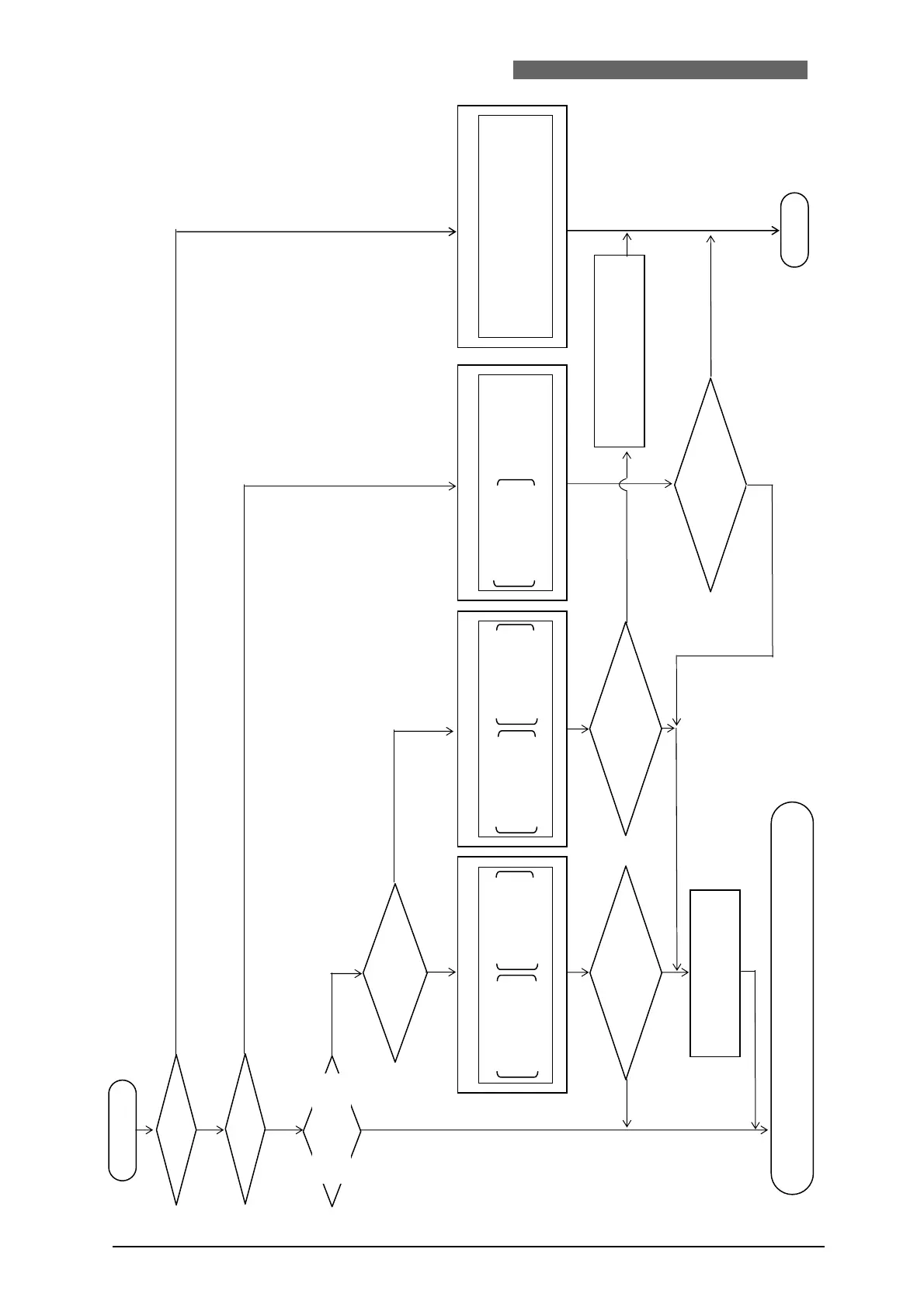
(1) Check product
connected.
“CONNECT IMPOSSIBLE!!”
blinks on ①-ii [OVERWRITE]
screen.
(2) Check commu-
nication cable.
①-i [OVERWRITE] screen ①-ii [OVERWRITE] screen ② [DOWNLOAD] screen
③[
COMMUNICATION LINE ERROR
]
screen
CONNECT MEMORY
Model name and Model name and
program version of program version
connected product stored in memory
OVERWRITE : NO
CONNECT MEMORY
Model name and Model name and
program version of program version
connected product stored in memory
CONNECT IMPOSSIBLE!! OVERWRITE:NO
CONNECT MEMORY
Model name and
program version of
BACKUP ERASED
connected product
DOWNLOAD : NO
COMMUNICATION LINE ERROR
Wait for several minutes
to overwrite memory to
support product connected.
POWER ON
Memory lost?
YES
NO
When model name is different, or version is not
compatible even if model name is same.
When purchased, or model name or program version of the
connected is changed.
Backup battery is dead.
The MA-627A does not support the connected product, or communication cable is broken, or wrong connection is made.
o
e
name
and program version
are same as those in
MA-627A memory?
YES
YES
ame mo
e
name
and different program version,
b but compatible?
NO
YES
Erase forme
data and write program
version of connected product?
OVERWRITE ?
Erase forme
data and write program
to support newly selected product?
OVERWRITE ?
Memory lost.
Make it support the
currently connected product?
DOWNLOAD ?
NO
The MA-627A is now working as program unit of product connected.
See operation manual of the connected product.
YES
Unusable
YES
Proper product
NO
YES
NO
NO
NO
Flowchart of O
eration after Power is Turned on
4. Explanation of Operation
4-5


 To Next Page