MA-627A
5. Replacement of Battery
5-1
5. Replacement of Battery
The life of the lithium battery installed in the Equipment is five years. Replace the
battery CR 2450 before it is dead, observing the following procedures.
DANGER
When replacing the lithium battery, be sure to turn off the
main power, so as not to get an electric shock.
CAUTION
When replacing the battery, work carefully to prevent damage to the
printed circuit board and parts mounted on it.
When the battery is replaced, the contents of the memory may be
rewritten. Accordingly, be sure to download before starting the
operation,
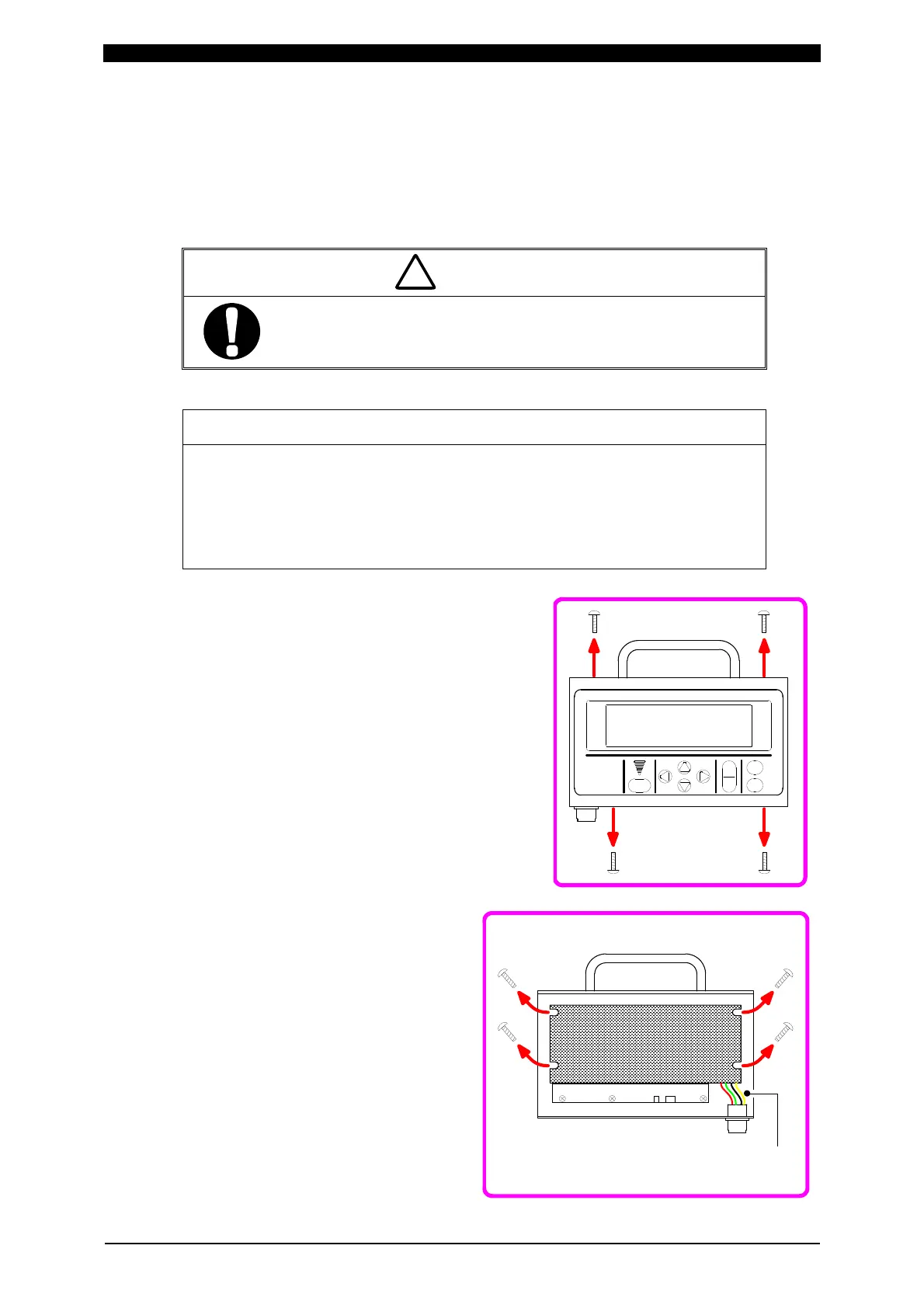
① Remove four screws on the top and bottom.
② Remove the rear cover, then four
screws at the corners of the PC
board.
③ Turn over the PC board. Take care
that you don’t break the harness
which connects the board and the
unit body.
!
①
Remove 4 screws
on top and bottom
.
②
Remove 4 mounting
screws for PC board
.
Harness


 To Next Page