MA-627A
5. Replacement of Battery
5-2
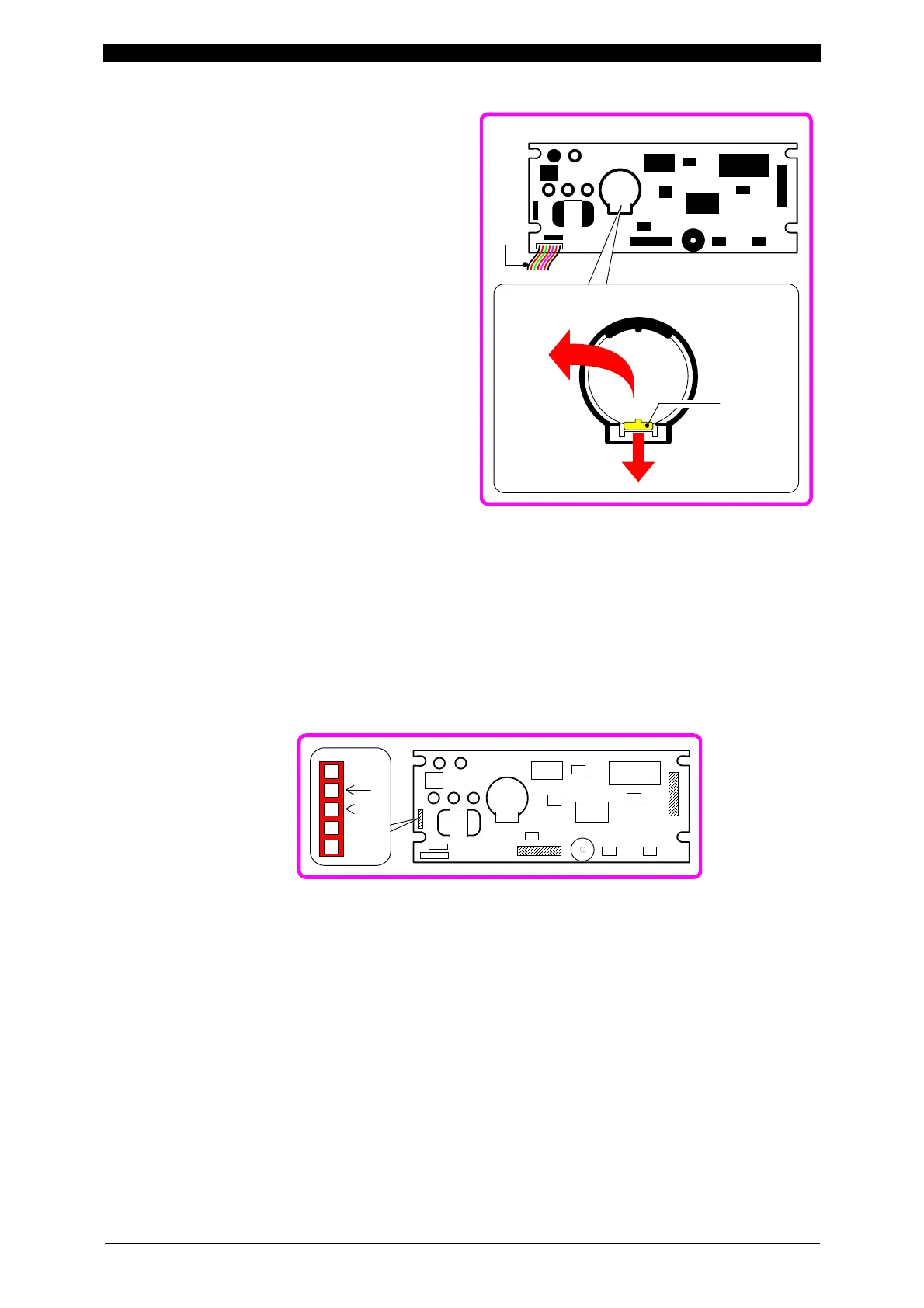
④ Components will appear (Right).
Press the lug in the direction
indicated by the arrow.
⑤ The lithium battery will pop out;
pick it out.
⑥ Place a new battery in the battery
holder with its plus (+) sign upward.
Press and secure till it clicks.
⑦ Re-assemble the PC Board into the unit body:
Align the three connectors (shaded portions in the drawing below) with the pins on
the PC board and press them carefully, taking great care that you don’t bend, break
the pin.
Match the receptacle holes, EL and POWER, on the left-most and smallest
connector in the drawing below, with the pins extending from the unit body.
Check a good connection of these connectors and pins, then secure the four
corners of the board with the screws.
⑧ Re-place the rear cover; secure it with four screws on the top and bottom.
④
Press the lug
in the arrow
directon.
⑤
The battery
pops out
.
MA - 627A PC Board
Harness
POWEREL


 To Next Page