EasyManua.ls Logo

Amana AE - User Manual

Amana AE
24 pages
Print Icon
To Next Page IconTo Next Page
Loading...
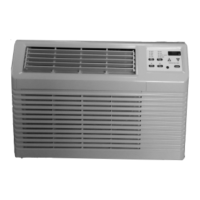
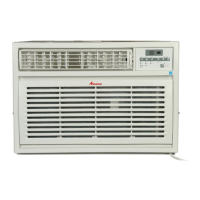
THROUGH THE WALL ROOM AIR CONDITIONER
WITH OPTIONAL ELECTRIC HEAT
INSTALLATION INSTRUCTIONS
ATTENTION INSTALLING PERSONNEL
As a professional installer you have an obligation to know the product better than the customer.
This includes all safety precautions and related items.
Prior to actual installation, thoroughly familiarize yourself with this Instruction Manual. Pay spe-
cial attention to all safety warnings. Often during installation or repair it is possible to place
yourself in a position which is more hazardous than when the unit is in operation.
Remember, it is your responsibility to install the product safely and to know it well enough to be
able to instruct a customer in its safe use.
Safety is a matter of common sense...a matter of thinking before acting. Most dealers have a list
of specific good safety practices...follow them.
The precautions listed in this Installation Manual are intended as supplemental to existing prac-
tices. However, if there is a direct conflict between existing practices and the content of this
manual, the precautions listed here take precedence.
© 2010, 2012-2014, 2017-2018 Goodman Company, L.P.
is a registered trademark of Maytag Corporation or its related companies and is used
under license to Goodman Company, L.P., Houston, TX. All rights reserved.
www.amana-ptac.com
IO-749F
February 2018
RECOGNIZE THIS SYMBOL AS A SAFETY PRECAUTION.
Question and Answer IconNeed help?

Do you have a question about the Amana AE and is the answer not in the manual?

Summary

UNIT FEATURES

Important Note to Servicer

Guidance for qualified technicians on familiarizing with unit specifics before service.

High Voltage Warning

Crucial warnings about high voltage and proper disconnection procedures.

LCDI Power Cord

Explanation of LCDI power cords and their function for safety.

VOLTAGE MEASUREMENTS

Installation Instructions

Overview of the installation process and adherence to codes.

SLEEVE INSTALLATION

Wall Sleeve Leveling

Instructions for proper wall sleeve installation, ensuring correct pitch and level.

CHASSIS INSTALLATION

Front Grille Removal

Procedure for removing the front grille for cleaning or access.

Grounding Screw and Wire Connection

Details on connecting the grounding screw and wire for safe installation.

VENT CONTROL AND AIR DIRECTION

Adjusting Air Direction Louvers

How to adjust horizontal and vertical louvers for air direction.

IMPORTANT NOTES ON AIRFLOW

Compressor Mounting Grommets

Information on rubber-grommet mounted compressor, factory set.

WIRING SAFETY CAUTIONS

Extension Cord Usage Warning

Prohibits the use of extension cords to avoid property damage or injury.

Copper Conductor Requirement

Emphasizes the use of only copper conductors for wiring safety.

ELECTRONIC CONTROL OPERATING INSTRUCTIONS

Control Panel and Remote Overview

Introduction to the unit's electronic control panel and remote functions.

Remote Control Functions

Explanation of remote control buttons like ON/OFF, MODE, +/-, FAN, SWING, SLEEP, TIMER.

AIR CONDITIONER FEATURES

Mode Selection Details

Explains AUTO, COOL, DRY, FAN, and HEAT modes and their operations.

Fan Speed Adjustment

How to adjust fan speed in different modes, including auto and dry mode limitations.

ADVANCED REMOTE FUNCTIONS

Child Lock and Temperature Display Switch

Enabling/disabling child lock and switching between °C and °F temperature displays.

AUXILIARY CONTROLS-DIP SWITCHES

Remote Thermostat Configuration

Details on enabling/disabling remote thermostat control via DIP switch.

Filter Reminder and Temp Limitation Settings

Configuring filter reminders and temperature range limitations using DIP switches.

OPERATING THE UNIT AND SETTINGS

Turning Unit On and Setting Temperature

How to turn the unit on and adjust the desired temperature setting.

Fan Speed and Auto Fan Operation

Instructions for selecting fan speeds and utilizing the auto fan feature.

SPECIAL OPERATING MODES

Fan Only Mode Operation

Using the unit in Fan Only mode for air circulation without cooling.

Timer-Delay Start;Stop Feature

How to set timer for delayed start or stop of the unit operation.

HEATING AND SLEEP FEATURES

Heating Mode and Sleep Feature

Using the heating mode and activating the sleep function for comfort.

Filter Reset and Fault Code Meanings

Resetting the filter indicator and understanding fault codes for troubleshooting.

ADDITIONAL INFORMATION AND SUPPORT

Unit Maintenance and Care

Guidance on compressor lubrication and cleaning of front panel and coils.

Normal Operating Sounds

Description of typical sounds the unit may produce during operation.

Obtaining Service and Contact Information

Information on how to contact for service and authorized support.

LIMITED WARRANTY

Warranty Coverage Details

Explains what the warranty covers, exclusions, and limitations.

Owners Responsibilities

Outlines owner's obligations for maintenance and proper use.

LIMITED WARRANTY EXPLANATIONS

Warranty Period and Legal Rights

Details on warranty start date, duration, legal rights, and arbitration.

NON-OWNER OCCUPIED RESIDENCE WARRANTY

Warranty for Rental Properties

Details warranty terms for units installed in rental or non-owner occupied homes.

Exclusions and Limitations

Lists problems and conditions not covered by this warranty.

COMMERCIAL WARRANTY

Warranty for Business Installations

Defines warranty coverage and exclusions for commercial property installations.

Summary

UNIT FEATURES

Important Note to Servicer

Guidance for qualified technicians on familiarizing with unit specifics before service.

High Voltage Warning

Crucial warnings about high voltage and proper disconnection procedures.

LCDI Power Cord

Explanation of LCDI power cords and their function for safety.

VOLTAGE MEASUREMENTS

Installation Instructions

Overview of the installation process and adherence to codes.

SLEEVE INSTALLATION

Wall Sleeve Leveling

Instructions for proper wall sleeve installation, ensuring correct pitch and level.

CHASSIS INSTALLATION

Front Grille Removal

Procedure for removing the front grille for cleaning or access.

Grounding Screw and Wire Connection

Details on connecting the grounding screw and wire for safe installation.

VENT CONTROL AND AIR DIRECTION

Adjusting Air Direction Louvers

How to adjust horizontal and vertical louvers for air direction.

IMPORTANT NOTES ON AIRFLOW

Compressor Mounting Grommets

Information on rubber-grommet mounted compressor, factory set.

WIRING SAFETY CAUTIONS

Extension Cord Usage Warning

Prohibits the use of extension cords to avoid property damage or injury.

Copper Conductor Requirement

Emphasizes the use of only copper conductors for wiring safety.

ELECTRONIC CONTROL OPERATING INSTRUCTIONS

Control Panel and Remote Overview

Introduction to the unit's electronic control panel and remote functions.

Remote Control Functions

Explanation of remote control buttons like ON/OFF, MODE, +/-, FAN, SWING, SLEEP, TIMER.

AIR CONDITIONER FEATURES

Mode Selection Details

Explains AUTO, COOL, DRY, FAN, and HEAT modes and their operations.

Fan Speed Adjustment

How to adjust fan speed in different modes, including auto and dry mode limitations.

ADVANCED REMOTE FUNCTIONS

Child Lock and Temperature Display Switch

Enabling/disabling child lock and switching between °C and °F temperature displays.

AUXILIARY CONTROLS-DIP SWITCHES

Remote Thermostat Configuration

Details on enabling/disabling remote thermostat control via DIP switch.

Filter Reminder and Temp Limitation Settings

Configuring filter reminders and temperature range limitations using DIP switches.

OPERATING THE UNIT AND SETTINGS

Turning Unit On and Setting Temperature

How to turn the unit on and adjust the desired temperature setting.

Fan Speed and Auto Fan Operation

Instructions for selecting fan speeds and utilizing the auto fan feature.

SPECIAL OPERATING MODES

Fan Only Mode Operation

Using the unit in Fan Only mode for air circulation without cooling.

Timer-Delay Start;Stop Feature

How to set timer for delayed start or stop of the unit operation.

HEATING AND SLEEP FEATURES

Heating Mode and Sleep Feature

Using the heating mode and activating the sleep function for comfort.

Filter Reset and Fault Code Meanings

Resetting the filter indicator and understanding fault codes for troubleshooting.

ADDITIONAL INFORMATION AND SUPPORT

Unit Maintenance and Care

Guidance on compressor lubrication and cleaning of front panel and coils.

Normal Operating Sounds

Description of typical sounds the unit may produce during operation.

Obtaining Service and Contact Information

Information on how to contact for service and authorized support.

LIMITED WARRANTY

Warranty Coverage Details

Explains what the warranty covers, exclusions, and limitations.

Owners Responsibilities

Outlines owner's obligations for maintenance and proper use.

LIMITED WARRANTY EXPLANATIONS

Warranty Period and Legal Rights

Details on warranty start date, duration, legal rights, and arbitration.

NON-OWNER OCCUPIED RESIDENCE WARRANTY

Warranty for Rental Properties

Details warranty terms for units installed in rental or non-owner occupied homes.

Exclusions and Limitations

Lists problems and conditions not covered by this warranty.

COMMERCIAL WARRANTY

Warranty for Business Installations

Defines warranty coverage and exclusions for commercial property installations.

Overview

This document describes the Amana Through the Wall Room Air Conditioner with Optional Electric Heat, providing detailed information for installation, operation, and maintenance.

Function Description

The Amana Through the Wall Room Air Conditioner is designed to provide cooling and, with optional electric heat, heating for a room. It circulates and conditions the air, offering various modes and settings for user comfort. The unit can be controlled via a touch pad on the unit itself or through a remote control.

Important Technical Specifications

  • Voltage Measurements:
    • For 230/280V units, the voltage utilization range is 187V (minimum) to 253V (maximum).
    • For 115V units, the voltage utilization range is 103V (minimum) to 126V (maximum).
    • It is crucial to measure the supply voltage before connecting the unit to ensure it falls within these ranges.
  • Compressor: The unit is equipped with a rubber-grommet-mounted compressor, which is factory set and requires no adjustment. The compressor is hermetically sealed, permanently lubricated, and requires no additional oiling.
  • Power Cords: The unit may feature LCDI (Leakage Current Detection and Interruption) or AFCI (Arc Fault Circuit Interruption) power cords, which sense current leakage and can open the electrical circuit. If the unit does not operate, checking the reset button on the power cord is part of the normal troubleshooting.
  • Power Plug Types: The manual illustrates three types of acceptable power plugs: 120V 15 Amp, 240V 13 Amp, and 240V 18 Amp. Users must check the data specification plate to ensure the proper voltage and current rating are available for their unit's power plug.
  • Vent Control: The vent control allows for air circulation (CLOSE position) or exhausting some inside air outside (OPEN position).
  • Temperature Range: The control maintains any set temperature between 61°F (16°C) and 86°F (30°C) for both cooling and heating modes.
  • Timer Setting Range: The timer can be set for 0.5 to 24 hours, with increments of 0.5 hours up to 10 hours, and then 1 hour increments up to 24 hours.
  • Filter Reminder: An LED will light up on the user interface after 250 hours of accumulated fan run time, reminding the user to clean the filter. This feature can be enabled or disabled via a DIP switch.
  • Remote Thermostat Compatibility: The unit can operate with a Class 2 Remote Control Wall Thermostat if enabled via a DIP switch and if the Thermostat Control Conversion Kit (PBTCK01) is purchased and installed.

Usage Features

  • Operating Modes: The unit offers various operating modes, including AUTO, COOL, DRY, FAN, and HEAT (for models with heating function).
  • Temperature Adjustment: Users can increase or decrease the set temperature in 1°F (°C) increments using the "+" or "-" buttons on the control panel or remote. Holding the buttons for 2 seconds allows for rapid temperature changes.
  • Fan Speed Control: Fan speed can be adjusted circularly through AUTO, SPEED 1, SPEED 2, SPEED 3, and SPEED 4. In AUTO speed, the air conditioner automatically selects the appropriate fan speed based on ambient temperature. Fan speed cannot be adjusted in DRY mode.
  • Sleep Function: Available in COOL, HEAT, and DRY modes, the Sleep function can be turned on or off. It is unavailable in FAN and AUTO modes.
  • Timer Function: The unit features a timer-delay start/stop feature. Users can set a Timer Off when the unit is on, or a Timer On when the unit is off. The timer can be adjusted in 0.5-hour increments up to 10 hours, and then 1-hour increments up to 24 hours. The timer function can be canceled by pressing the TIMER button again after reviewing the remaining time.
  • Air Direction: Horizontal louvers on the front grille allow users to control the air direction up and down. Vertical louvers can be adjusted side-to-side by removing the front grille.
  • Child Lock Function: Pressing "+" and "-" buttons simultaneously on the remote control can activate or deactivate the child lock, preventing unintended operation.
  • Temperature Display Switchover: Under OFF status, pressing "-" and "MODE" buttons simultaneously can switch the temperature display between °C and °F.
  • Remote Control Operation: The remote control duplicates all functions of the touch pad. It requires line-of-sight operation with the indoor unit's receiving window, with a maximum distance of 8m and no obstacles.

Maintenance Features

  • Filter Cleaning: The filter can be removed for cleaning. The unit has a filter reminder function that activates after 250 hours of fan operation.
  • Front Panel and Grille Cleaning: The front panel and grille can be cleaned with mild soap or detergent. Avoid hydrocarbon-based cleaners.
  • Outdoor Coil Cleaning: The coils on the outdoor side should be checked regularly. For cleaning, the 6 screws mounting the condenser coil top cover to the condenser shroud must be removed.
  • Periodic Cleaning/Inspection: To maintain top performance and efficiency, a regular cleaning/inspection schedule should be established. This includes removing the unit from its sleeve to thoroughly clean the basepan and condenser coil, especially in dusty climates.
  • Corrosion Protection: If the unit is installed in a corrosive atmosphere (e.g., ocean side), it should be removed from the sleeve and completely cleaned once a year. Any scratches or blisters on painted surfaces should be sanded and repainted.
  • Battery Replacement: New batteries of the same model should be used when replacement is required for the remote control. If the remote control display is fuzzy or blank, replace the batteries. Remove batteries if the remote control will not be used for a long time.

Amana AE Specifications

General IconGeneral
BrandAmana
ModelAE
CategoryAir Conditioner
LanguageEnglish

Related product manuals