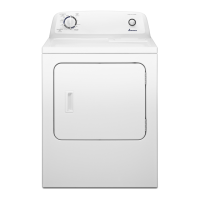
_i SING THE CONTROLS
--wRSENSOR DRY_
INKLE REGULAR _
CONTROL
TiME
DRY
OEUCA S
wR,N E
RELEASE
AR
FLUFF
PUSH DiALTO
START/PAUSE
Control features vary by model.
Step
To select a cycle, rotate the Cycle Selector dial to the
desired cycle.The indicator light by the cycle name will illumi-
nate.
The Regular and Wrinkle Control cycles are Sensor Dry
cycles. Sensor Dry automatically senses the moisture in the
load and shuts the dryer off when the selected dryness level
(very dry to damp dry) is reached.
Regular
The Regular cycle is designed to dry loads such astowels,
underwear, jeans, etc.
Wrinkle Control
The Wrinkle Control cycle is designed to dry wrinkle-free
cottons, synthetic fabrics, knits and permanent press fabrics
automatically. The cycle minimizes wrinkling by providing a
longer unheated cool-down period at the end of the cycle.
Time Dry
Time Dry allows you to select the desired cycle
time in minutes.Turn the Cycle Selector dial to ÷s0 M_N
®
Time Dry, then press the Time up arrow to set
the drying time. Press the arrow repeatedly to ÷30 M_N
scroll through the time settings.To add or subtract _z0 MIN
time from the cycle, see Options-AdjustTime,
page 8.
THME
Delicates
The Delicates cycle is designed to dry heat-sensitive items at
the low drying temperature.
Air Fluff
The Air Fluff cycle tumbles the load in room temperature air.
Wrinkle Release
The Wrinkle Release cycle will release wrinkles from items
that are clean and dry but only slightly wrinkled, such as from
a crowded closet or suitcase or from sitting in the dryer too
long after the cycle has ended. Wrinkle Release can be used
with any temperature selection.
6


 To Next Page
 Loading...