Need help?
Do you have a question about the Amann Girrbach Ceramill Map400 and is the answer not in the manual?
Explains warning indications, colors, and signal words used in the manual.
Describes the symbol for important information that is not a hazard.
Details symbols used in the manual for operations and lists.
Details symbols on the machine interface, such as USB ports and fuses.
Provides safety precautions, cautions, and notes for operating the machine.
Notes that machine operation requires trained specialized personnel.
Lists the items included in the complete system delivery.
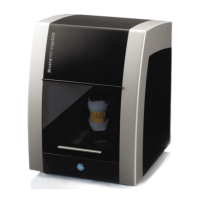
Specifies the Ceramill Map400 as a PC-controlled 3D scanner for dental models.
States product compliance with European Directives and national requirements.
Identifies front and rear components and ports of the Ceramill Map400.
Illustrates and labels parts of the Ceramill Transferkit assembly.
Shows rear panel connections for the PC model T3500.
Instructions for safely transporting the scanner equipment.
Details space requirements, temperature, and placement for the scanner.
Guides on connecting the PC, monitor, network, keyboard, and mouse.
Instructions for installing the recommended anti-virus software.
Guides on installing the Ceramill Mind and Ceramill Map software.
Procedures for installing the scanner hardware and verifying serial numbers.
Steps to activate optional modules within the scanner software.
Details the process of calibrating the scanner's axes using a model.
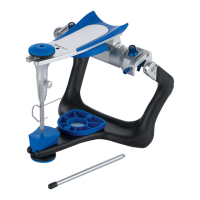
Explains how to calibrate the Artex Fixator with a calibration key.
Describes the manual 3-point registration process for the Artex Fixator.
Tips for using the fixator with different types of dental cases.
Guidance on correctly positioning dental models in the scanner.
Instructions for registering on the M-Center for updates and data upload.
Information on downloading software tutorials and updates.
Procedures for regular cleaning of the scanner.
Notes that maintenance should be performed by specialized personnel.
Steps to take in case of scanner malfunctions.
Information that repairs must be done by trained personnel.
Refers to statutory provisions and General Terms of Business for warranty.
Information on recycling systems and environmentally-friendly packaging.
Guidance on environmentally friendly disposal of the scanner after its service life.
Lists technical specifications for the Ceramill Map400 scanner.
Lists technical specifications for the T3500 PC.
 General
| Texture scanning | Yes |
|---|---|
| Color scanning | Yes |
| Manufacturer | Amann Girrbach |
| Model | Ceramill Map400 |
| Type | Dental scanner |
| Application | Dental CAD/CAM |
| Milling Technology | Not applicable (scanner) |
| Milling Accuracy | Not applicable (scanner) |
| Milling Speed | Not applicable (scanner) |
| Tool Changer | Not applicable (scanner) |
| Power Supply | 50/60 Hz |
| Connectivity | USB |

 To Next Page