2 Clock Repair Bulletin – Greasing & Ribbon Replacement AGP-1XXXXX
For error messages E1 through E4, turn off the power before checking to see that the carriage is stuck or
jammed. Also, check to see that the ribbon cables are in good condition and connected. After clearing
any jams, restore the power and press the RESET button if necessary should the error message
reappear.
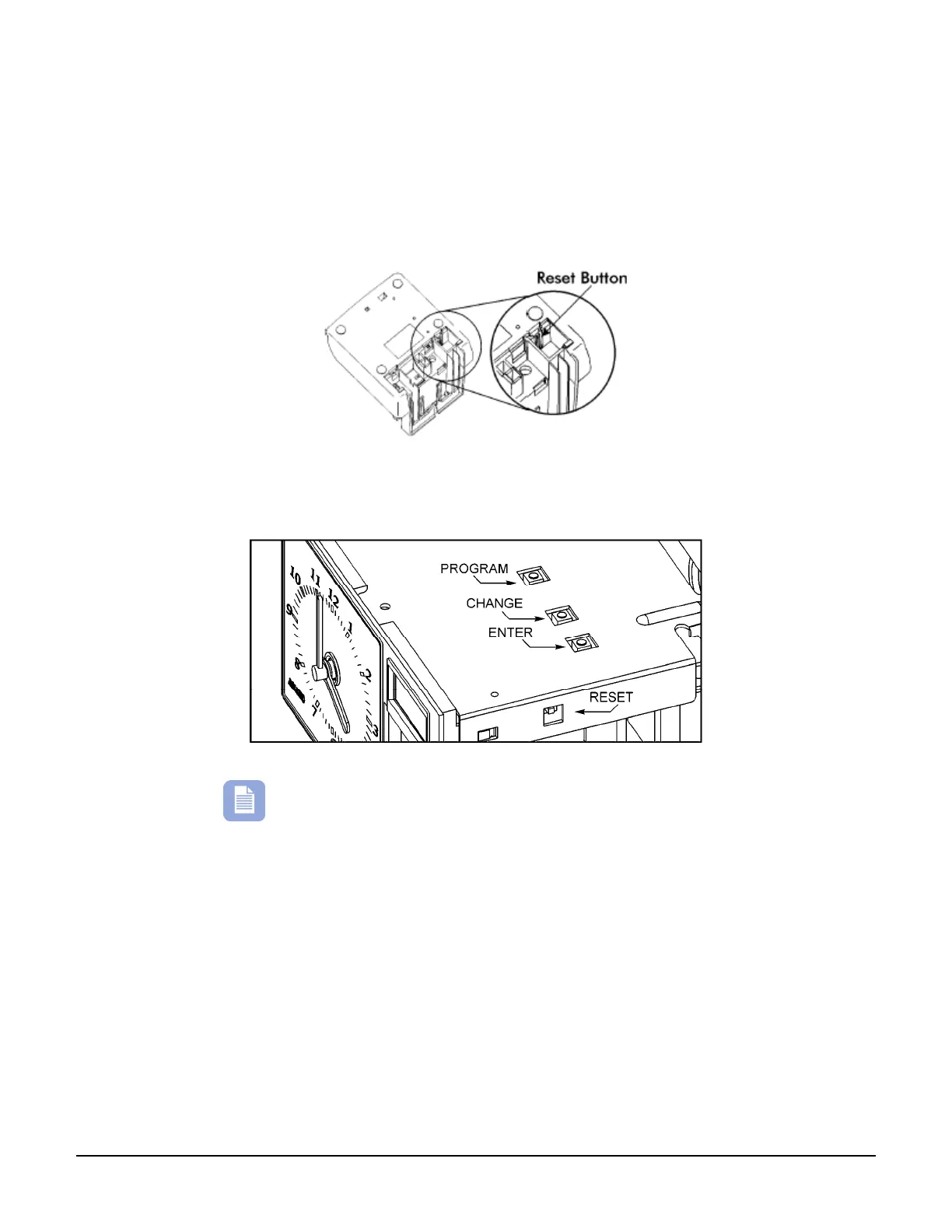
The following figure illustrates the RESET button location, for the Amano PIX-10, PIX-15, PIX-21, PIX-
22, PIX-55, and the TCX-45 time clocks.
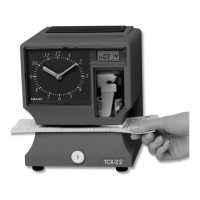
The following figure illustrates the RESET button location, for the Amano TCX-11, TCX-21, and TCX-22.
Note – The PIX-200 automatically clears the errors after 2
seconds. However, if the printer carriage is locked down
due to a jam – replacing the cover with the power on will
unlock the carriage.
Should you need any further assistance, contact your Amano Cincinnati representative for assistance.



 To Previous Page