Need help?
Do you have a question about the Amano EX3500N and is the answer not in the manual?
Warns possibilities of fatal or serious physical injuries.
Cautions possibilities of physical injuries or material damages.
Explains symbols used for prohibition and indispensability.
Details safety precautions regarding power, cord handling, and device integrity.
Details precautions for installation, environmental hazards, and grounding.
Lists all items supplied with the EX3500N time recorder.
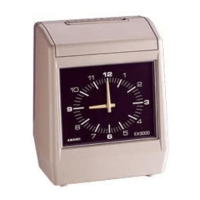
Identifies external components of the time recorder like lid, buttons, and card pocket.
Describes functions of buttons in Setting Index 1 for various parameters.
Describes functions of buttons in Setting Index 2 for clock and DST settings.
Describes functions of buttons in Setting Index 3 for weekly program settings.
Specifies requirements for a stable and continuous power source.
Details proper installation and good power conditions for long-term operation.
Provides step-by-step instructions for mounting the time recorder on a wall.
Explains the procedure for connecting an external time signal device.
Explains how to select the print position (IN/OUT) for time cards.
Describes how to insert time cards correctly and notes on detection and initial print.
Provides instructions on how to open and close the time recorder lid.
Details various print format settings like card type, hour, and minute indication.
Explains how to set the pay period ending day for weekly and bi-weekly pay.
Explains how to set the pay period ending date and blank row for monthly pay.
Details the procedure for setting the minutes of the clock.
Explains how to set the year, month, and date of the clock.
Explains how to set the hour and minute of the clock.
Explains how to set the daily time for row shifts on the time card.
Explains how to set the duration for external time signals.
Explains how to set the starting and ending dates and times for daylight saving.
Prepares for setting a weekly program by checking conditions and tables.
Explains setting the day of the week and time for a weekly program.
Details how to set 2-color printing for distinguishing work hours.
Explains how to set time signals for work starts, ends, and breaks.
Details how to set automatic shifting of print columns based on time.
Explains how to copy set items (day, time) to the next program.
Describes how to change or confirm existing weekly program settings.
Explains how to cancel weekly programs and add data to empty programs.
Lists common problems, their causes, and corrective measures.
Explains error codes displayed by the time recorder and their solutions.
Provides instructions on how to replace the ribbon cassette when prints become dim.
Explains how to clean the case and window glass.
Lists initial default values for various settings.
Provides a table format for setting up weekly programs.
 General
| Type | Electronic Time Clock |
|---|---|
| Time Format | 12/24 Hour |
| Battery Backup | Yes |
| Automatic Time Adjustment | Yes |
| Mounting | Wall mount |
| Mounting Type | Wall mount |


 To Next Page