Need help?
Do you have a question about the Amano TCX-22 and is the answer not in the manual?
Technical details of the TCX-22, including power, environment, and dimensions.
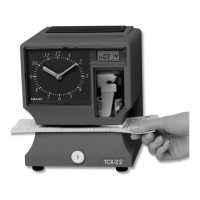
Labels and descriptions of the external parts of the time clock.
Step-by-step instructions for removing the unit's cover.
Identification of key internal components of the time clock.
Step-by-step guide for installing the internal rechargeable battery.
Instructions for connecting the external power adapter for power.
Procedure to verify the printer is functioning correctly by making a test print.
Guide on how to adjust the paper margin for optimal printing.
Explanation of the print area illumination feature and its activation.
Explanation of the functions of the PROGRAM, CHANGE, and RESET buttons.
Step-by-step guide to inputting the correct calendar date.
Step-by-step guide to inputting the correct time.
Guide to selecting pre-defined print styles using set-up codes.
Procedure to turn the automatic DST adjustment on or off.
Procedures to set the specific calendar dates for DST changes.
How to select the display and print language.
Configuring print direction and automatic printing modes.
Option to display leading zeros for times and dates.
Procedures for testing LCD, checking print counts, and clearing memory.
How to properly exit the programming mode and return to normal operation.
Step-by-step guide for replacing the ribbon cassette.
List of error codes (E1-E4, Ert, dLE) and their corresponding causes.

 To Next Page
 General