EasyManua.ls Logo

Amax ASC-2080 - User Manual

Amax ASC-2080
9 pages
Print Icon
To Next Page IconTo Next Page
Loading...
Made in China
17
INSTRUCTION BOOKLET
WARNING: Never leave your drone charging unattended for extended periods of
time. Always disconnect the battery from charger immediately after the battery
is fully charged. Please refer to the enclosed safety instructions.
PACKAGE CONTAINS:
Colors and styles may vary slightly from photos
Instruction
Manual
Spare Parts
BatteryASC-2080 USB Charger 2.4G Wireless
Controller
ON BOARD
HD VIDEO
ON BOARD
HD CAMERA
1280 x 720 pixels
25 frames per second
Phone Holder
CHOKING HAZARD
-
Small parts.
Not suitable for children under 3 years.
WARNING!
ASC-2080
FCC RF exposure statements
This Transmitter must not be colocated or operating in conjunction with any other antenna or transmitter.
This equipment complies with FCC RF radiation exposure limits set forth for an uncontrolled environment. This
equipment should be installed and operated with a minimum distance of 20 centimeters between the radiator
and your body or nearby persons.
Conforms to safety requirements of
FCC.
C012-USA-V 1.0
COMPACT HD VIDEO DRONE
WITH WIDE ANGLE LENSE
Distributed by:
TRACTOR SUPPLY COMPANY
5401 VIRGINIA WAY
BRENTWOOD, TN 37027
For customer support,
call: 1-888-376-9601
www.TractorSupply.com
Ascend Aeronautics™ is the registered trademark of AMAX Industrial Group LTD.
AMAX Group USA Address: 12645 Memorial Dr Suite F1 #388 Houston, TX 77024
© 2021 All Rights Reserved. Visit us at www.amaxbrands.com
FCC Part 15 C Notice
CAUTION: Changes or modifications not expressly approved by the party responsible for compliance could
void the user’s authority to operate the equipment.
NOTE: This equipment has been tested and found to comply with the limits for a Class B digital device,
pursuant to Part 15 of the FCC Rules. These limits are designed to provide reasonable protection against
harmful interference in a residential installation. This equipment generates, uses and can radiate radio
frequency energy and, if not installed and used in accordance with the instructions, may cause harmful
interference to radio communications. However, there is no guarantee that interference will not occur in
a particular installation. If this equipment does cause harmful interference to radio or television
reception, which can be determined by turning the equipment off and on, the user is encouraged to try to
correct the interference by one or more of the following measures:
• Reorient or relocate the receiving antenna.
• Increase the separation between the equipment and receiver.
• Connect the equipment into an outlet on a circuit different from that to which the receiver is
connected.
• Consult the dealer or experienced radio/TV technician for help.
This device complies with Part 15 of the FCC Rules. Operation is subject to the following two conditions :
(1) This device may not cause harmful interference, and
(2) this device must accept any interference received, including interference that may cause undesired
operation.
Requires Speed Class 10 or higher microSD or
microSDHC card(not included)
microSDHC Logo is a trademark of SD-3C, LLC.

Questions and Answers

Summary

FCC Part 15 C Notice

FCC RF Exposure Statements

Details RF radiation exposure limits and installation requirements for the transmitter.

Product Features

Compact Fold-in Design

Drone features a compact fold-in design for easy portability.

Obstacle Avoidance Training

Feature allows drone to circumvent obstacles for new pilots.

Air Pressure Sensor

Sensor locks flight altitude for stable video footage.

HD Camera

Drone is equipped with an HD camera for video and still shots.

6-Axis Gyro

Provides stable flight and maneuverability.

Remote Control Battery Installation

Charging the ASC-2080 Li-Poly Battery

Installing the ASC-2080 Battery

Expanding and Folding ASC-2080 Arms

General Warnings

Foul Weather Flying Warning

Advises against flying the drone in adverse weather conditions.

Flight Preparation

Pilot Experience and Environment

Advice for beginner pilots regarding open spaces and wind conditions.

Syncing the ASC-2080

Syncing Time Limit Tip

Advises on the time limit for syncing the drone and controller.

Syncing Environment Tip

Suggests syncing indoors or in shade for better visibility of LEDs.

Recognizing Drone Front and Rear

Automatic Take Off and Land

Manual Take Off Tip

Provides instructions for manual take-off using control sticks.

Speed Select Button

Training Mode and Obstacle Avoidance

Obstacle Avoidance Mode Note

Specifies that obstacle avoidance only functions in Training mode.

Flight Practice Maneuvers

Adjusting Trim Settings

Forward;Backward Trim Adjustment

How to use forward/backward trim buttons to correct drift.

Banking Left;Right Trim Adjustment

How to use left/right trim buttons to correct banking drift.

Trim Button Sound Indicators

Explains sound feedback from trim buttons indicating centering or maximum trim.

Calibrating the ASC-2080

Calibration Troubleshooting Tip

Steps to take if calibration lights do not flash, involving controller and drone re-sync.

About 360° Stunt Flips

Executing a Stunt Flip

Exiting Stunt Roll Mode

Instructions on how to exit stunt roll mode without performing a flip.

Recording Videos and Taking Photos

MicroSD Card Requirements

Lists necessary items for recording video and photos on a microSD card.

Formatting MicroSD Card

Steps to format a microSD card before using it for recordings.

Installing MicroSD Card

Instructions for inserting a microSD card into the ASC-2080 drone.

Taking Digital Photos

How to take still photos using the controller's camera button.

Recording Videos

Instructions for starting and stopping video recording.

Installing Your Phone Holder

Camera Video and Photo Streaming Setup

App Download and Setup

Instructions for downloading and installing the ASC-2080 app for streaming.

Troubleshooting Your ASC-2080

No Power Issues

Common causes and solutions for the drone not powering on.

Drone Not Responding Issues

Troubleshooting steps for when the drone fails to respond to controls.

Drone Wont Lift Off Issues

Solutions for the drone failing to take off properly.

Drone Trim and Stability Issues

Addresses issues with trimming, spinning, tilting, and altitude stability.

Replacing the Propeller Blades

Blade Identification Markings

Details on matching propeller blade indication markings for replacement.

Blades Guard Installation

ASC-2080 Warnings

General Safety Precautions

Highlights risks like sharp blades, keeping distance, and turning off equipment.

Charger and Battery Recommendations

Advises on using the correct charger and new alkaline batteries.

Battery Warnings

Rechargeable Battery Handling

Guidelines for Li-Poly rechargeable battery disposal and charging.

Controller Battery Safety

Important safety warnings for 3 'AAA' controller batteries.

Care and Maintenance

Remote Control Battery Removal

Recommendation to remove batteries when the remote is not in use.

Cleaning and Storage

Instructions for cleaning the drone and keeping it away from heat/water.

Flight Operation Warnings

Aircraft and Visibility Rules

Advises avoiding manned aircraft and maintaining visual drone sight.

Operational Conduct

Rules against careless operation, flying over people, or from moving vehicles.

Limited 90-Day Warranty

Warranty Coverage Details

Explains the 90-day warranty period, coverage, and exclusions.

Repair;Replace Product Procedure

Steps for contacting warranty support and returning the product for service.

Shipping Product for Service

Instructions for preparing and shipping the product for warranty service.

Overview

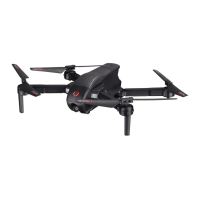
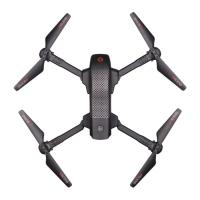
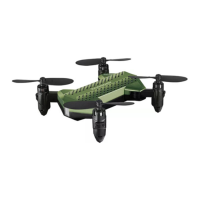
The ASC-2080 is a compact HD video drone equipped with a wide-angle lens, designed for both indoor and outdoor use. It features a foldable design for easy portability and a 6-axis gyro for stable flight and maneuverability. The drone is capable of taking videos and still shots with its onboard HD camera, recording at 1280 x 720 pixels at 25 frames per second. An air pressure sensor locks flight altitude for stable video footage, which is particularly useful for capturing clear imagery.

Technical Specifications:

  • Camera: Onboard HD digital camera, 1280 x 720 pixels, 25 frames per second.
  • Battery: Li-Poly rechargeable battery for the drone. Requires 3 "AAA" alkaline batteries for the remote control (not included).
  • Charging Time: Approximately 60-80 minutes via a 5.0V 2A USB wall charger.
  • Control Range: Not specified, but users are advised not to fly beyond 200 feet.
  • Speed Settings: 4 speed settings: T (Training), 1 (SLOW), 2 (MEDIUM), and 3 (HIGH). Default is 1 (SLOW).
  • Gyro: 6-axis gyro for enhanced stability.
  • Storage: Supports microSD or microSDHC card (Speed Class 10 or higher, not included) for high-definition recording. Also capable of streaming and recording directly to a mobile device via the ASC-2080 App.
  • Connectivity: 2.4G wireless controller.
  • Obstacle Avoidance: Training feature available in T (Training) mode.

Usage Features:

  • Remote Control: The remote control requires 3 "AAA" batteries. It includes a power indicator, ON/OFF power switch, direction controls, speed setting button, 360° stunt rolls button, throttle/yaw stick, and trim buttons (forward/backward, banking left/right).
  • Battery Installation and Charging: The drone's Li-Poly battery is inserted into a compartment on the back. It is charged using the included USB charger. The USB charger has an indicator light that turns solid red when charging and off when complete. The remote control's batteries are installed by unscrewing the battery cover.
  • Arm Expansion and Folding: The drone features foldable arms for portability. To expand, open the rear arms first, then the front arms, ensuring they are fully extended and locked into place. Folding is the reverse process. Users are cautioned not to use hard force.
  • Syncing: To sync the drone with the controller, ensure the drone is on a flat, level surface and the controller is off. Insert the drone's battery, press its power button until LED lights flash. Turn on the remote, push the throttle stick all the way up and then all the way down. A high-pitched beep confirms the stick movement. Solid LED lights on both devices indicate successful syncing.
  • Automatic Take Off/Land: A dedicated button on the controller allows for automatic take-off and landing.
  • Manual Take Off: Can also be performed by moving both control sticks simultaneously down inside or outside corners until blades spin, then slowly pushing the throttle stick up.
  • Speed Select: The speed setting button cycles through T (Training), 1 (SLOW), 2 (MEDIUM), and 3 (HIGH) modes. Beeping sounds confirm the selected speed.
  • T (Training) Mode & Obstacle Avoidance: This mode offers a very slow speed, maximum/minimum height limits, and an obstacle avoidance feature that causes the drone to automatically circumvent walls and obstructions. This feature is only active in T (Training) mode.
  • Flight Control: Basic flight functions include ascending/descending (left throttle stick up/down), rotating left/right (left throttle stick left/right), moving forward/backward (right direction control stick forward/backward), and banking left/right (right direction control stick left/right).
  • Adjusting Trim: Trim buttons allow for fine-tuning the drone's stability if it drifts forward/backward or banks left/right. A single long beep indicates center trim, while no sound at maximum trim indicates the limit.
  • Calibration: If the drone drifts or cannot hold its center position, it may need recalibration. Place the drone on a flat surface, ensure it's synced, then move both throttle and control sticks down and to the right corner. Lights will flash rapidly and then stop, indicating calibration is complete.
  • 360° Stunt Flips: The drone can perform 360° stunts in speed modes 2 or 3 (not T or 1). To execute, hover the drone with at least 5 feet of clearance, press the 360 stunt button (a rapid beeping sound indicates stunt roll mode), then push the right control stick in the desired direction (e.g., right for a right-side roll). Removing blade guards is recommended for best performance. Stunts consume more battery.
  • Recording Videos and Taking Photos: The drone can record to a microSD card (for highest definition) and stream/record to a mobile device via the ASC-2080 App.
    • microSD Card: Requires formatting before use. Insert into the drone's SD card port. Short press the CAMERA button for a photo (one beep, lights flash once). Long press for 2-3 seconds to start video recording (two beeps, lights flash rapidly). Depress again to stop (two beeps, lights become solid).
    • Phone Holder: Attaches to the controller by clicking its top teeth into holes and then securing the bottom.
    • ASC-2080 App: Downloadable via QR code for Apple iOS (10.0 or higher) and Android OS (4.2.2 or higher) devices. The app provides tutorials for connecting, pairing, and using the camera for streaming and recording.

Maintenance Features:

  • Propeller Blade Replacement: The drone has four sets of blades, marked A and B. When replacing, match the indication markings on the blades. Unscrew the damaged blade and replace with a new correct one.
  • Blade Guard Installation: Four blade guards can be attached to the landing gear for safety, especially recommended for beginners.
  • Battery Care: Always unplug the charging cord when not in use. Never leave the drone charging unattended. Disconnect the battery immediately after it's fully charged. Dispose of rechargeable batteries properly according to local requirements when they no longer hold a charge. Non-rechargeable batteries (for controller) should not be recharged, mixed with old/new or different types, or short-circuited.
  • General Care: Remove batteries from the remote control when not in use for extended periods. Clean the drone and remote with a clean damp cloth. Keep away from direct heat or sunlight. Do not submerge in water.
  • Safety Warnings: Choking/cutting hazard from small parts/sharp rotor blades. Keep hands, hair, and loose clothing away from propellers. Turn off both drone and transmitter when not in use. Use only the included charger for the drone's battery. Parental supervision is recommended. Avoid flying in foul weather or high wind. Do not fly over people or from moving vehicles unless in sparsely populated areas without property transportation for compensation. Always maintain visual sight of the drone.

Troubleshooting:

  • No Power: Check if power is switched off, battery polarity is reversed, or batteries are low.
  • Drone Not Responding: Check if remote is switched off, remote battery is weak, remote is not properly synced, or drone is out of control range.
  • Drone Won't Lift Off: Rotor speed too slow, drone not fully charged, or obstruction of rotors.
  • Drone Spins, Cannot Be Trimmed: Rotor deformation or bad motor.
  • Drone Tilts to One Direction: Drone did not calibrate properly.
  • Altitude Hold Not Stable: Drone vibrates too much (check propeller deformation).

Amax ASC-2080 Specifications

General IconGeneral
BrandAmax
ModelASC-2080
CategoryDrones
LanguageEnglish

Related product manuals