EasyManua.ls Logo

Amax ASC-2400 - User Manual

Amax ASC-2400
8 pages
Print Icon
To Next Page IconTo Next Page
Loading...
15
INSTRUCTION BOOKLET
WARNING: Never leave your drone charging unattended for extended periods of
time. Always disconnect the battery from charger immediately after the battery
is fully charged. Please refer to the enclosed safety instructions.
PACKAGE CONTAINS:
Colors and styles may vary slightly from photos
Instruction
Manual
Spare Parts Battery
ASC-2400
USB Charger 2.4G Wireless
Controller
ON BOARD
HD VIDEO
ON BOARD
HD CAMERA
1280 x 720 pixels
25 frames per second
Phone Holder
HD VIDEO DRONE
ASC-2400
Set of 4 AAA
Batteries
for Controller
Made in China
CT-6333
C009-USA-V1.0
Ascend Aeronautics™ is the registered trademark of AMAX Industrial Group LTD.
AMAX Group USA Address: 12645 Memorial Dr Suite F1 #388 Houston, TX 77024
© 2021 All Rights Reserved. visit us at www.amaxbrands.com
CHOKING HAZARD
-
Small parts.
Not suitable for children under 3 years.
WARNING!
FCC Part 15 C Notice
CAUTION: Changes or modifications not expressly approved by the party responsible for compliance could
void the user’s authority to operate the equipment.
NOTE: This equipment has been tested and found to comply with the limits for a Class B digital device,
pursuant to Part 15 of the FCC Rules. These limits are designed to provide reasonable protection against
harmful interference in a residential installation. This equipment generates, uses and can radiate radio
frequency energy and, if not installed and used in accordance with the instructions, may cause harmful
interference to radio communications. However, there is no guarantee that interference will not occur in a
particular installation. If this equipment does cause harmful interference to radio or television reception,
which can be determined by turning the equipment off and on, the user is encouraged to try to correct the
interference by one or more of the following measures:
Reorient or relocate the receiving antenna.
Increase the separation between the equipment and receiver.
Connect the equipment into an outlet on a circuit different from that to which the receiver is connected.
Consult the dealer or experienced radio/TV technician for help.
This device complies with Part 15 of the FCC Rules. Operation is subject to the following two conditions :
(1) This device may not cause harmful interference, and
(2) this device must accept any interference received, including interference that may cause undesired
operation.
FCC RF exposure statements (for the drone only)
This Transmitter must not be co-located or operating in conjunction with any other antenna or transmitter.
This equipment complies with FCC RF radiation exposure limits set forth for an uncontrolled environment.
This equipment should be installed and operated with a minimum distance of 20 centimeters between the
radiator and your body or nearby persons.
Conforms to safety requirements of
FCC.
Distributed by:
Costco Wholesale Corporation
P.O. Box 34535
Seattle, WA 98124-1535
USA
1-800-774-2678
www.costco.com

Questions and Answers

Summary

FCC Part 15 C Notice

Adjusting the Trim

Forward;Backward Trim

Adjusts for drone drifting forwards or backwards in air by using trim buttons.

Bank Right;Left Trim

Adjusts for drone drifting left or right in air by using trim buttons.

Spinning;Rotating Trim

Adjusts for drone spinning left or right by using rotational trim buttons.

Overview

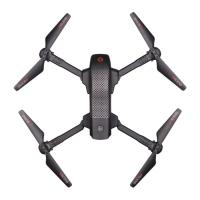
The ASC-2400 is an HD Video Drone designed for outdoor use, offering a range of features for both novice and experienced pilots.

Function Description:

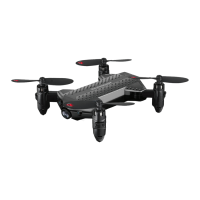
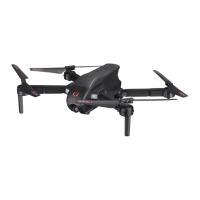
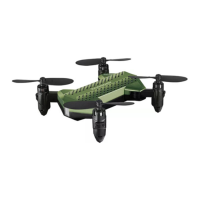
The ASC-2400 is a remote-controlled drone equipped with an on-board digital camera capable of streaming video and capturing still photographs directly to a mobile device. It features push-button Auto Start, Hover, and Auto Land technology for ease of use. A built-in 6-axis gyro and altitude sensors ensure incredibly stable flight, while a high-efficiency Li-Poly battery extends flight time. Its "Go-Anywhere" folding frame design makes it portable for easy transportation. The drone can perform 360° stunt rolls and offers three-speed settings (SLOW, MEDIUM, HIGH) to accommodate different skill levels. It is controlled by a 2.4G wireless controller, which requires 4 AAA alkaline batteries. The drone itself is powered by a rechargeable Li-Poly battery, charged via an included USB charger.

Important Technical Specifications:

  • Camera: 1280 x 720 pixels, 25 frames per second, capable of video and still photography.
  • Flight Stability: Built-in 6-axis gyro and altitude sensors.
  • Battery (Drone): Li-Poly rechargeable battery.
  • Charging Time (Drone): Approximately 130-150 minutes via 5.0V-2A USB wall charger.
  • Flight Time (Drone): 15-18 minutes (depending on environment and user input).
  • Controller Battery: 4x 1.5 volt "AAA" Alkaline Batteries (included).
  • Control Frequency: 2.4G Wireless.
  • Speed Settings: 3 modes (SLOW, MEDIUM, HIGH).
  • Recommended Flight Environment: Large open space (preferably a field or park) with an open radius of at least 400 feet, with zero or extremely light wind conditions for beginners.
  • Mobile Device Compatibility: Apple® iOS devices require iOS 10.0 or higher; ANDROID™ devices require OS 4.2.2 or higher.
  • FCC Compliance: Complies with Part 15 of FCC Rules. The transmitter must not be co-located or operating in conjunction with any other antenna or transmitter. The equipment should be installed and operated with a minimum distance of 20 centimeters between the radiator and the user's body or nearby persons.

Usage Features:

  • Remote Control Battery Installation: Unscrew and remove the battery cover from the back of the controller, install 4 AAA alkaline batteries, replace the cover, and press the power button. Two beeps and a lit power indicator confirm correct installation.
  • Charging the Drone Battery: Insert the USB charger into the battery charging socket on the drone, connect the USB end to a computer's USB port or a USB wall charger. A red LED indicator light illuminates during charging and turns off when complete.
  • Installing the Drone Battery: Carefully push the fully charged battery into the drone's battery compartment until it stops and is flush with the back of the drone. The battery only fits one way; do not force it.
  • Expanding/Folding Arms: Ensure drone power is off. Hold the folded drone and open the arms, starting with the front arms and then the rear arms. Ensure arms are fully extended and locked into place (some pressure indicates proper lock). Reverse steps to fold. Avoid using hard force.
  • Flight Preparation: Verify controller batteries are installed and drone battery is fully charged. Fly in a large open space (400 ft radius) on a clean, flat level surface. Avoid flying in windy conditions, especially for beginners.
  • Syncing: Before starting, ensure controller power is off and drone battery is removed. Insert drone battery, place on flat surface, press and hold drone power button (red LEDs flash rapidly, then slow). Turn on remote (top red LED flashes). Push throttle stick all the way up and then all the way down (two beeps). Drone and controller indicator lights become solid when synced. Syncing indoors or in shade can help see LED indicators.
  • Recognizing Front/Rear: The front/forward-facing direction is the side with the camera. The rear/backward-facing direction is the side with a red light.
  • Starting/Stopping Rotors:
    • Auto Start/Land: Press the auto START/LAND button on the controller. Drone will automatically take off or land. Direction can still be controlled during auto ascent/descent.
    • Manual Start/Stop: Move both control sticks simultaneously down to the inside or outside corners and hold until rotors spin. Release sticks to neutral, then push throttle up to take off. To stop, land the drone (rotors stop in 10 seconds) or move both control sticks simultaneously down to the inside or outside bottom corners.
    • Emergency Stop: Press the "speed setting button" and "stunt button" simultaneously to stop drone blades.
  • Speed Select Button: Press the speed setting button on the remote to cycle through 3 speed settings (1-SLOW, 2-MEDIUM, 3-HIGH). Beeping sounds indicate speed changes.
  • Flight Control: Basic inputs include moving the left throttle stick up/down for ascent/descent, left/right for horizontal rotation. Moving the right direction control stick forward/backward for forward/backward movement, and left/right for banking/sweeping left/right.
  • Adjusting Trim: If the drone drifts forward/backward, use forward/backward trim buttons. If it drifts left/right, use left/right trim buttons. If it spins left/right, use rotational trim buttons. Short beeps indicate one trim position movement; a long beep indicates center trim position. No beeps indicate maximum trim. If still unstable, re-sync and re-calibrate.
  • Calibrating: Place drone on a very flat level surface, ensure it's on and synced. Move both throttle and control sticks down and to the right-hand bottom corner. Drone lights will rapidly flash and stop, indicating successful calibration. If lights don't flash, remove battery, turn off controller, and restart, ensuring battery is in before turning on controller. Re-sync by pushing left throttle stick all the way up and down.
  • 360° Stunt Rolls: Hover drone at least 6 feet clearance. Set speed to mode 2 or 3. Press the 360 stunt button (rapid beeping sound). Use right control stick to push directly right for a "right side roll" or directly left for a "left side roll." Press stunt button again to exit stunt roll mode.
  • Installing Phone Holder: Turn controller to the back, click the top two teeth of the phone holder into the two holes on the top of the controller, then click in the bottom. Pull from the bottom to remove.
  • Camera Video and Photo Streaming Setup: Scan the appropriate QR code for the ASC-2400 App (Android Play Store or Apple Store) or manually enter the web address. Install the app. Follow the "TUTORIAL" in the app for connecting/pairing the drone and recording film/photos.

Maintenance Features:

  • Propeller Replacement: The ASC-2400 has four sets of blades, marked A & B. Match the indication markings/letters on the blades when replacing. Unscrew and remove the damaged blade, then replace with the correct new blade.
  • Battery Warnings:
    • Rechargeable Battery: Li-Poly rechargeable. Dispose of properly if it no longer holds a charge.
    • Controller Batteries: Replace all 4 AAA batteries at once. Do not mix alkaline, standard, or rechargeable batteries. Do not mix old and new batteries. Non-rechargeable batteries are not to be recharged. Rechargeable batteries must be removed for charging (if removable) and charged under adult supervision. Exhausted batteries should be removed immediately and recycled/disposed of properly. Supply terminals are not to be short-circuited. Use only recommended battery type. Insert batteries with correct polarity. Do not dispose of batteries in fire.
  • Care and Maintenance: Remove batteries from the wireless remote control when not in extended use. Gently wipe remote control and drone with a clean damp cloth. Keep product away from direct heat or sunlight. Do not submerge in water. Parental guidance recommended for battery installation/replacement.

Warranty:

A Limited 90-Day Warranty (North America) covers electrical or mechanical defects for 90 days from the date of purchase. AMAX Group USA will repair or replace the unit free of charge upon receipt, shipped postage prepaid and insured, with the original receipt. The warranty covers normal consumer use and excludes damage from alterations, accident, misuse, abuse, neglect, wear and tear, inadequate maintenance, commercial use, or unreasonable use. Removal of parts/components voids all warranties. Implied warranties are limited to 90 days. Returns require an RMA number/form issued by AMAX.

Amax ASC-2400 Specifications

General IconGeneral
BrandAmax
ModelASC-2400
CategoryDrones
LanguageEnglish

Related product manuals