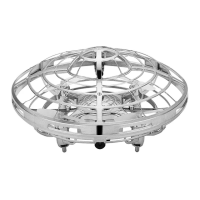
FEATURES
CHARGING THE HOVER STAR™
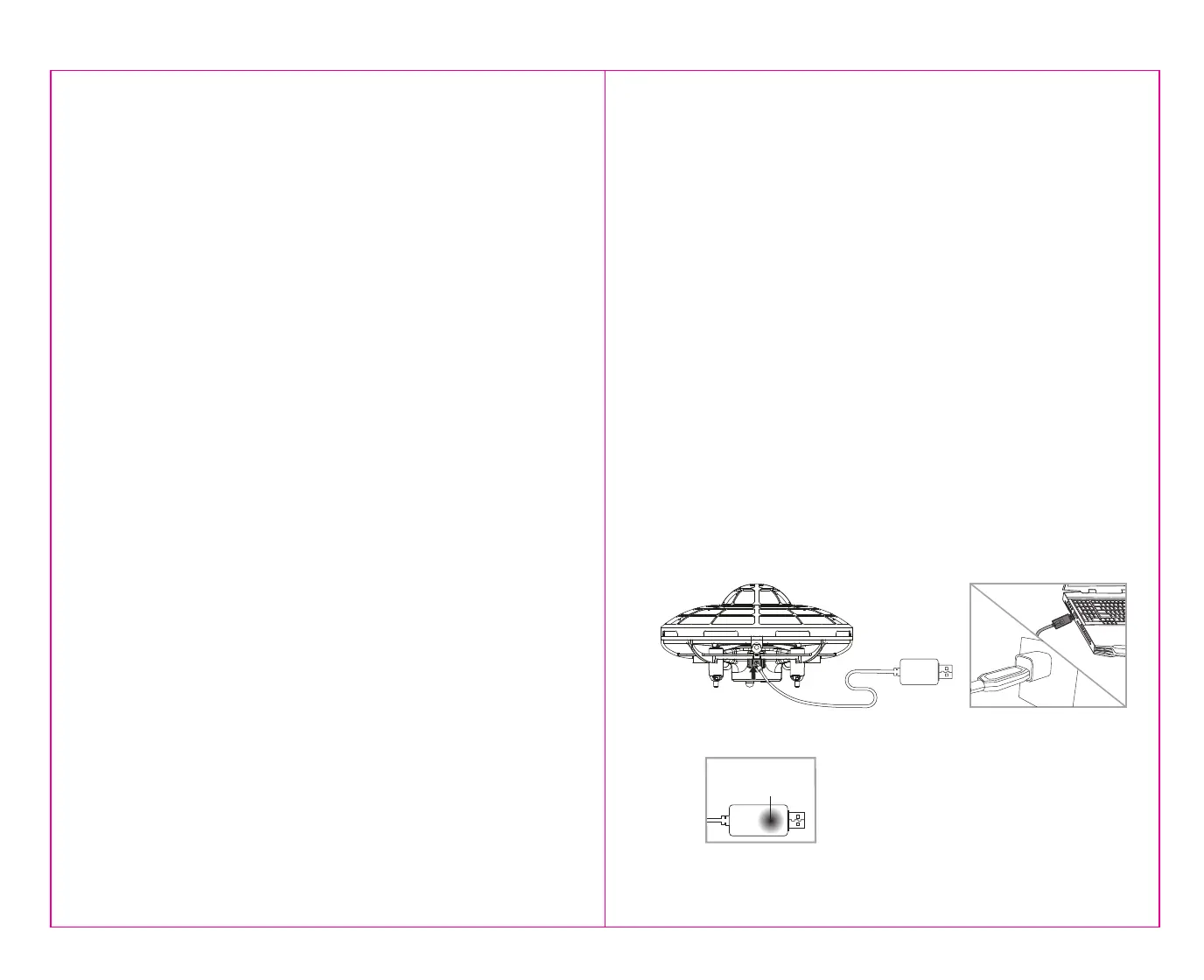
1. Make sure the power switch is turned off and then plug the UFO (smaller end) end of the charging cord into the
charging socket of the HOVER STAR (see diagram A ).
2. Next Connect the USB end of the charging cord to either your computers USB port or a UL listed USB wall charger
(see diagram B).
3. The USB cord has a RED colored LED light that will “turn off” during charging and “light up” when charging is
complete (See diagram C).
Note: If the red LED lights up, either the charging is complete or the USB plug is not properly connected. If you
have used the UFO for several minutes and have plugged in your charging cord and see a solid RED LED light
chances are you have not plugged in the cord in correctly.
4. The charging time may vary depending on the remaining percentage of battery charge left after flying. The average
charging time is approximately 30 minutes. The HOVER STAR operates for approximately 5-7 minutes per charge.
5. LOW BATTERY INDICATION: When the battery is low, lights on the body of the HOVER STAR will begin to flash
and will continue to flash for 30-60 seconds then the HOVER STAR will automatically land.
TABLE OF CONTENTS
Features ........................................................................................................... 2
Charging the HOVER STAR™.......................................................................................2
HOVER STAR™ Diagram........................................................................................... 3
Warning............................................................................................................ 3
Lets Get Started! .................................................................................................. 4
How To Control Your HOVER STAR™ ............................................................................... 5
Trouble Shooting................................................................................................... 5
How To Play Safely!................................................................................................ 6
HOVER STAR™ Warning: .......................................................................................... 6
Battery Warnings.................................................................................................. 6
Care and Maintenance, Limited 90-Day Warranty............................................................... 7
FCC Part 15 B Notice ............................................................................................... 9
A.
B.
1 2
C.
The red LED on the USB
plug lights up when
charging is complete
• Easy to Launch and Fun to Play
• Obstacle Avoidance Technology
• Hand Motion Control
• Infinite Spinning and Hovering
• Crash Proof Design for Extra Durability


 To Next Page
 Loading...