Need help?
Do you have a question about the Amazfit A2212 and is the answer not in the manual?
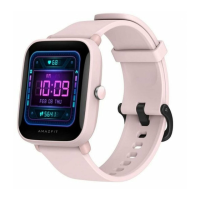
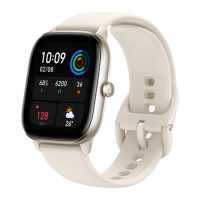
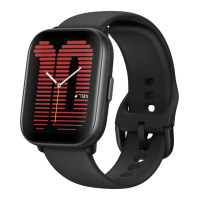
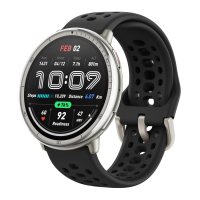
This document serves as a comprehensive product manual for the Amazfit Smart Watch, providing essential information on its components, setup, usage, and maintenance. The watch is designed to offer scientific sleep and workout guidance, along with personalized health services, to support a healthy lifestyle.
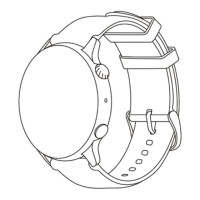
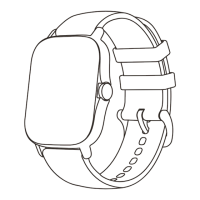
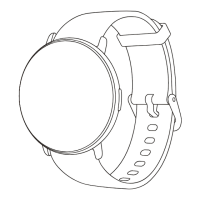
Upon unboxing, the package includes the Smartwatch with its band, a charging base, and an instruction manual. The smartwatch itself features a robust design with several key interactive elements. On the side, there are two buttons: an "Upper button" which functions as a Power/Select button, and a "Lower button" which serves as a Back button. The back of the watch houses a heart rate sensor and charging contacts. To power on the watch, users need to press and hold the power button. If the watch fails to turn on, it is recommended to charge it and then attempt to power it on again.
To unlock the full potential of the Amazfit Smart Watch, it must be paired with the Zepp app. This app is crucial for accessing the watch's features, including scientific sleep tracking, workout guidance, and personalized health services. The pairing process is straightforward:
For the best user experience, it is advised to use the most recent version of the Zepp app. The operating system of the mobile device should be Android 7.0, iOS 14.0, or above. A crucial note for pairing is to avoid connecting the watch directly via the mobile phone's Bluetooth settings; instead, users should follow the pairing steps provided within the Zepp app.
Charging the Amazfit Smart Watch is a simple process designed for user convenience:
It is important to use only the charging base that comes with the watch and to ensure that the charging base is dry before initiating the charging process. For efficient charging, a power adapter with a rating of 1A or above is recommended.
Proper wearing of the Amazfit Smart Watch is essential for accurate data collection and user comfort:
External factors such as arm sag, arm sway, arm hair, or tattoos can affect the accuracy of measurements, potentially leading to inaccurate results or measurement failures.
To ensure the longevity and optimal performance of the Amazfit Smart Watch, specific repair and maintenance guidelines should be followed:
For troubleshooting common issues, users are encouraged to visit the FAQ section on the official Amazfit support website: https://support.amazfit.com/en. It is important to note that this product is not a medical device, and any data or measurements provided are not intended for medical diagnosis or monitoring.
If the product is not going to be used for an extended period, it is recommended to power it off before storage. To prevent battery damage due to over-discharge, the battery should be recharged to 100% every six months.
The Amazfit Limited Warranty covers manufacturing defects for Amazfit products from the original purchase date. The standard warranty period is 12 months, or a longer period if required by applicable consumer laws in the consumer's country of purchase. This warranty is supplementary to any rights provided by local consumer laws. For more information, users can visit the official website at en.amazfit.com or the support page at support.amazfit.com/en.
 General
| Model | A2212 |
|---|---|
| Resolution | 320 x 302 pixels |
| Water Resistance | 5 ATM |
| Sensors | BioTracker 2 PPG, 3-axis accelerometer, 3-axis gyroscope |
| Display Type | TFT |
| Display | TFT |
| Connectivity | Bluetooth 5.0 |
| Positioning | GPS, GLONASS, Galileo, BDS |
| Body Material | Plastic |
| Compatibility | Android 7.0 and above, iOS 12.0 and above |

 To Next Page