1
Watch Face Function Navigation and Touch Key Description
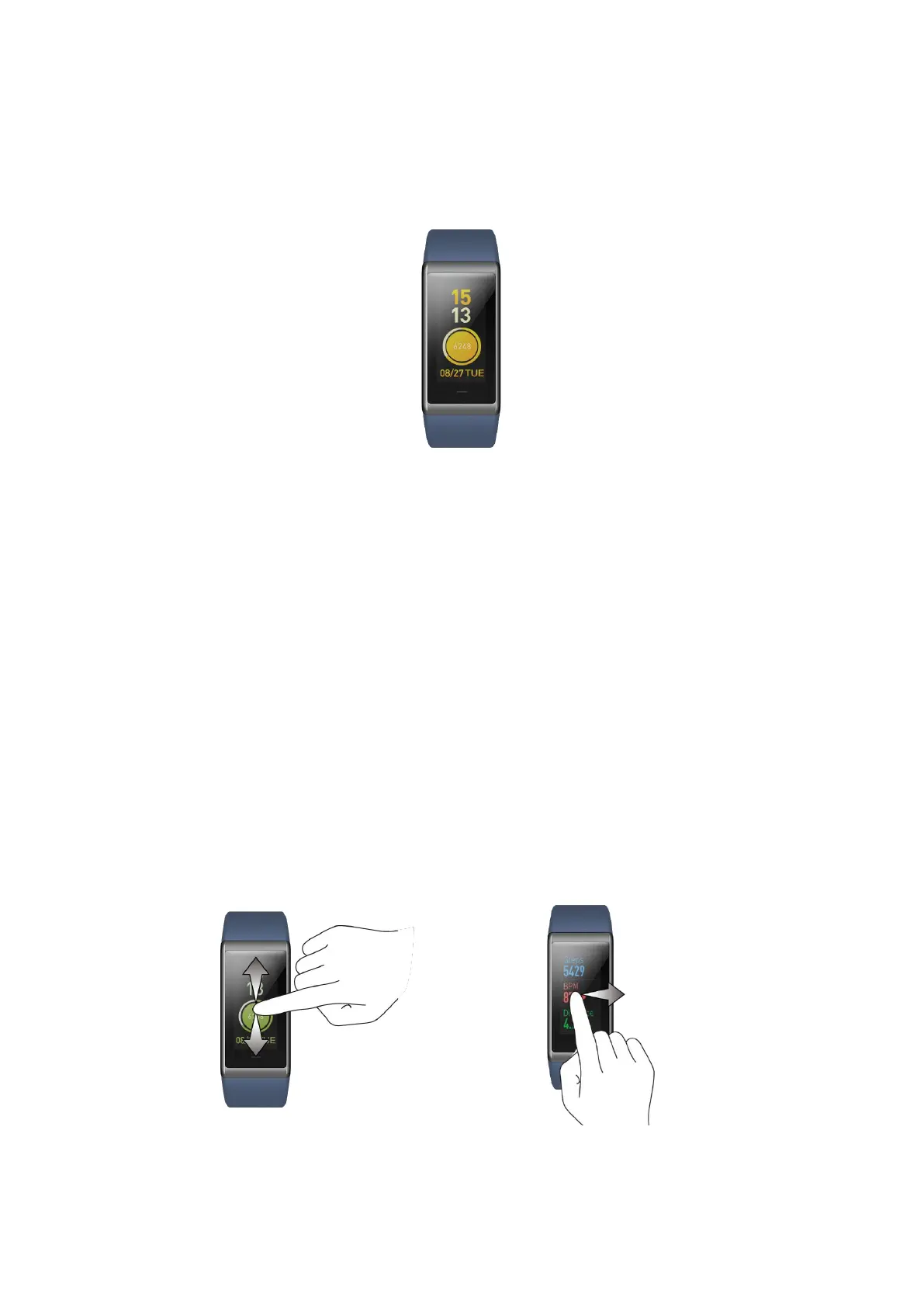
The band is fitted with a color IPS touch screen and a touch key.
Function Navigation Operations
You can navigate the screen by sliding left, right, up or down. The Watch Face page is
displayed by default, on which you can:
⚫ Slide up to display the first-level menu approaches and tap the screen to check
different application functions.
⚫ Slide down to turn on Do not Disturb (DND) mode, or check the current battery
level of the band.
⚫ Slide right to display the shortcuts for quick review of the details of the apps you
have set.
Return:
⚫ Slide right on the App Details page to return to the previous page. If at the first-level
menu approach or on the DND page, it will return to the watch face page.
⚫ Slide left on the App Shortcut Details page to return to the Watch Face page.



 To Next Page