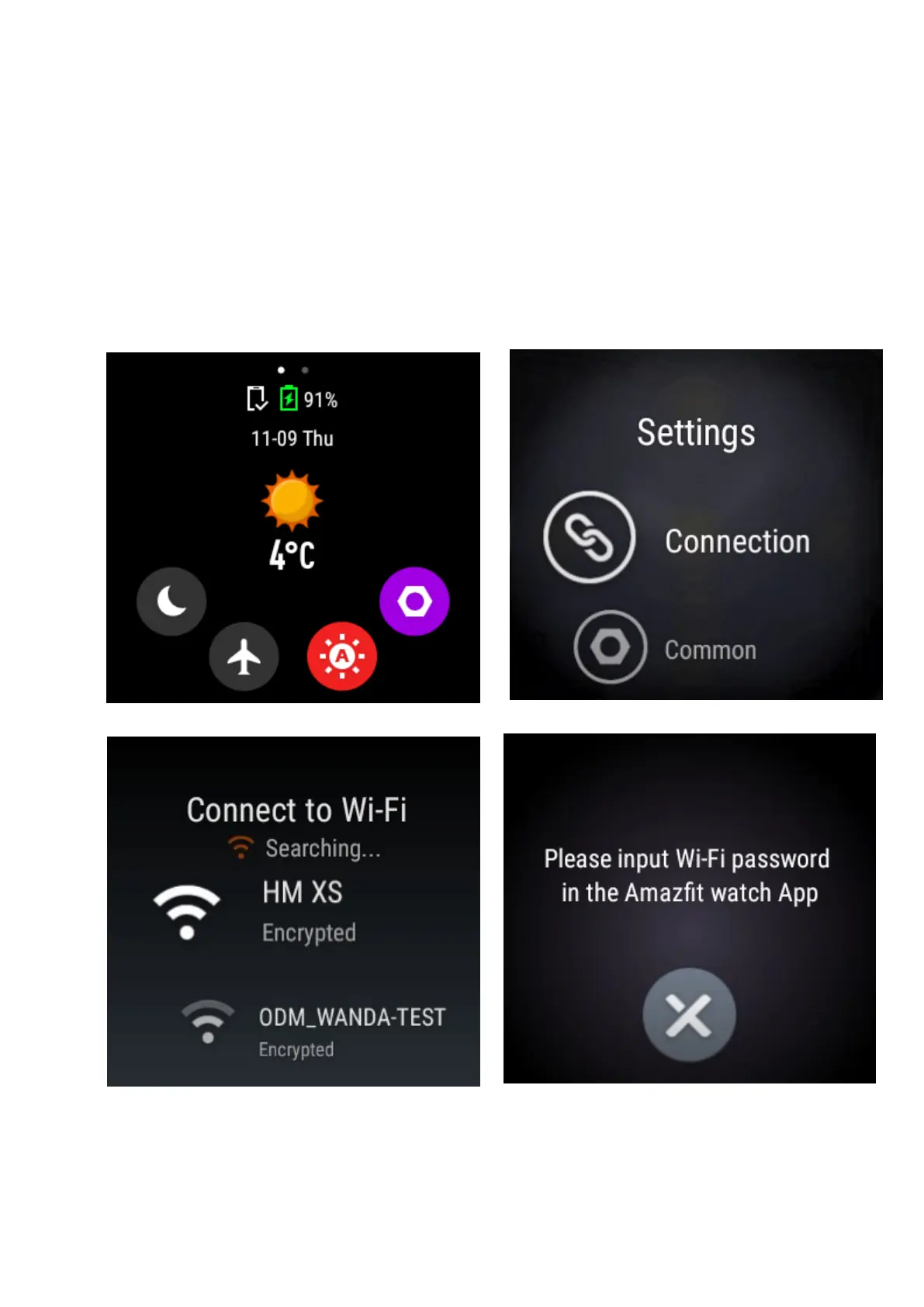
14. How to enable Wi-Fi on the watch?
To enable WIFI, please connect your watch with Amazfit Watch App first.
Then access the home screen by pressing the button on the right side of the watch. From
the home screen, swipe DOWN on the watch face to access More Settings.Tap on More
Settings. Tap on Connection to find WIFI and connect to your network.The WiFi password
prompt will show up in your Amazfit Watch companion app. Input the password in the app
to enable WIFI on the watch.



 To Next Page