Note:
To enable this function on an Android phone, you need to add the Zepp app to the white list or auto-run list in the
phone background so that the app always runs in the background. If the Zepp app is killed by the phone
background process, the watch will be disconnected from your phone, and you cannot receive incoming call alerts
on the watch.
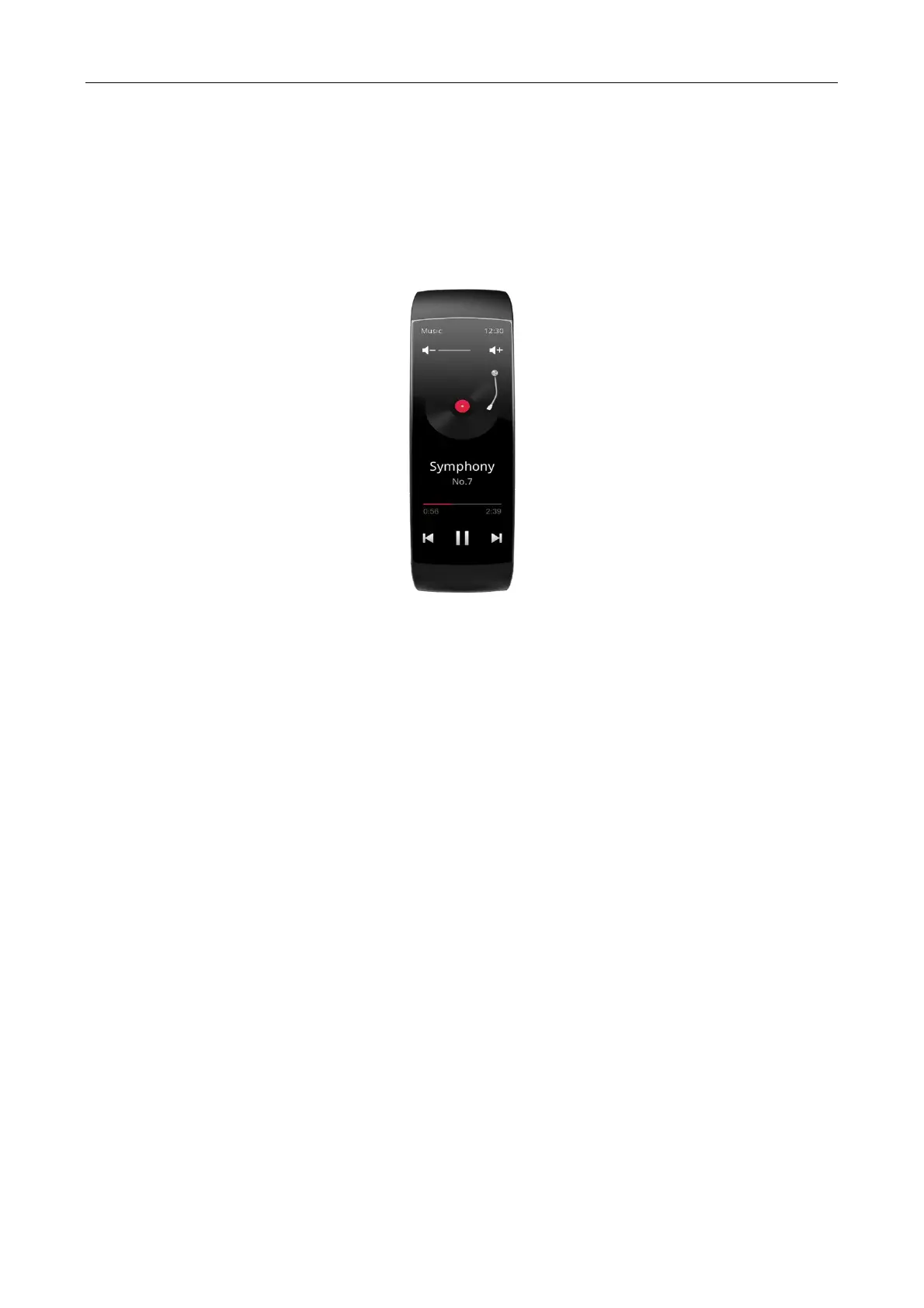
Music control
Keep the watch connected with your phone. When you play music on your phone, you can start or pause the
music, adjust the volume, and switch to the previous or next audio track on the music app of your watch.
Changing the settings on an Android phone:
Keep the watch connected with your phone, launch the Zepp app, and choose Profile > My devices > Amazfit X >
App alerts. Tap the "Can’t access notification" message to go to the notification settings page, and grant
notification permission for the Zepp app. The related permission is already granted if this message is not
displayed.
Note:
To enable this function on an Android phone, you need to add the Zepp app to the whitelist or auto-run list in the
phone background so that the app always runs in the background. If the Zepp app is killed by the phone's
background process, the watch will be disconnected from your phone, and you cannot implement music control.
Find my phone
1. Keep the watch connected with your phone.
2. On the watch face page, swipe down to go to the control center, and tap Find my phone. Then, your phone
will vibrate and ring.
Find Watch
Keep the watch connected with your phone, launch the Zepp app, and choose Profile > My devices > Amazfit X >
Find watch. Then, your watch will vibrate.
Watch face
Watch face compilations
Some watch faces support compilations. With the compilations, you can view information such as steps,
consumption, and weather, or tap a compilation to launch the corresponding app. You can also edit information as
needed.
Edit watch face compilations:
1. Wake up the watch face, and long press the watch face page to go to the watch face selection page.


 To Next Page