3. When the workout app is launched again, the watch automatically goes to the ongoing workout.
View data during a workout:
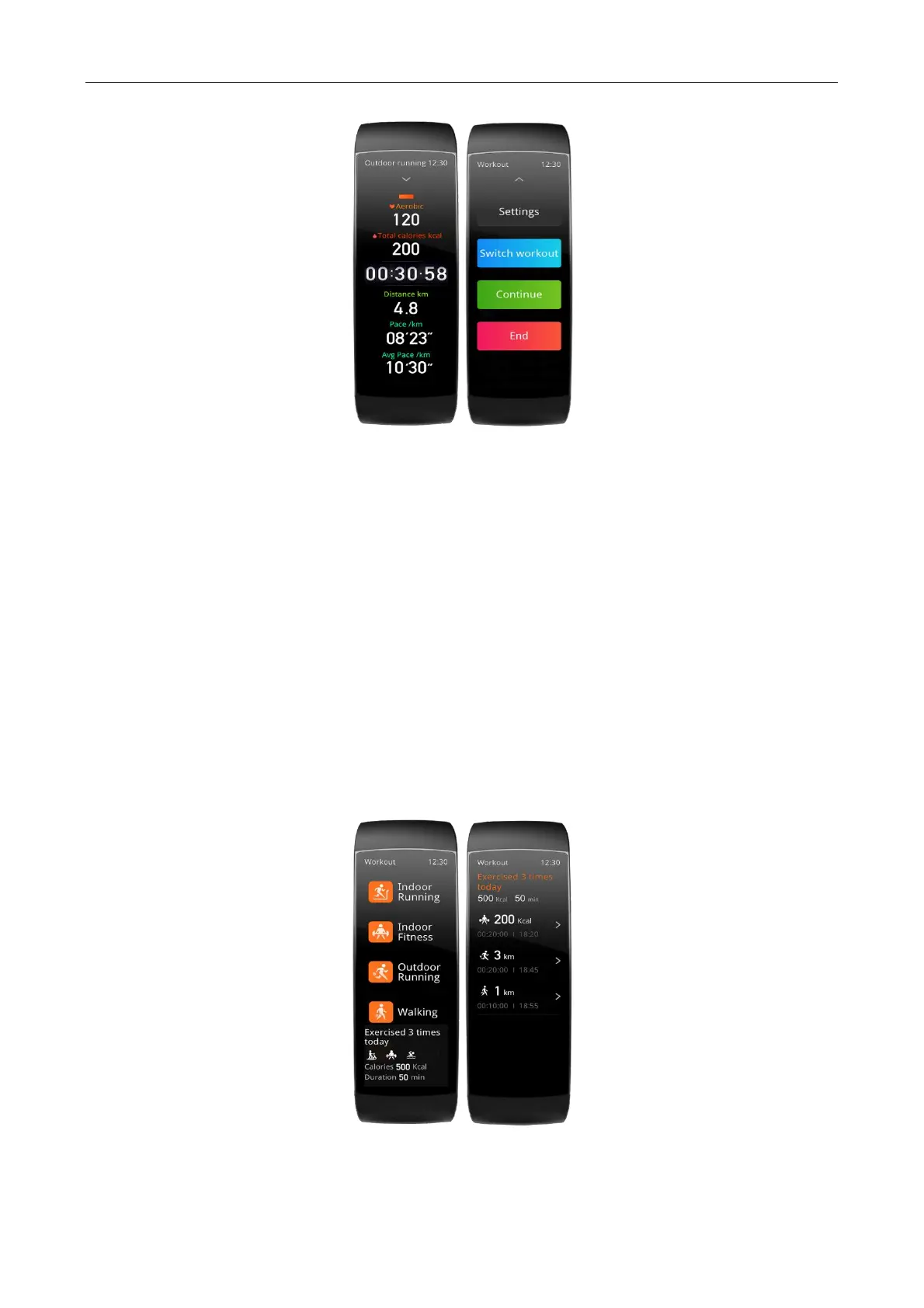
During a workout, you can swipe up or down on the screen to view different data.
Control during a workout:
During a workout, you can tap the button on top of the page to set the workout parameters, change the workout
mode, pause or continue the workout, or end the workout.
Saving workout data:
When you stop a workout, the workout data is not saved if the distance is too short or the workout time is too
short. Due to the limited storage space, it is recommended that you synchronize the workout data to the app soon
after completing a workout; otherwise, the workout data may be overwritten.
Viewing workout records
View workout records on the watch:
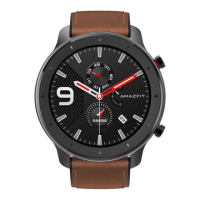
Wake up the watch, press the side key to go to the app list, select Workout, and tap Workout record at the bottom
of the Workout homepage to view the latest workout records. You can also select a record and view the details of
this record.
View the workout records on the phone:
The workout data synchronized to the Zepp app on the phone could be viewed in detail on the Workout records
page.


 To Next Page